
- SIGNA MR355 / SIGNA MR360
- Service Manual
- 5856356-3EN Revision 5.0
- Basic Service Documentation. Copyright General Electric Company.
- 00000018WIA308ABF20GYZ
- id_131074061.3
- Jul 5, 2019 11:49:10 PM
Front Cover
Prerequisites
| Required persons | Preliminary requirements | Procedure | Finalization |
|---|---|---|---|
| 1 | Not Applicable | 15 minutes | Not Applicable |
| Item | Quantity | Effectivity | Part number | Manufacturer |
|---|---|---|---|---|
| Non ferrous Standard Tool | 1 | - | - | - |
| ||||

Procedure
- Remove the Front Center Cover by removing the screws and hang
it down with the cable.
Figure 1. Front Center Cover 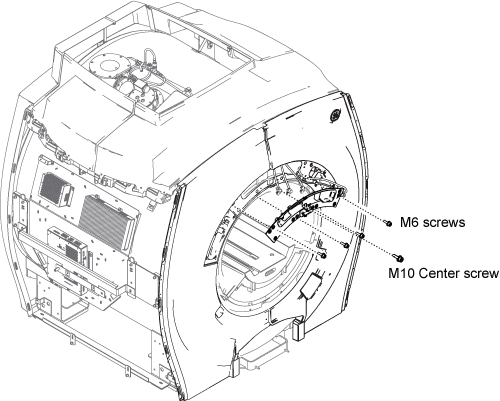
- Remove the left Front Cover by removing the screws shown below.
Figure 2. Left Side Cover Removal 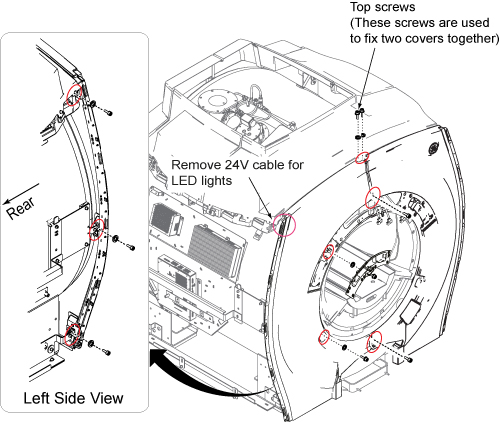
- Removing the screws shown below.
Figure 3. Right Front Cover Removal 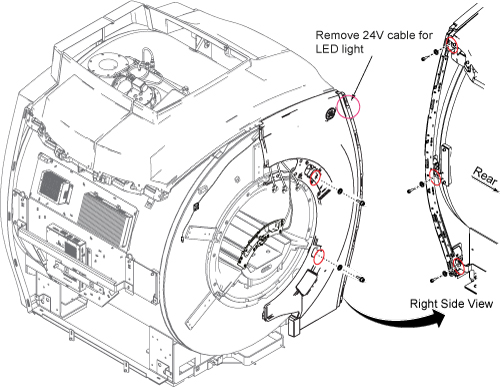
- Remove the right Front Cover by carefully remove the Center
Cover cables from Front Cover cut-off.
Figure 4. Remove Rright Front Cover 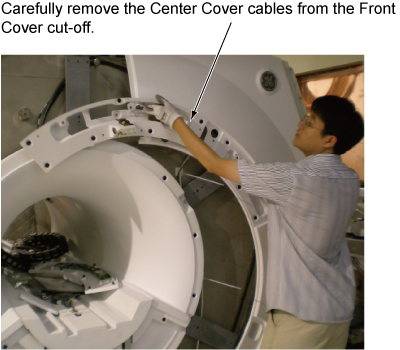
Notice
For the right front cover, reuse the fill port cover (two popper).Notice Figure 5. Fill port cover 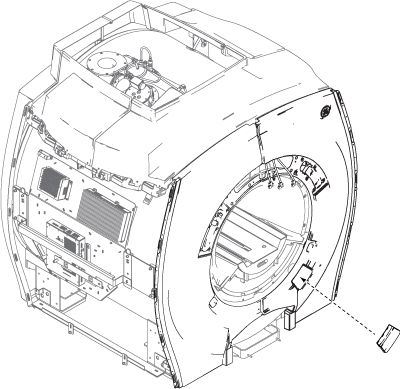
- Fix the bottom of Front Cover by Velcro tape.
Figure 6. Velcro tape 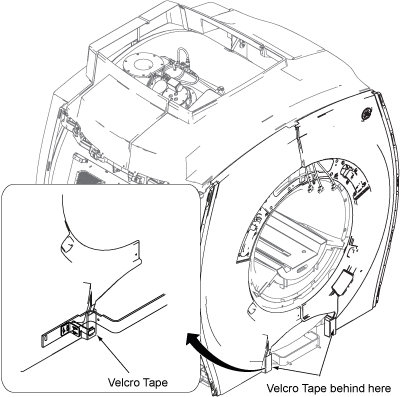
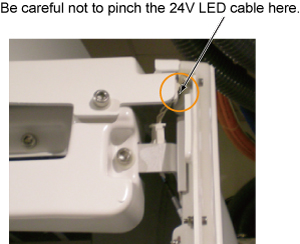
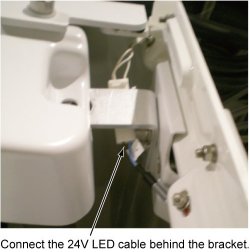
Finalization
No finalization steps.