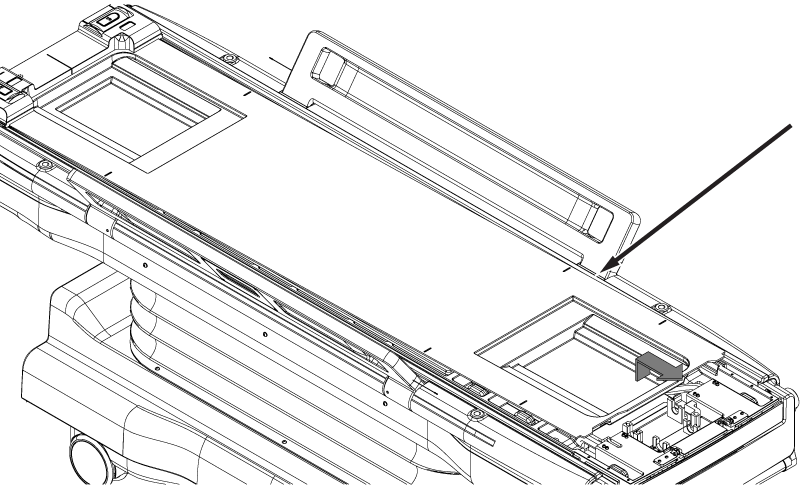
Removes the hardtop cover from the dockable table cradle.
Prerequisites
| Personnel requirements |
|---|
| Required persons | Preliminary requirements | Procedure | Finalization |
|---|
| 1 | - | 10 minutes | - |
| Tools and test equipment |
|---|
| Item | Quantity | Part number | Manufacturer |
|---|
| Nonmagnetic Titanium Service Tool Kit, Small Set | 1 | 5113258 | - |
| Required conditions |
|---|
| The handle-end cradle cover is removed. |
Procedure
- Undock the table and position it with enough clearance at the handle end for the length of the strap rails [approximately 6.5 ft (2 meters)].
- Remove the three screws securing each handle-end cover bracket to the cradle.
Note: Note the orientation of each bracket. The right and left bracket are not interchangeable.
Figure 1. Handle-end cover brackets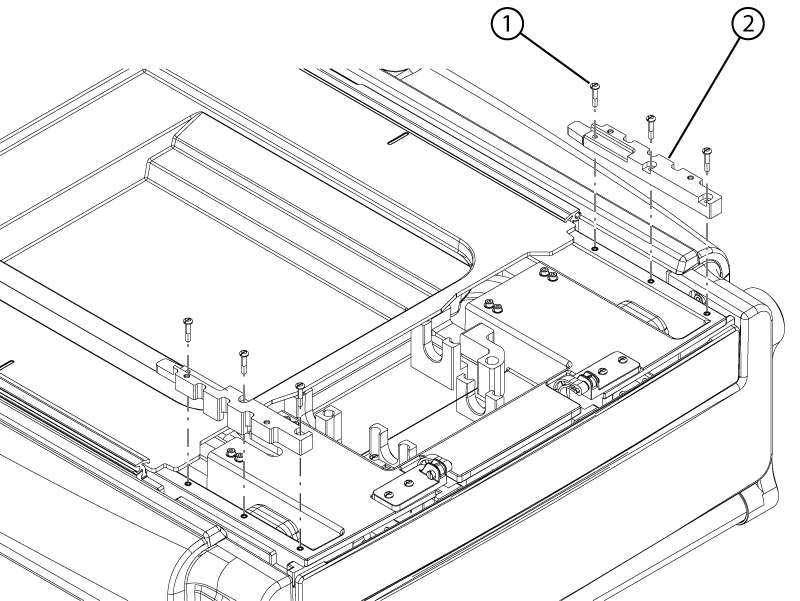
| 1 | Screw |
| 2 | Handle-end cover bracket |
- Slide the strap rails towards the handle end of the table to remove them.
Note: Lift the cradle flap prior to sliding the strap rails.
Figure 2. Cradle strap rails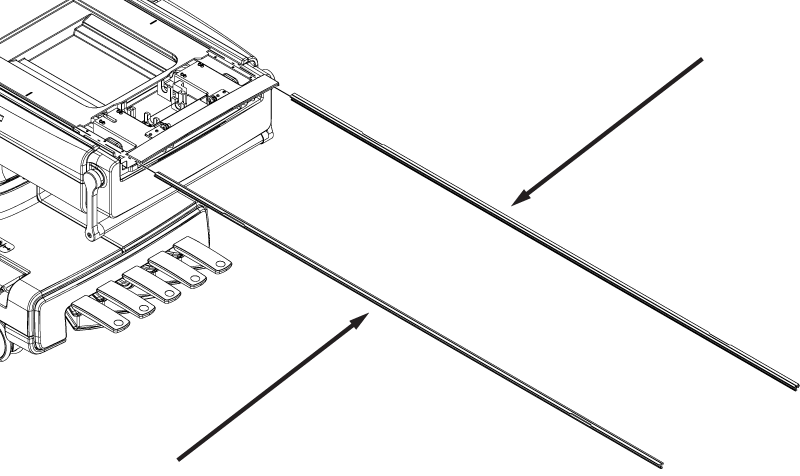
- Lift the handle end of the cradle hardtop cover and pull it towards the handle end of the table to remove it.
Figure 3. Cradle hardtop cover