Installs the P2/P4 cable track assembly into the dockable patient table.
Prerequisites
Personnel requirements
Required persons
Preliminary requirements
Procedure
Finalization
2
-
30 minutes
-
Tools and test equipment
Item
Quantity
Part number
Manufacturer
Nonmagnetic Titanium Service Tool Kit, Small Set
1
5113258
-
Consumables
Item
Quantity
Part number
Manufacturer
7.31 x 0.184 Self-Locking Cable Tie
As required
46-208758P3
-
Procedure
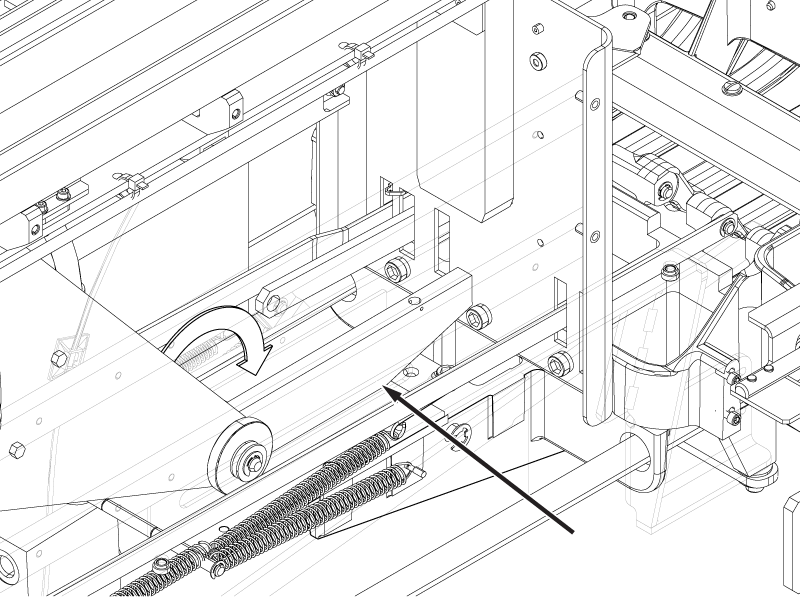
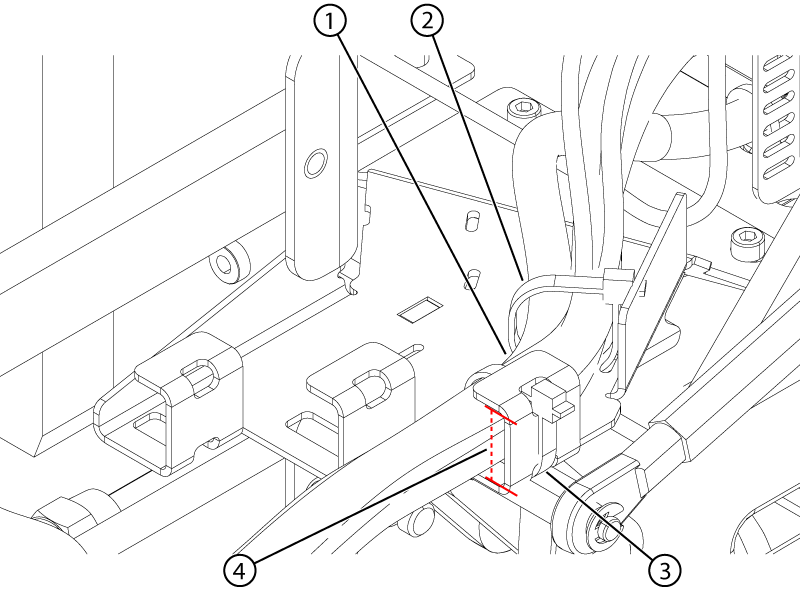
Make sure the table lock safety bar is lowered and the weight of the table is resting on it.
Figure 1. Lock safety bar down
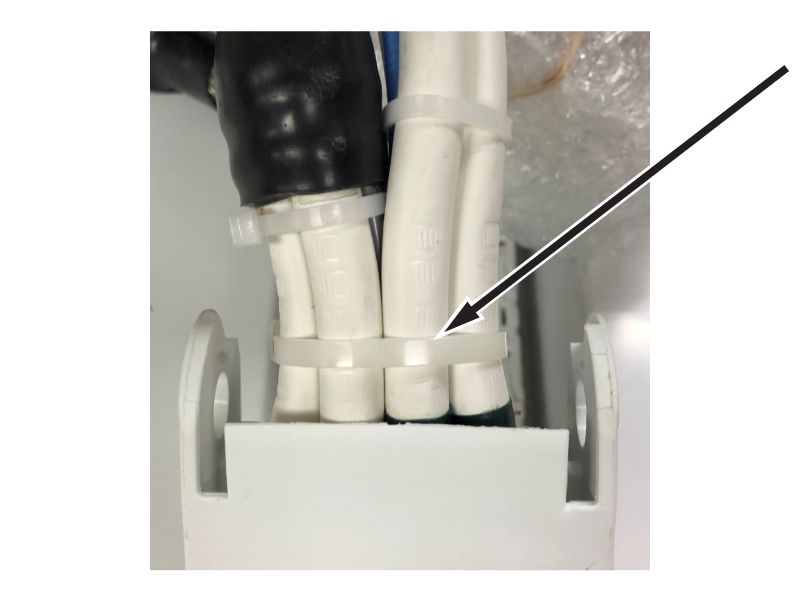
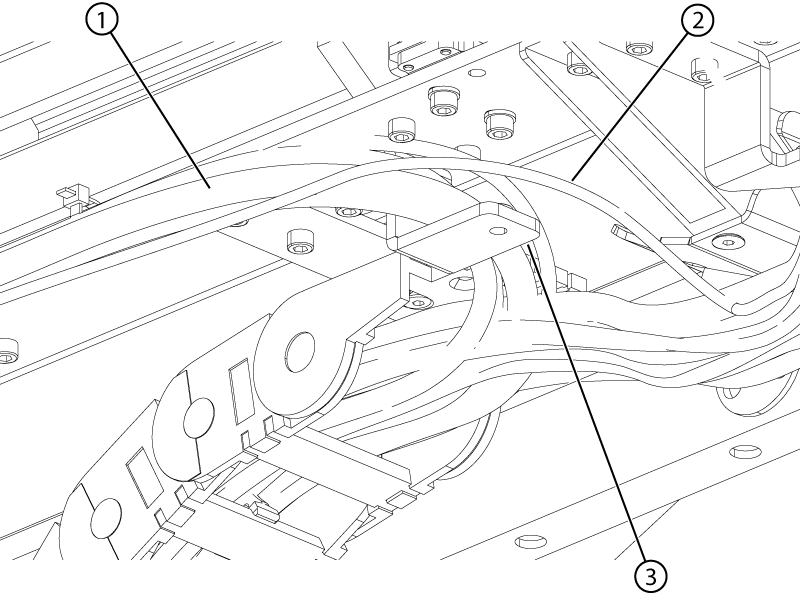
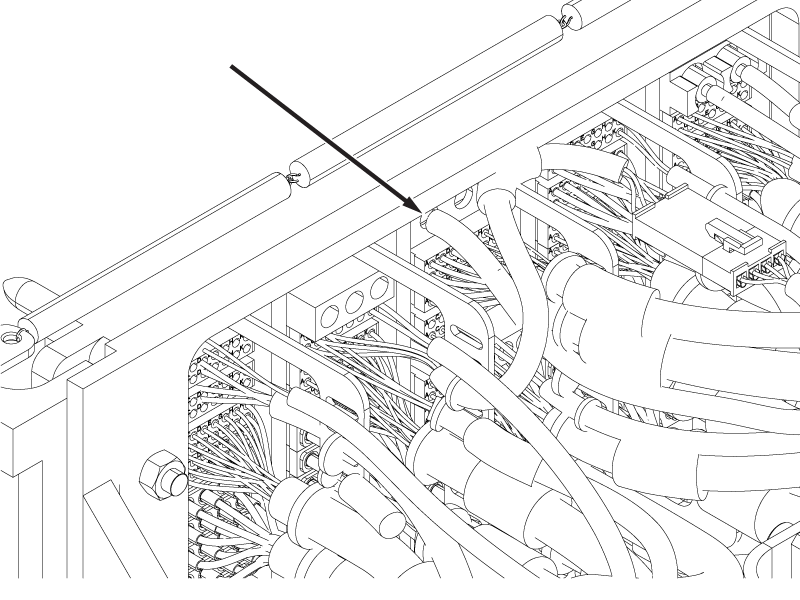
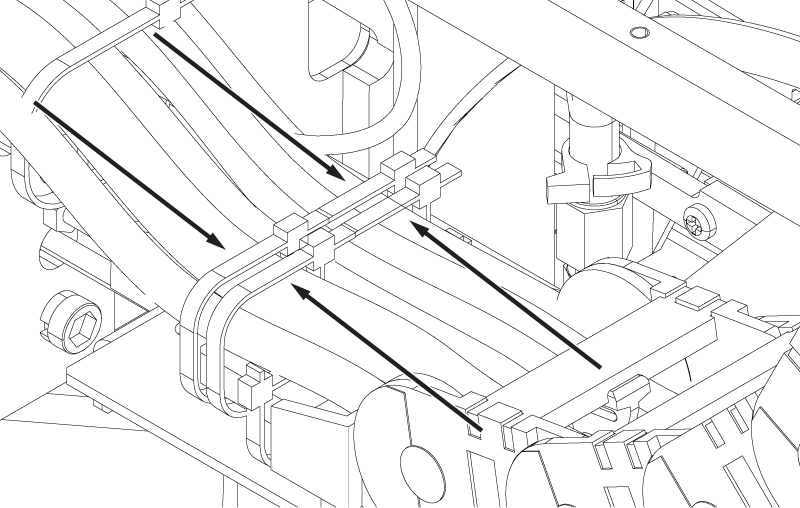
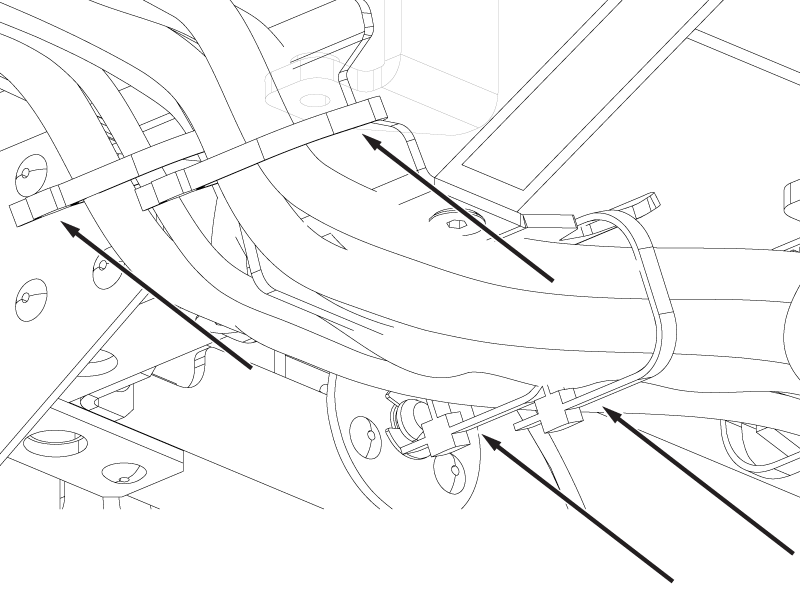
Remove the extra cable ties installed at the upper cable track end nearest to the P-port connectors for shipping. There should only be one cable tie around the entire cable bundle at the end of the cable track.
Figure 2. Upper cable track cradle end cable tie
Route the ODU connectors and cables, and the lower cable track from the tabletop to the table base through the right-hand tabletop opening.
Remove the cable ties securing the cables to the right-hand upper cable track strain relief bracket.
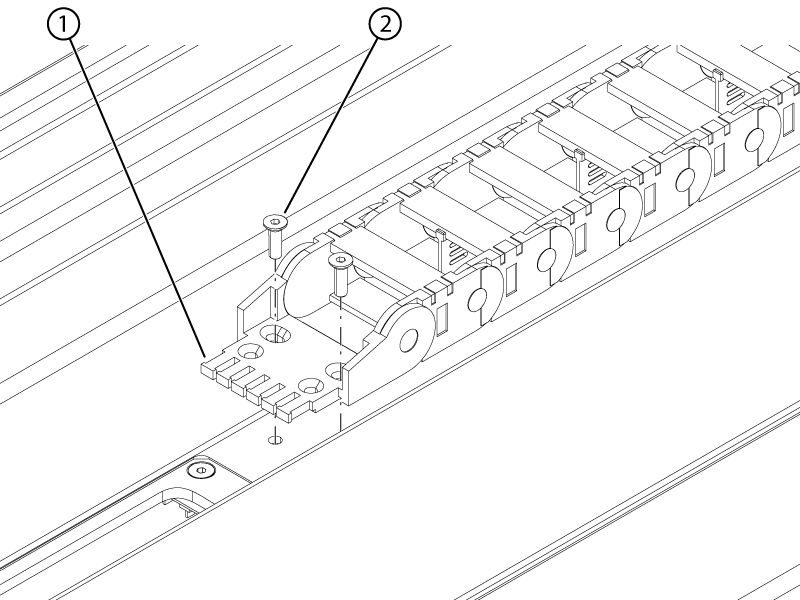
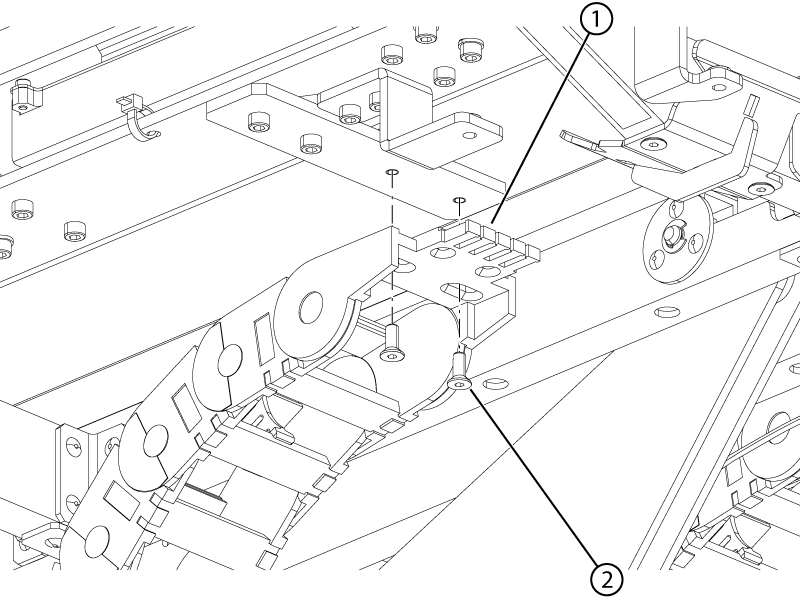
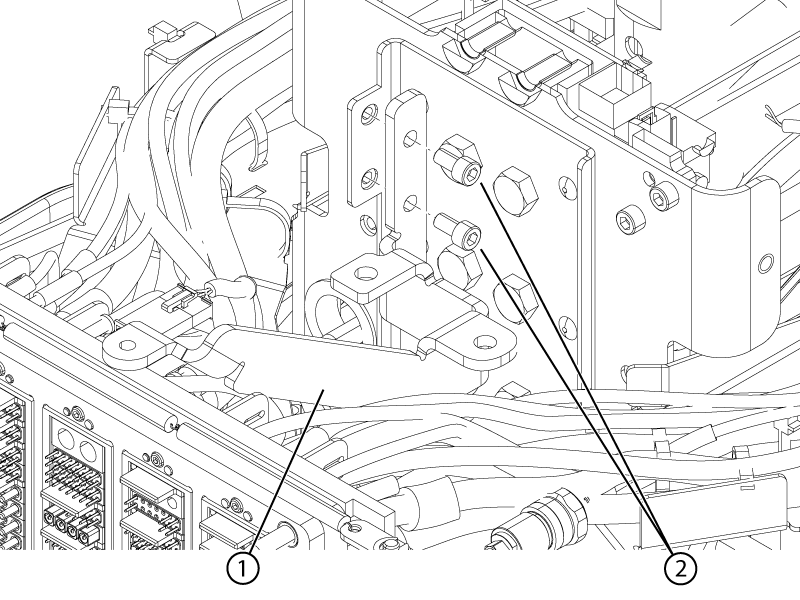
Install the two screws securing the right-hand upper cable track to the top of the tabletop.
Figure 3. Right-hand upper track screws
1
Cable track
2
Screw
Install cable ties securing the cables to the right-hand upper cable track strain relief bracket in the same locations and configuration as they were removed.
Important: The cable ties must be reinstalled immediately after the strain relief bracket is secured to the tabletop. The cable ties are critical to cable track function.
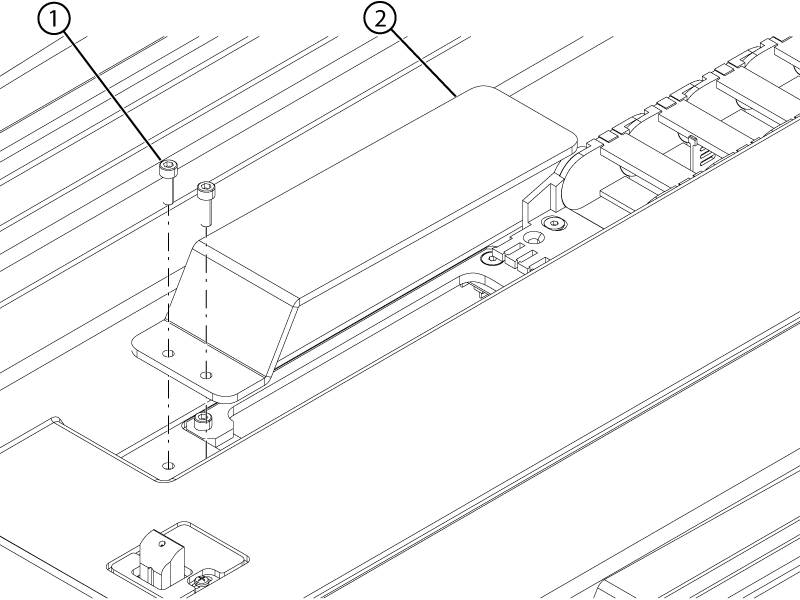
Install the two screws securing the right-hand cable protection plate to the tabletop.
Figure 4. Right-hand upper track protection plate
1
Screw
2
Protection plate
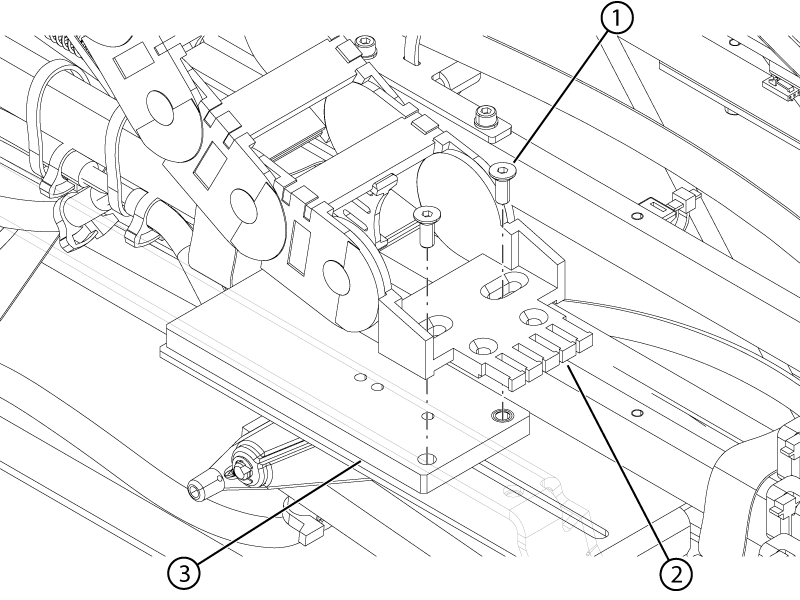
Install the two screws securing the right-hand lower cable track to the bottom of the tabletop.
Figure 5. Right-hand lower track upper screws
1
Cable track
2
Screw
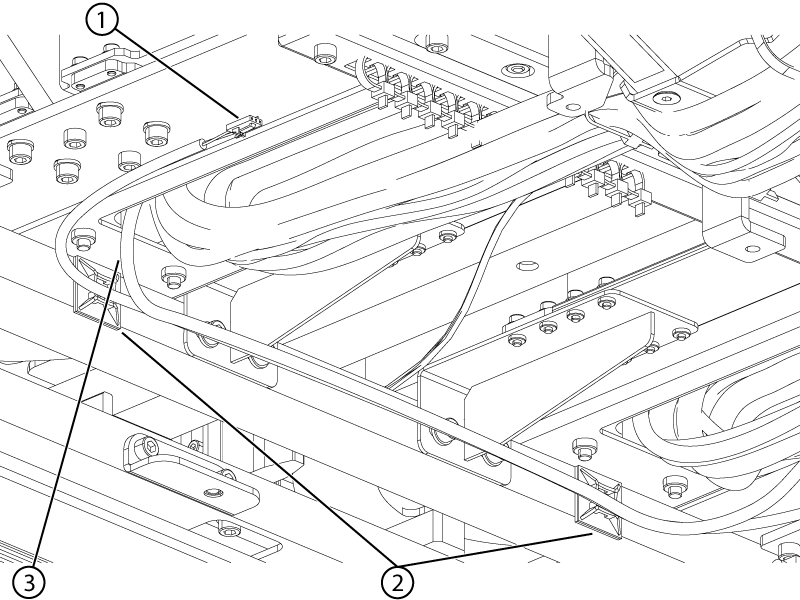
Install the two screws securing the right-hand lower cable track to the slider plate.
Figure 6. Right-hand lower track lower screws
1
Screw
2
Cable track
3
Slider
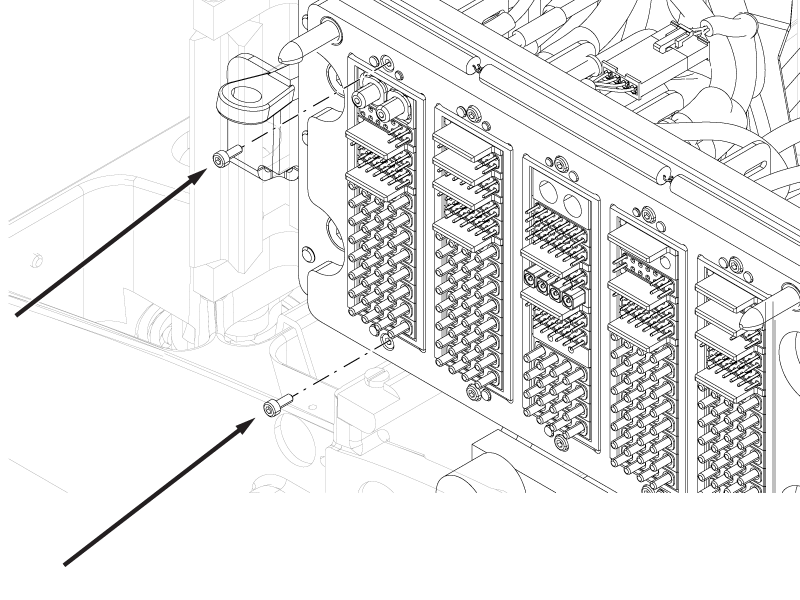
Install the P2 and P4 ODU connectors to the ODU plate.
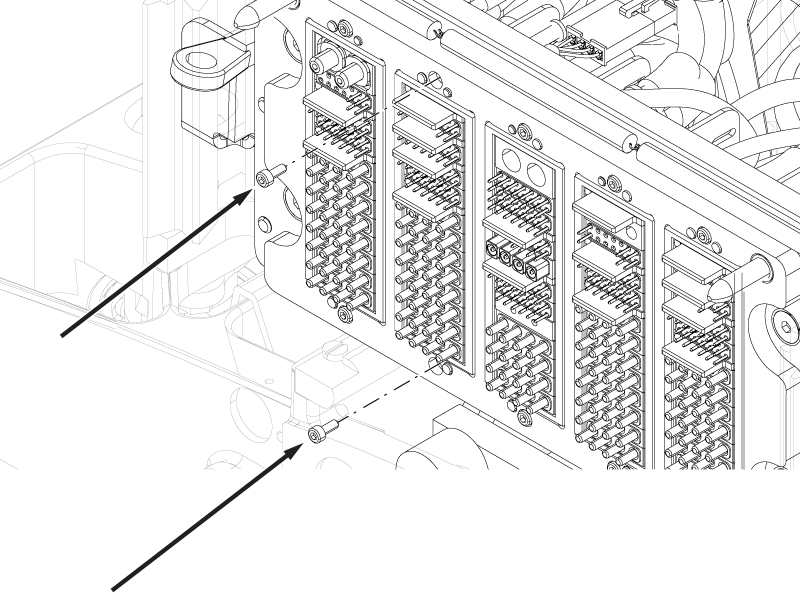
Install the two screws securing the P4 ODU connector to the ODU plate.
Important: Do not overtighten the ODU screws. Tighten one-half turn past free-spinning. Overtightening may affect the alignment of the connector and result in damage to the pins.
Figure 7. P4 ODU screws
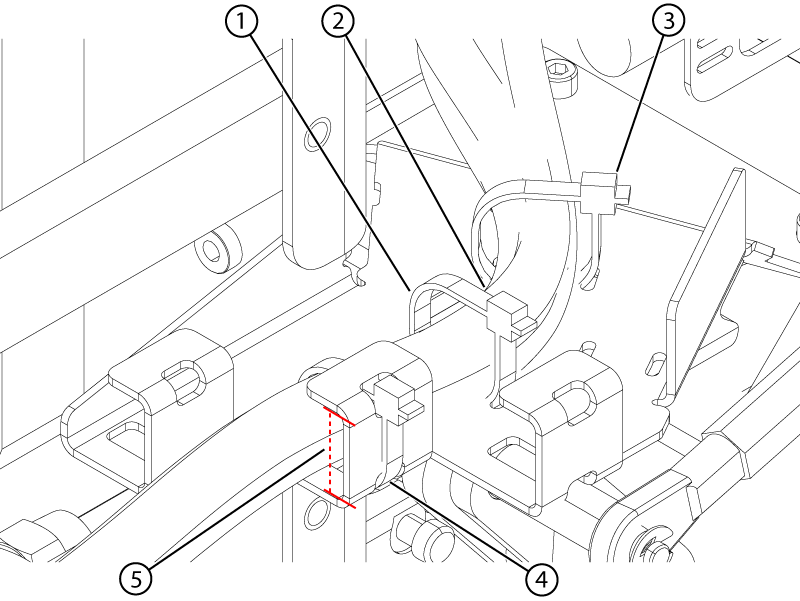
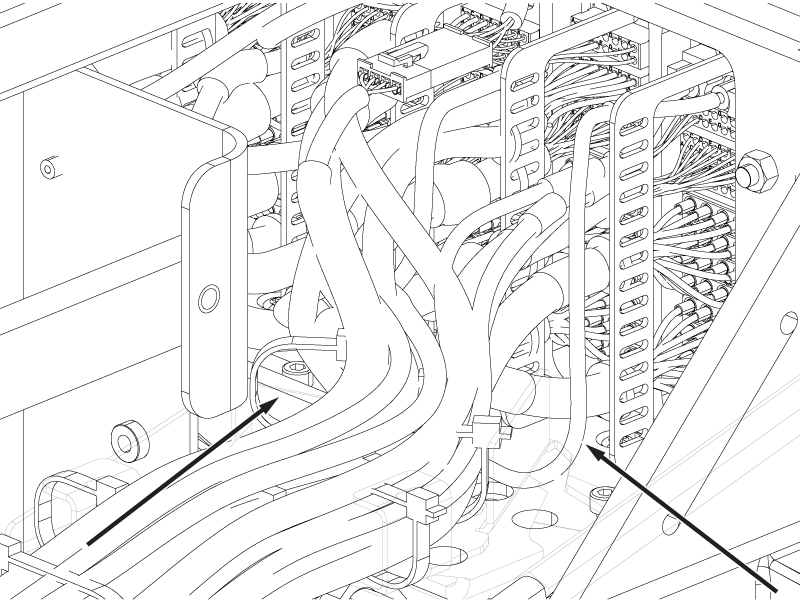
Route the cables from the P4 ODU connector in the right-hand middle cable bracket.
Figure 8. Right-hand middle cable bracket
1
Middle cable tie
2
Right-hand middle cable route
3
Front cable tie
4
Bracket cable tie
5
Bracket inner radius
Install the cable tie securing the cables to the right-hand middle cable bracket.
Important: Make sure the cables and the cable tie(s) are within the inner radius of the cable bracket. Cable(s) or cable tie(s) outside of the inner radius may interfere with table operation or damage the cable(s).
Install the two screws securing the P2 ODU connector to the ODU plate.
Important: Do not overtighten the ODU screws. Tighten one-half turn past free-spinning. Overtightening may affect the alignment of the connector and result in damage to the pins.
Figure 9. P2 ODU screws
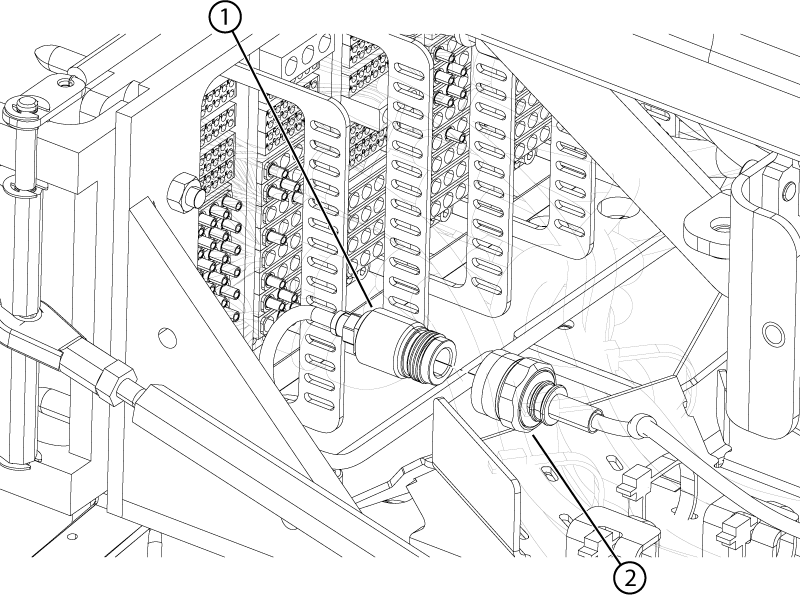
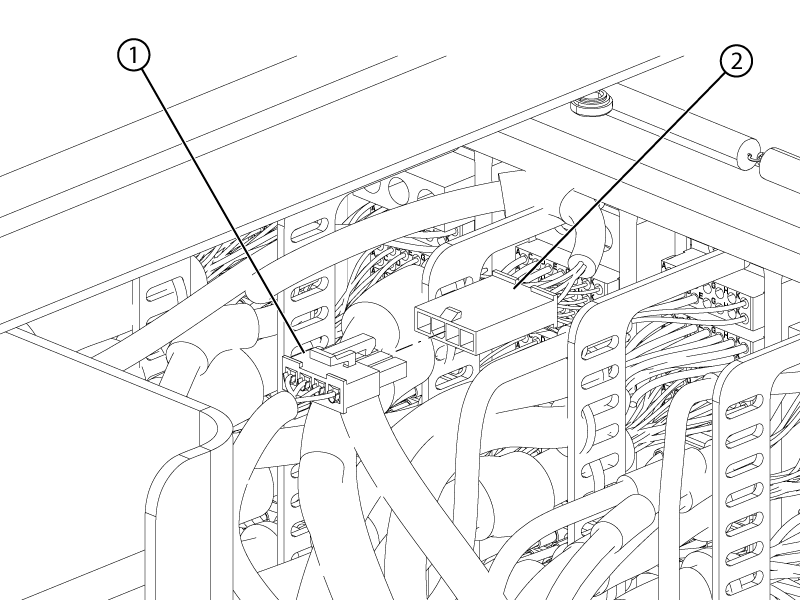
Route the P2 blue RF Tx cable under the cables of the other P connectors and connect it to the P1 transmit connector.
Figure 10. P2 RF Tx route
Figure 11. P1 transmit connection
1
P2 RF Tx
2
P1 transmit
Connect the P2 bone conducting headphone cable to the P1 ODU headphone connector.
Figure 12. P2 bone conducting headphone connection
1
P2 bone conducting headphone
2
P1 headphone
Route the cables from the P2 ODU in the right-hand outer cable bracket.
Figure 13. Right-hand outer cable bracket
1
Right-hand outer cable route
2
Front cable tie
3
Bracket cable tie
4
Bracket inner radius
Install the cable tie securing the cables to the right-hand outer cable bracket.
Important: Make sure the cables and the cable tie(s) are within the inner radius of the cable bracket. Cable(s) or cable tie(s) outside of the inner radius may interfere with table operation or damage the cable(s).
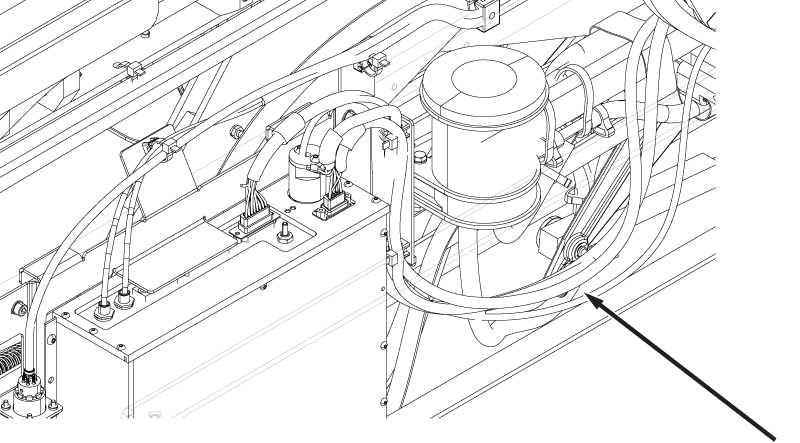
Open the right-hand lower cable track and route the following cables in the track, exiting the track at the top of the track and routing around the bellows cover bracket as shown.
Motor power
Motor signal
String encoder
Figure 14. Motor and string encoder cable routing
1
Motor and string encoder cables
2
Dummy load cable
3
Bellows cover bracket
Route the Electro-CardioGram (ECG) cable in the right-hand lower cradle track from the upper opening to the lower exit.
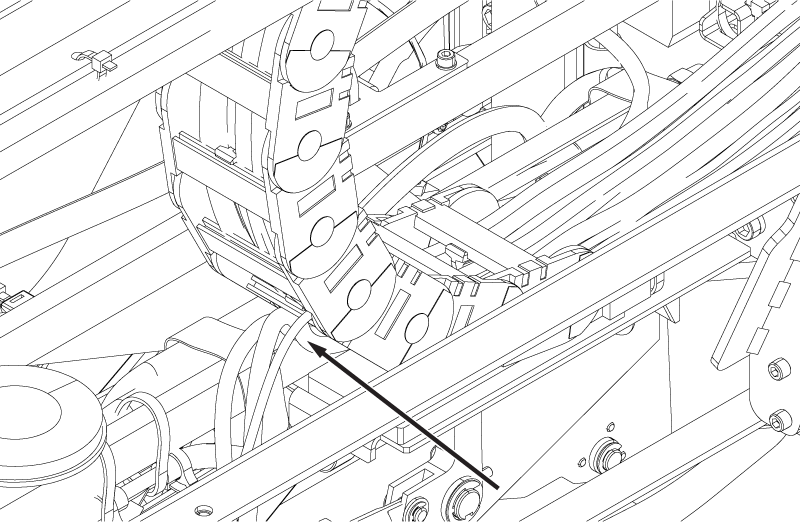
Route the Physiological Acquisition Controller (PAC) fiber optic cable through the track to exit the back of the track where the PAC 1-wire and PAC power cables exit.
Figure 15. PAC cable track exit
Close the right-hand lower cable track.
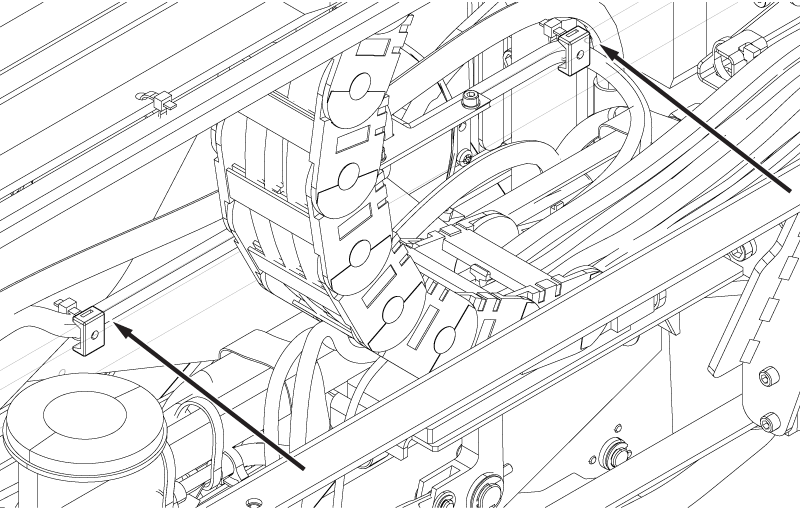
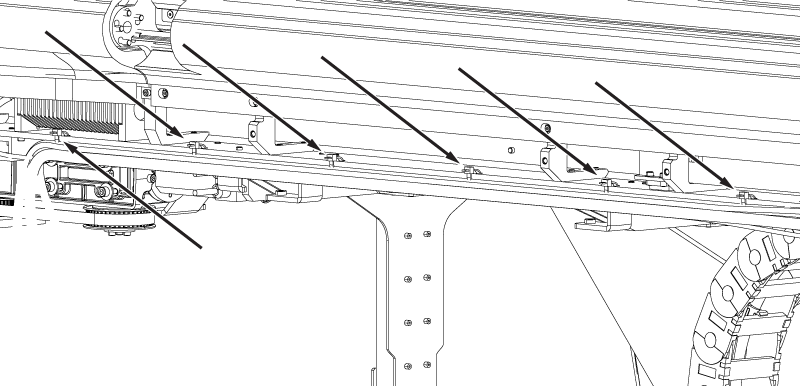
Route the PhotoPlethysmoGraphy (PPG) cable and the respiratory tube along the ECG cable on the inside of the support bar to the PAC, and install cable ties securing the cables to cable tie mounts on the bar.
Figure 16. PAC ECG and PPG cable tie mount locations
Route the three PAC cables (fiber optic, 1-wire, and power) through the PAC mounting plate to the PAC.
Note: Install cable ties on route in locations where cable ties were removed for cable assembly removal.
Figure 17. PAC cable route
Connect the following cables to the PAC. Do not install cable ties until all connections are made.
Table 1. PAC connections
Cable
PAC connector
Fiber optic (Run #P2125)
J1
Power
J2
1-wire & Hart ID
J9
PPG
J5 and J6
Respiratory tube
J3
ECG
ECG
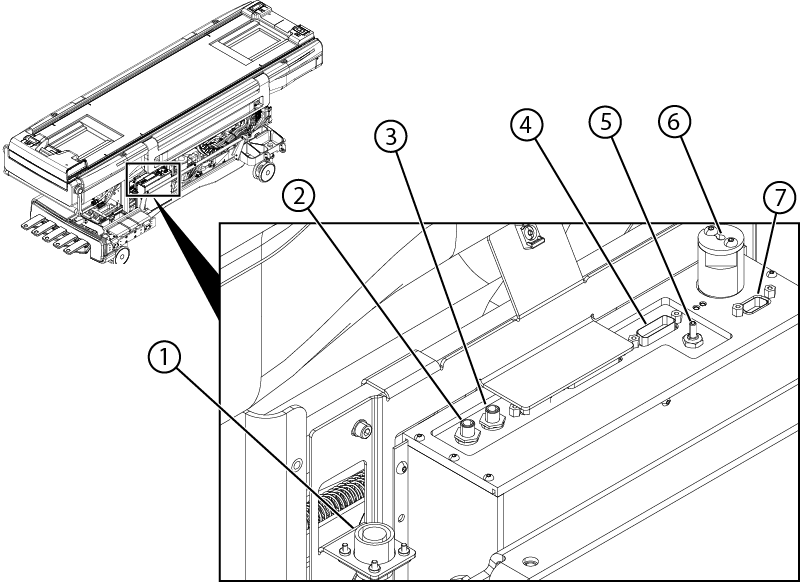
Figure 18. PAC connections
1
ECG cable
PAC ECG connector
2
Peripheral gating
J6
3
Peripheral gating
J5
4
Power
J2
5
Respiratory tube
J3
6
Fiber optic
J1
7
1-wire and HART ID
J9
Install cable ties securing the cables to the PAC mounting plate.
Route the two motor cables, the string encoder cable, and the dummy load cable along the side of the table, installing cable ties as shown below.
Figure 19. Motor and dummy load cable tie locations
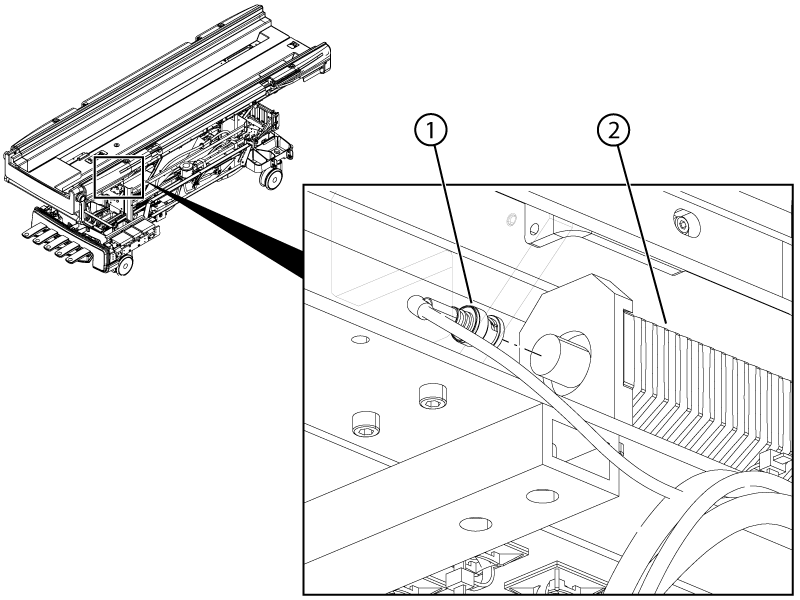
Connect the dummy load cable to the dummy load.
Figure 20. Dummy load connection
Connect the motor power, motor signal, and string encoder connectors.
Install cable ties securing the motor and signal encoder connectors to the cable tie mounts on the bottom of the tabletop.
Connect the patient alert tube to the top left (as viewed from the rear) side of the P3 ODU connector.
Figure 21. Patient alert ODU connection
Install the base cover bracket.
Figure 22. Base cover bracket
1
Bracket
2
Screws
Install the two screws securing the base cover bracket to the table.
Route the left-hand Touch-and-Go (TnG) from its exit at the top end of the right-hand lower cable track along the ECG cable securing the cables to the two cable tie mounts at the bore end of the table.
Note: Install cable ties on route in locations where cable ties were removed for cable assembly removal.
Figure 23. ECG and left-hand TnG cables
1
Left-hand TnG connector
2
Cable tie mounts
3
ECG cable
Connect the left-hand TnG cable to the left-hand bore-end TnG assembly.
Connect the right-hand TnG cable to the right-hand bore-end TnG assembly.
Push the cables in the right-hand lower cable track such that the cable slack is at the top exit of the track.
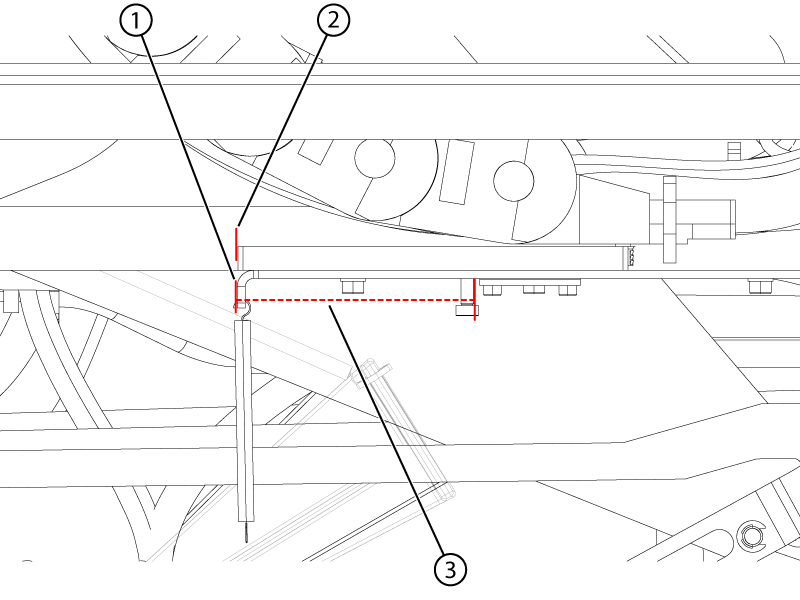
While holding the slack at the top exit of the track, adjust the position of the slide plate until the edge of the slide plate is aligned with the edge of the support bracket. Make sure the distance between the spring mounting locations shown is 90 ± 5 mm from outer end to outer end.
Figure 24. Slide plate alignment
1
Support bracket edge
2
Slide plate edge
3
Spring mounting distance
When the distance is within tolerance, install four cable ties securing the cables to the end of the cable track plate. Split the cable into two approximately equal bundles and install two of the cable ties on each half bundle.
Figure 25. Half-bundle cable tie locations
Install the spring onto its support.
Install two cable ties securing the cables to the top exit end of the cable track, one cable tie per half bundle.
Route the slack of the cables exiting the top of the lower cable track forward and install four cable ties securing the cables to the cross-beam cable bracket. Install one cable tie on each half bundle at each end of the bracket.
Important: Make sure the cables are within the outer edges of the bracket. Cable(s) or cable tie(s) outside of the edges of the bracket may interfere with table operation or damage the cable(s).
Figure 26. Bracket cable tie locations
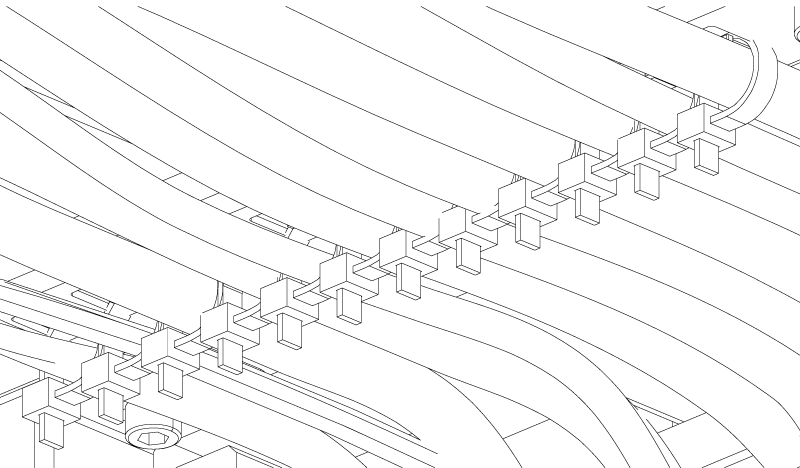
Install cable ties securing the cables to the multiple cable tie bracket. Secure one white cable per cable tie and two smaller cables per cable tie.
Note: For ease of installation:
Loosely install the cable tie around the cable(s).
Slide the cable tie onto the bracket hook.
Hold the square portion of the cable tie while pulling the cable tie tight.
Important: Pulling the cable tie tight without holding it may cause the bracket hook to bend.