Removes the electrical motor from the table dock.
Prerequisites
| Personnel requirements |
|---|
| Required persons | Preliminary requirements | Procedure | Finalization |
|---|
| 1 | - | 15 minutes | - |
| Tools and test equipment |
|---|
| Item | Quantity | Part number | Manufacturer |
|---|
| Nonmagnetic Titanium Service Tool Kit, Small Set | 1 | 5113258 | - |
| Required conditions |
|---|
| The dock cover is removed. |
| Warning |
|---|
 | Ferrous material hazard The table dock components are ferrous and can become dangerous projectiles within the magnetic field. The dock must be removed from the magnet room prior to removing any parts from the dock. |
Procedure
- Remove the two screws securing the terminal board cover to the dock top cover.
Figure 1. Terminal board cover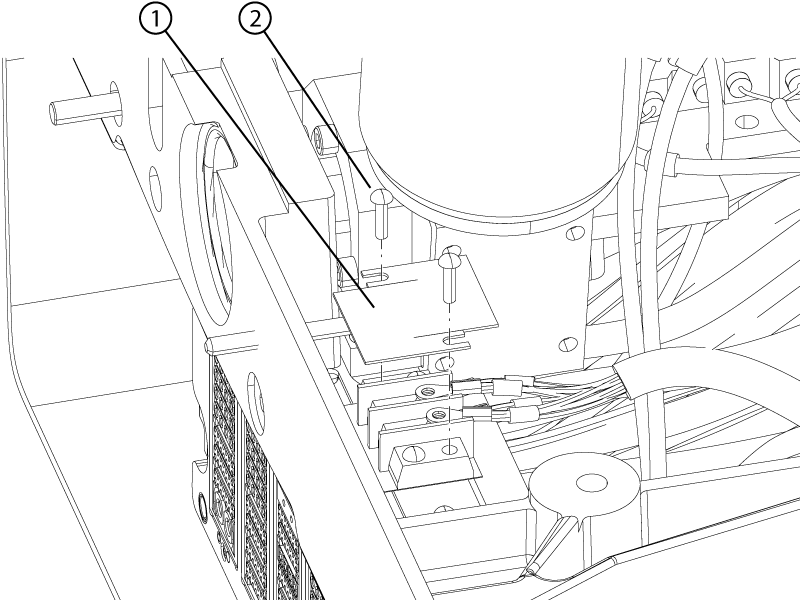
| 1 | Terminal board cover |
| 2 | Terminal board cover screw |
- Remove the terminal board cover.
- Remove the two screws securing the motor power terminal lugs to the terminal board.
Figure 2. Dock motor wires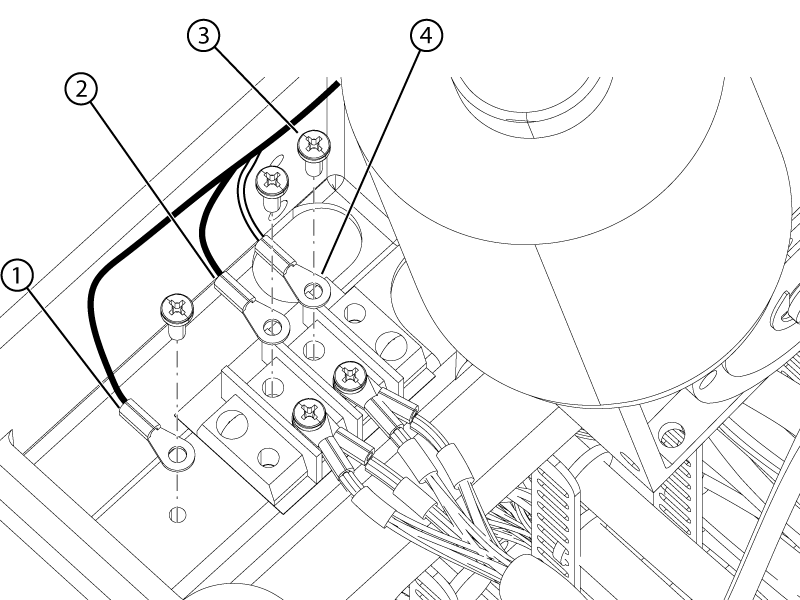
| 1 | Green ground wire terminal lug |
| 2 | Black power wire terminal lug |
| 3 | Terminal lug screw |
| 4 | White power wire terminal lug |
- Remove the screw securing the motor ground terminal lug to the dock.
- Remove the four screws (two on each side) securing the dock motor mount plate to the dock.
Figure 3. Dock motor screws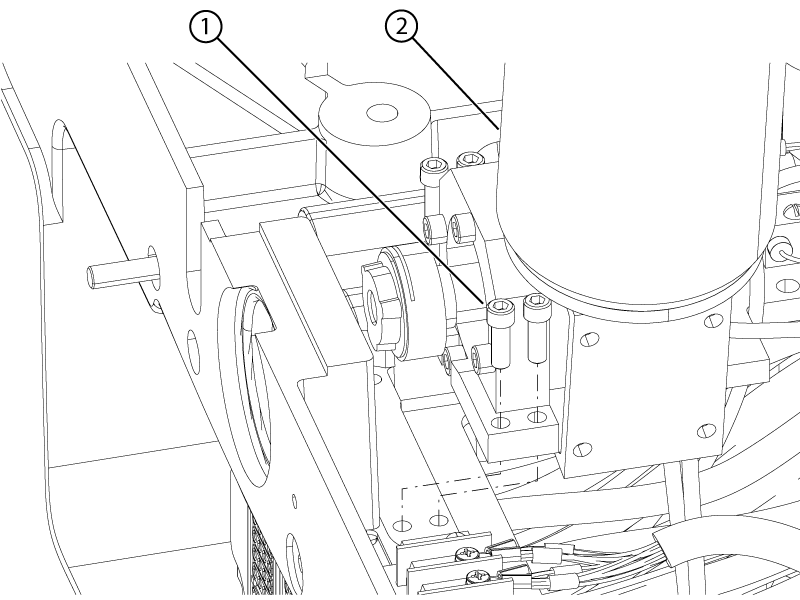
| 1 | Dock motor screw |
| 2 | Dock motor |
- Remove the dock motor assembly from the dock.
Note: Do not discard the removed dock motor. The dock gearbox shaft will be reused.
