• SIGNA™ Hero 3.0T Service Methods
  • 5852800-8EN Revision 1.0
  • Object ID: 00000018WIA30FAA350GYZ
  • Topic ID: id_2020766 Version: 1.2
  • Date: Oct 9, 2019 6:04:13 PM

Checking the dockable table emergency egress

Checks emergency egress functionality for the dockable patient table.

About this task

The dockable table has a powered egress mechanism. This option is only applicable when the power is on. If the power is off, move the cradle manually.

Procedure

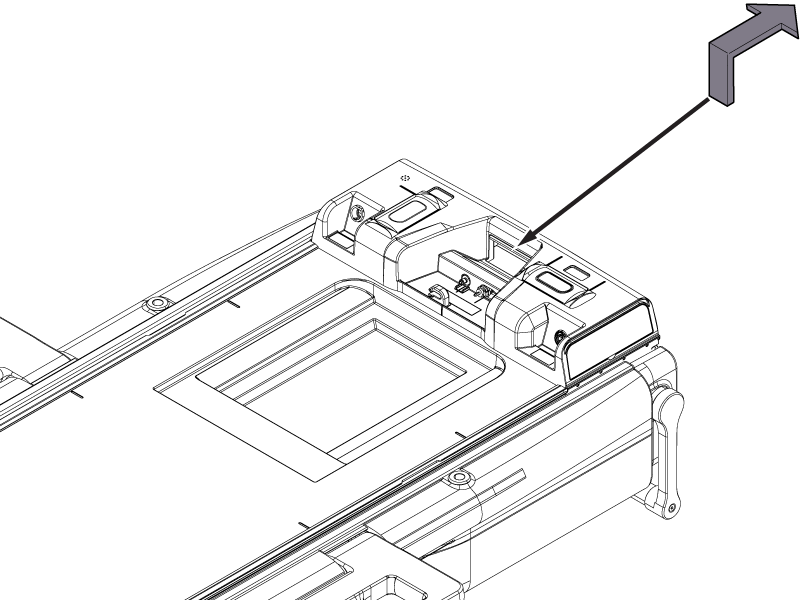
  1. Press the cradle in button on the control panel and position the cradle approximately 500 mm (20 inches) into the bore.
  2. Pull up the cradle release handle and release it. The cradle will move back to the home position.
    Note: While in egress, the handle must be continuously activated for the cradle to move. If the cradle is positioned between 0 mm and 750 mm, releasing the egress handle will cause the cradle to decelerate and move slowly to the home position. If the cradle is positioned beyond 750 mm, releasing the egress handle will cause the cradle to decelerate and stop.
    Figure 1. Dockable table emergency egress check
  3. Make sure the cradle is locked in place at the home position.
  4. Press the cradle in button on the control panel and position the cradle approximately 2500 mm (100 inches) into the bore.
  5. Pull up the cradle release handle and hold it. The table will start to move automatically. Continue to hold the handle and walk with the table until it reaches the home position.
  6. Make sure the cradle is locked in place at the home position.