
- SIGNA MR355 / SIGNA MR360
- Service Manual
- 5856356-3EN Revision 5.0
- Basic Service Documentation. Copyright General Electric Company.
- 00000018WIA30618530GYZ
- id_20112814.0
- Feb 24, 2021 1:51:27 AM
Removing the Integrated Control Engine (ICE)
Removing the Integrated Control Engine (ICE) from the System Cabinet.
Prerequisites
| Personnel requirements | |||
|---|---|---|---|
| Required persons | Preliminary requirements | Procedure | Finalization |
| 1 | - | 30 minutes | - |
Procedure
- Remove the ICE as follows:
- Carefully move the cables out of the way, and slide the ICE out.
Figure 1. Removing the ICE 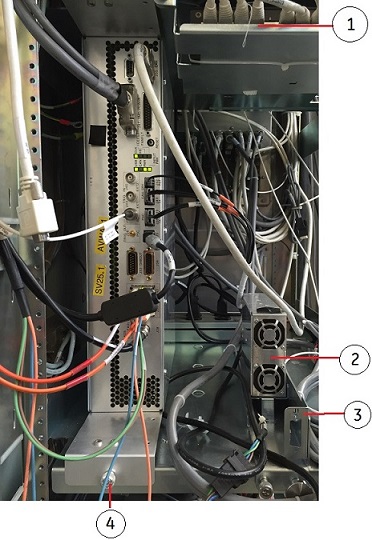
1 Hub 2 ICE DCPS 3 J1 of ICE DCPS 4 Screws securing ICE HLA
- Carefully move the cables out of the way, and slide the ICE out.
- Press the release tabs in on each side and pull the ICE forward.
Figure 2. Release tab of ICE High Level Assembly (HLA) 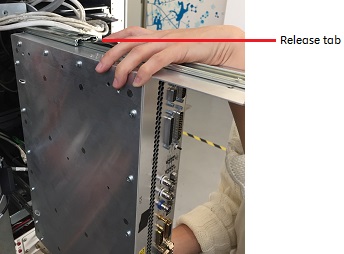 Note: Hold the ICE carefully when you remove it so that it does not fall.