
- SIGNA™ Hero 3.0T Service Methods
- 5852800-8EN Revision 1.0
- 00000018WIA30325E40GYZ
- id_20198571.10
- Apr 23, 2020 8:52:14 PM
Installing the dockable table motor coupler
Installs the coupler onto the rigibelt drive shaft.
Prerequisites
| Personnel requirements | |||
|---|---|---|---|
| Required persons | Preliminary requirements | Procedure | Finalization |
| 1 | - | 5 minutes | - |
| Tools and test equipment | |||
|---|---|---|---|
| Item | Quantity | Part number | Manufacturer |
| Nonmagnetic Titanium Service Tool Kit, Small Set | 1 | 5113258 | - |
Procedure
- Make sure the key is installed on the ElectroMagnetic (EM) clutch shaft.
Figure 1. EM clutch shaft key 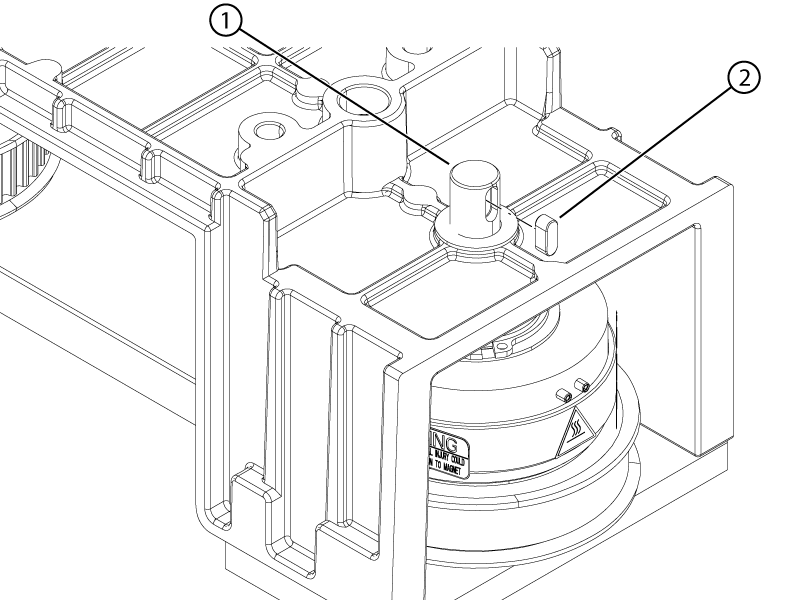
1 EM clutch shaft 2 Key - Install the coupler onto the rigibelt drive shaft.
Figure 2. Motor coupler 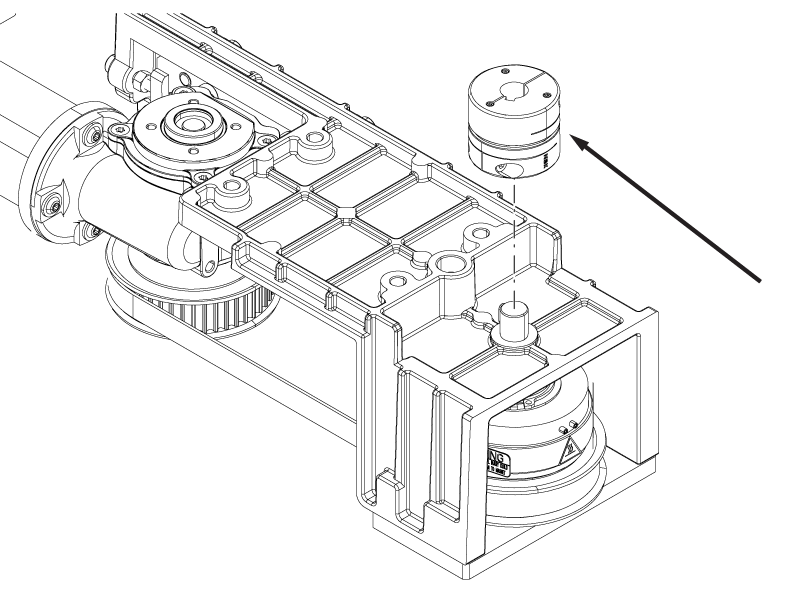
- Tighten the screw securing the motor coupler to the EM clutch shaft.
Figure 3. Motor coupler screw 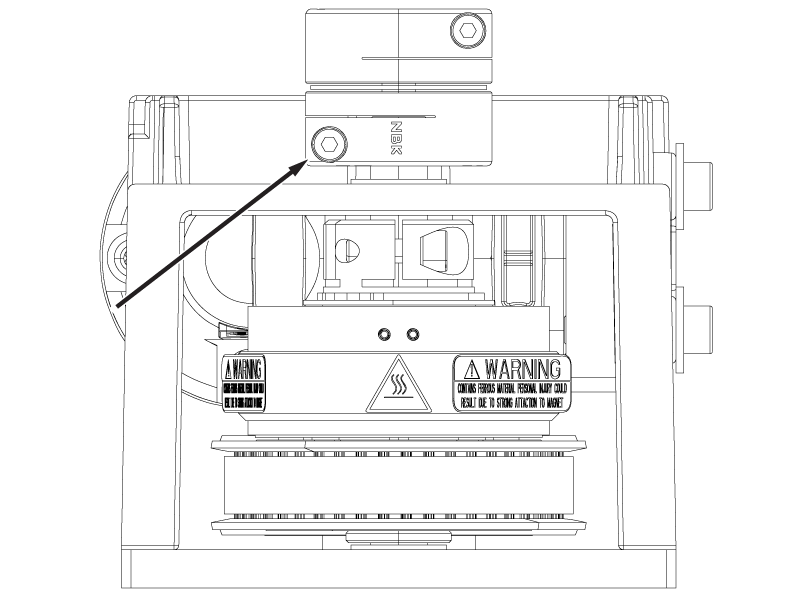
- Make sure the gap between the EM clutch and the motor and clutch assembly housing is 4.2 ± 0.5 mm.Note: The gap should be within specification when the clutch is pushed down completely.
Figure 4. Motor coupler and EM clutch gaps 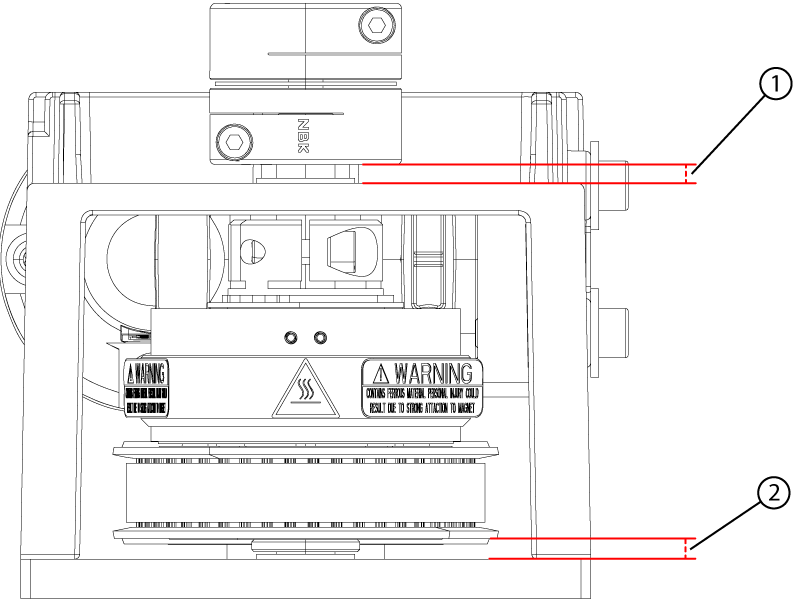
1 Motor coupler gap 2 EM clutch gap