• SIGNA™ Hero 3.0T Service Methods
  • 5852800-8EN Revision 1.0
  • Object ID: 00000018WIA30C49350GYZ
  • Topic ID: id_2020643 Version: 1.11
  • Date: Apr 23, 2020 8:52:41 PM

Removing the dock connector cables

Removes the cables from the magnet-side dock.

Procedure

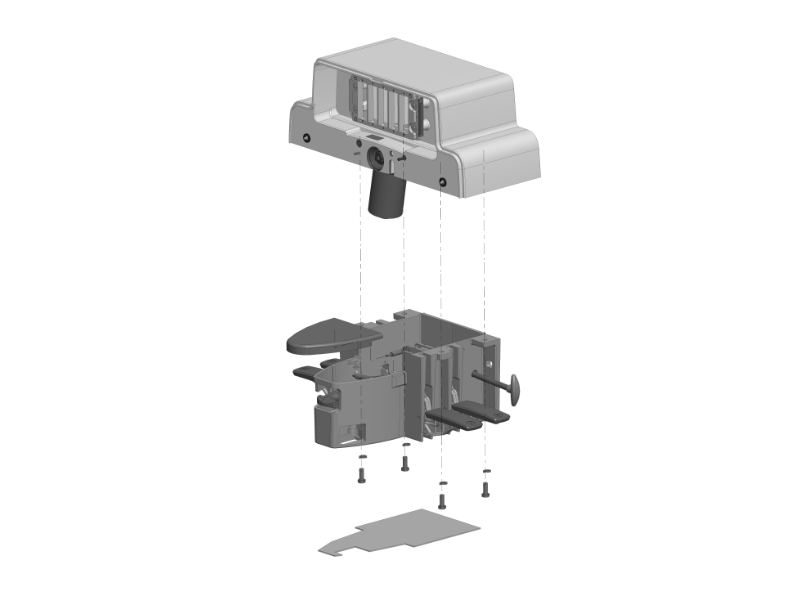
  1. Remove the four screws securing the dock top to the dock base.
    Figure 1. Dock top and base
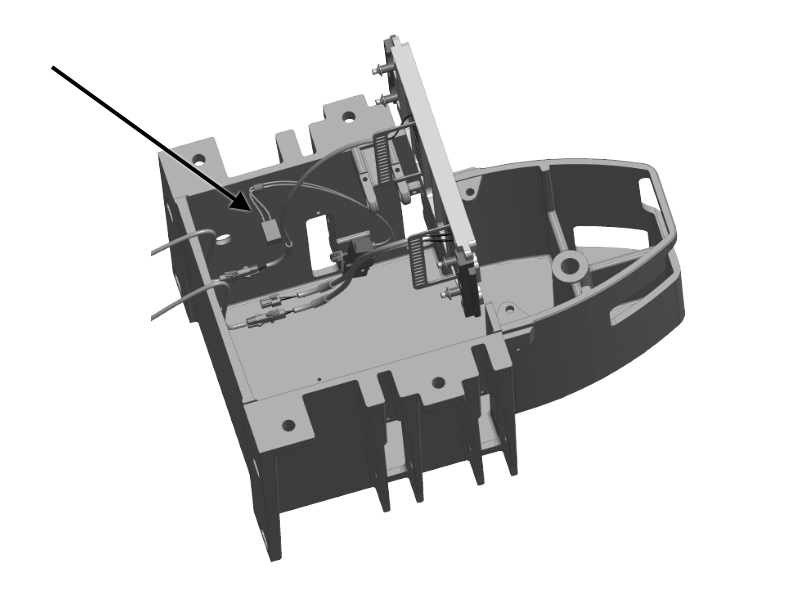
  2. Disconnect the UP pedal switch connector by lifting and holding the dock top while disconnecting the switch connector.
    Figure 2. Up pedal switch connector
  3. Taking care not to stress the remaining cables, lift the top and place it upside down next to the base.
    Note: Disconnect any cable that may be stretched.
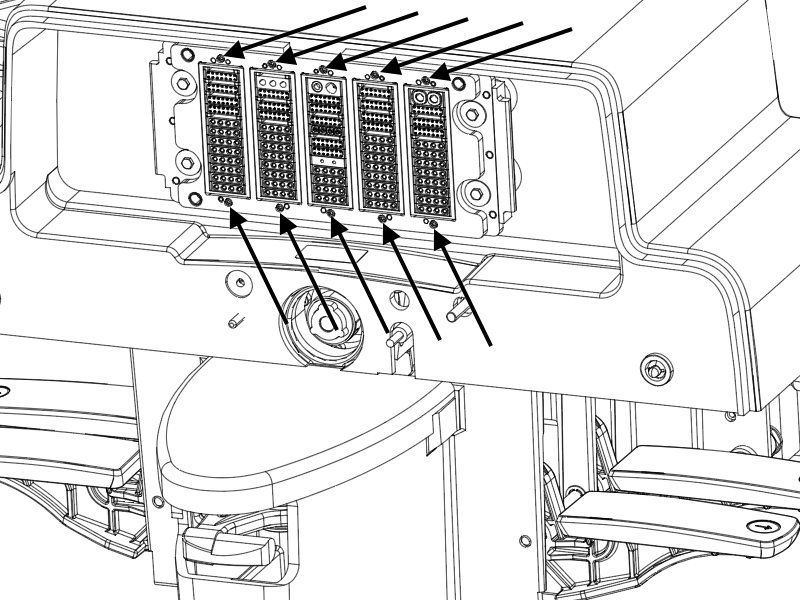
  4. Remove the two Allen head screws from the ODU P connector being serviced.
    Figure 3. Dock ODU P connector screws
  5. Cut the cable tie for ODU P connector harnesses being replaced, and remove the four screws securing the rear plate.
    Figure 4. Cable ties (rear dock view)
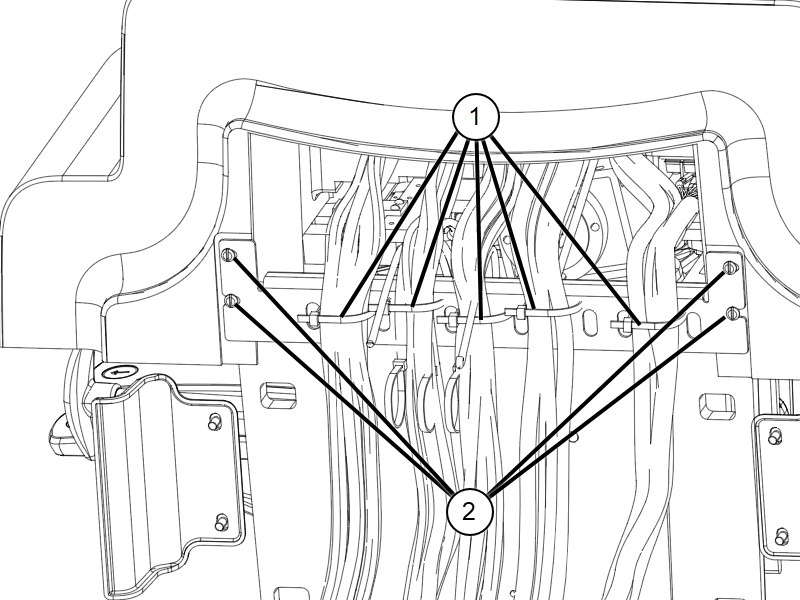
    1Cable ties
    2Screws
  6. If you are replacing PE or P4 cables, make sure to disconnect all connections from inside the dock unit according to the below table.
    Table 1. PE cable
    Component cableConnection pointLocation
    Home switchHome switch connectorInside dock unit
    Up limit switchUp limit switch connectorInside dock unit
    Table 2. P4 cable
    Component cableConnection pointLocation
    Egress handle switchEgress switch connectorInside dock unit
  7. Remove the ODU connector to be serviced.
  8. Remove the cables to be replaced.
    Note: Refer to SIGNA Premier System Wiring Diagrams (5690024-8EN) for cable connection details.