
- SIGNA MR355 / SIGNA MR360
- Service Manual
- 5856356-3EN Revision 5.0
- Basic Service Documentation. Copyright General Electric Company.
- 00000018WIA3007B220GYZ
- id_20072592.1
- Apr 20, 2020 3:03:01 AM
Removing the GOC hard drive
Remove the solid state drive (SSD) from the host computer.
Prerequisites
| Personnel requirements | |||
|---|---|---|---|
| Required persons | Preliminary requirements | Procedure | Finalization |
| 1 | - | 15 minutes | - |
| Tools and test equipment | |||
|---|---|---|---|
| Item | Quantity | Part number | Manufacturer |
| Nonmagnetic Titanium Service Tool Kit, Small Set (can be used on magnets with magnetic fields > 1.5T) | 1 Kit | 5113258 | - |
| ESD Mat | 1 | - | - |
| ESD Strap | 1 | - | - |
| Required conditions |
|---|
|
Use an antistatic wrist strap and mat while performing this procedure to prevent electrostatic discharge (ESD). |
| Access to both the front and rear of the operator console is required. Move the console away from walls and remove obstacles in the room. |
About this task
The Dell T5820 has two SSDs and they have the same removal procedure.
Procedure
- Remove the side cover.
- Press the latch.
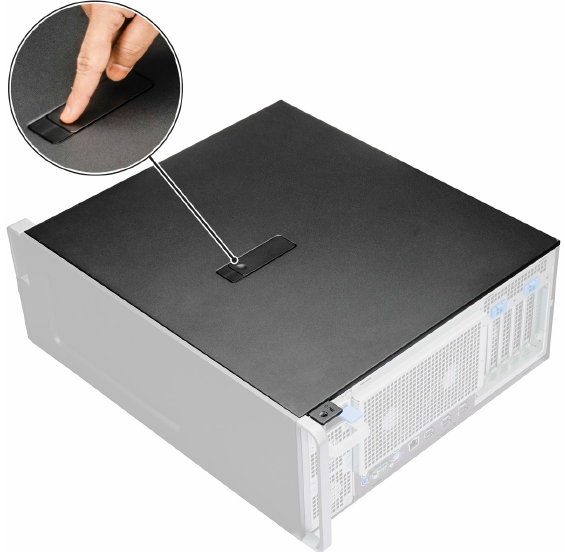
- Pull the latch [1] upward and rotate it to release the cover [2].
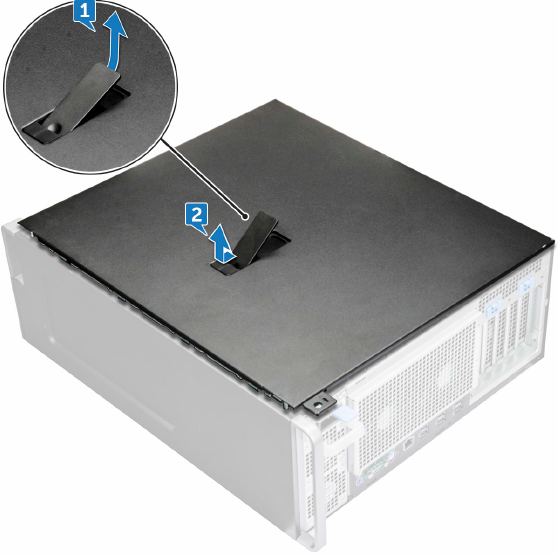
- Press the latch.
- Remove the HDD bezel.
- Rotate forward and lift the HDD bezel [3] away from the system.
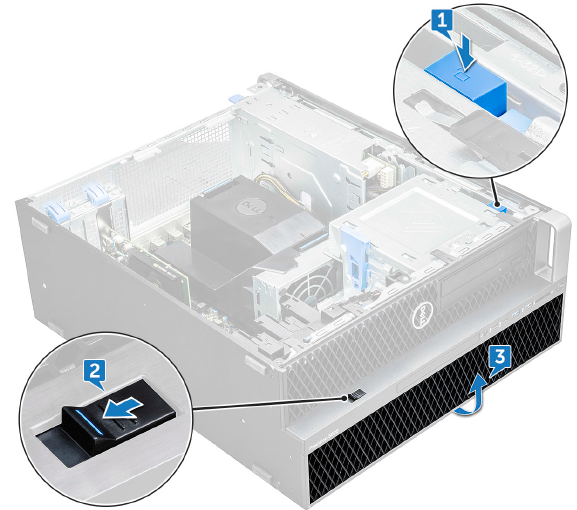
- Rotate forward and lift the HDD bezel [3] away from the system.
- Remove the HDD bracket.
- Press the release button [1] to unlock the latch [2].
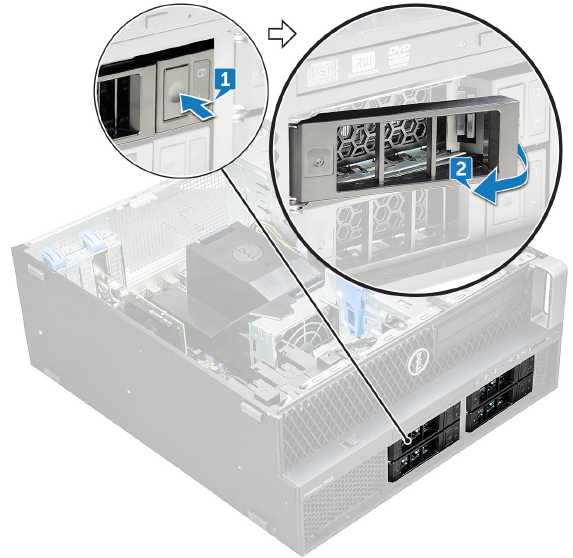
- Pull the latch to slide the bracket out of the HDD slot.
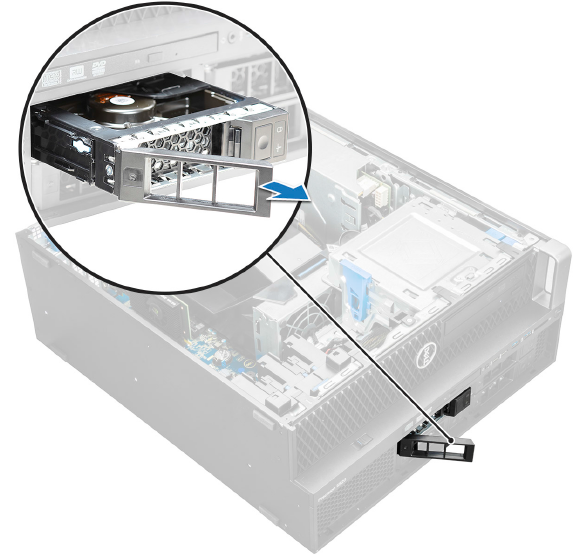
- Press the release button [1] to unlock the latch [2].
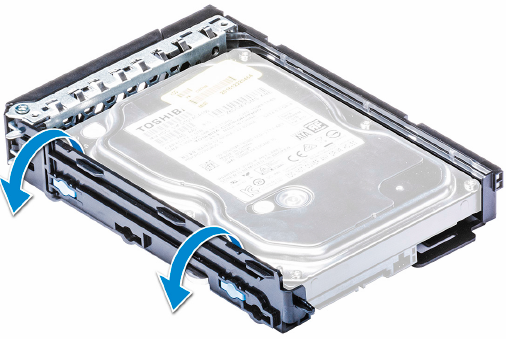
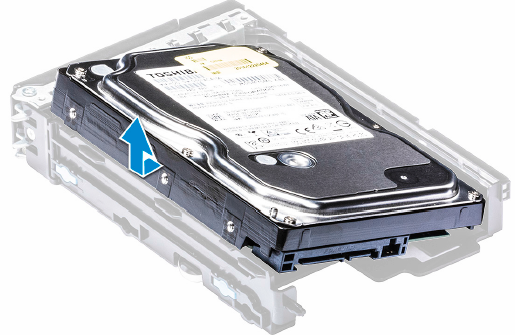
- Remove the HDD.
- Expand one side of the bracket.
- Lift the hard drive out of the bracket.
- Expand one side of the bracket.
- Do a disk wipe on all applicable hard drives in the old PC. See latest revision of Disk Management Tool Service Manual (5500610-1EN).