Basic Service Documentation. Copyright General Electric Company.
Object ID: 00000018WIA30BC0030GYZ
Topic ID: id_13106132 Version: 1.2
Date: Jul 6, 2019 12:03:29 AM
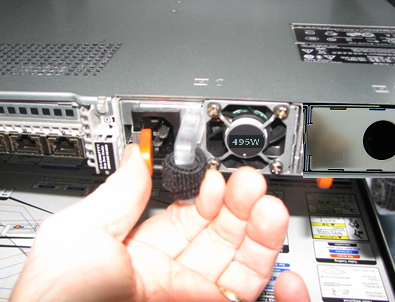
ICN Power Supply Replacement (Dell R-620/630)
Prerequisites
Table 1. Personnel requirements
Required persons
Preliminary requirements
Procedure
Finalization
1
10 minutes
30 minutes
20 minutes
Table 2. Replacement parts
Item
Quantity
Effectivity
Part number
Manufacturer
Power supply
1
-
See Illustrated Parts .
-
Table 3. Safety
Warning
Electrocution Hazard!
Dangerous voltages are present throughout the Cabinet when
Power is applied.
About this task
This procedure documents the process for replacing the power
supply in the Dell R-620/630 ICN.
Procedure
Depending on the type of ICN, two different power supplies are
available for the Dell R-620/630 ICN. Use the HART log or rating plate
on ICN to determine ICN type.