- SIGNA MR355 / SIGNA MR360
- Service Manual
- 5856356-3EN Revision 5.0
- Basic Service Documentation. Copyright General Electric Company.
- 00000018WHA308107GYZ
- id_20018816.2
- Mar 10, 2021 1:40:52 AM
Doing the leak sensor functional check
Follow this procedure to perform the leak sensor functional check.
Prerequisites
| Personnel Requirements | |||
|---|---|---|---|
| Required persons | Preliminary requirements | Procedure | Finalization |
| 1 | - | 30 minutes | - |
| Required conditions |
|---|
| System power is on. |
About this task
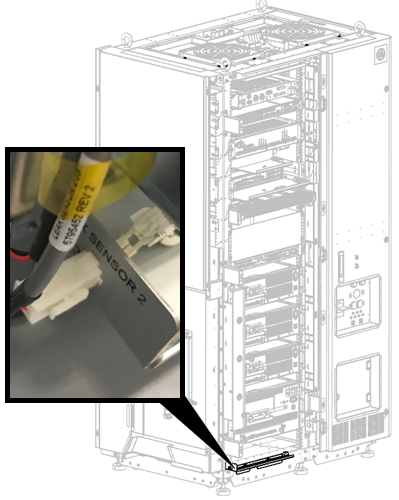
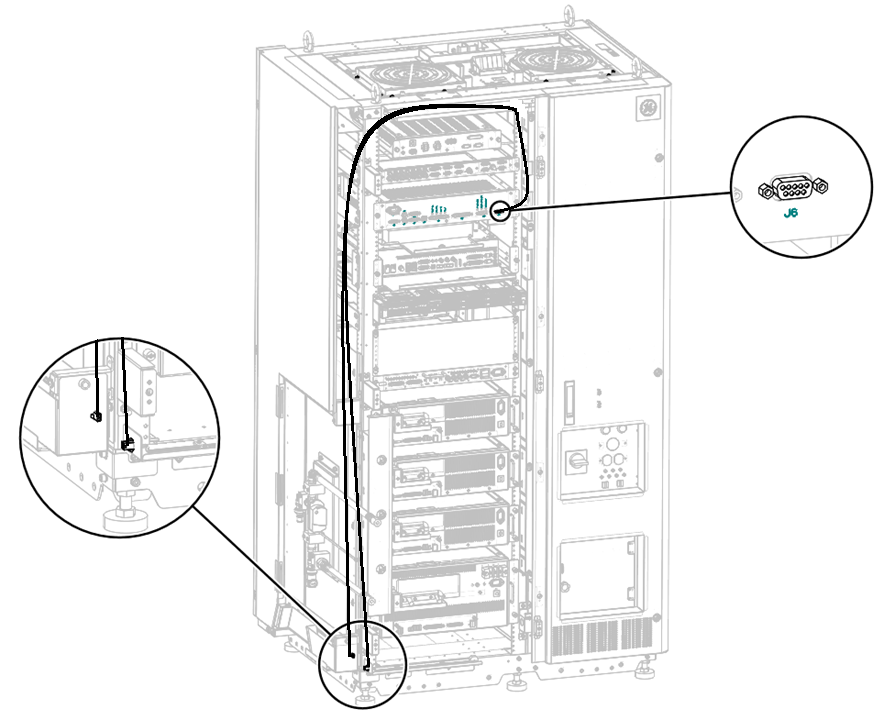
There are two leak sensor routes. This test checks that the each sensor route is operational.
They are both connected to J6 of cabinet monitor.
- Leak Sensor 1: Connected to J6 of cabinet monitor
- Leak Sensor 2: Connected to J6 of cabinet monitor
Procedure
- Press the EMO Reset button.
Figure 2. EMO reset button 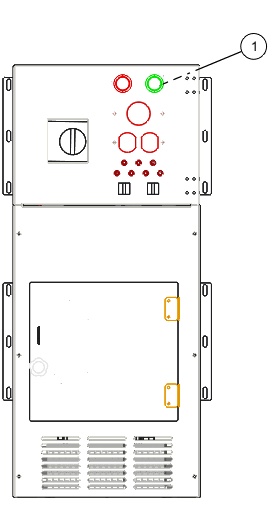
1 EMO Reset - Repeat for leak sensor 2.
Figure 3. Leak sensor 2 connector