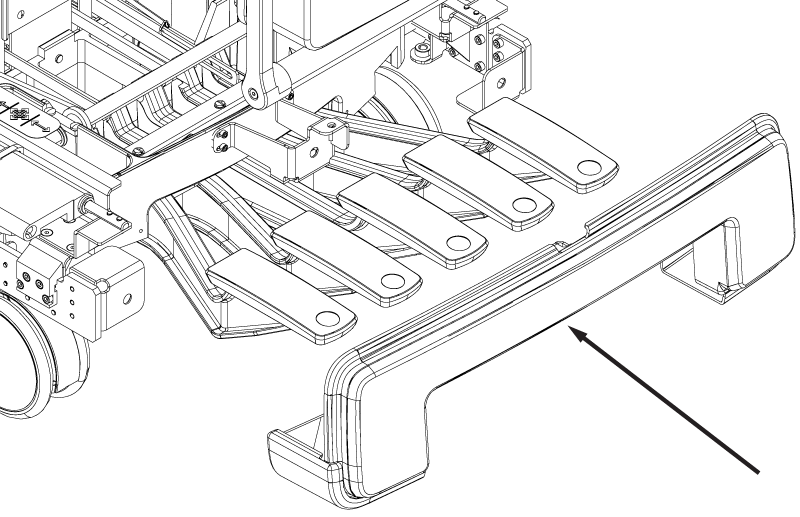
Removes the rear cover from the dockable table base.
Prerequisites
| Personnel requirements |
|---|
| Required persons | Preliminary requirements | Procedure | Finalization |
|---|
| 1 | - | 5 minutes | - |
| Tools and test equipment |
|---|
| Item | Quantity | Part number | Manufacturer |
|---|
| Nonmagnetic Titanium Service Tool Kit, Small Set | 1 | 5113258 | - |
| Required conditions |
|---|
| The right-hand base side cover is removed. |
| The left-hand base side cover is removed. |
Procedure
- Remove the three screws securing the rear base cover to the table base.
Figure 1. Rear base cover screws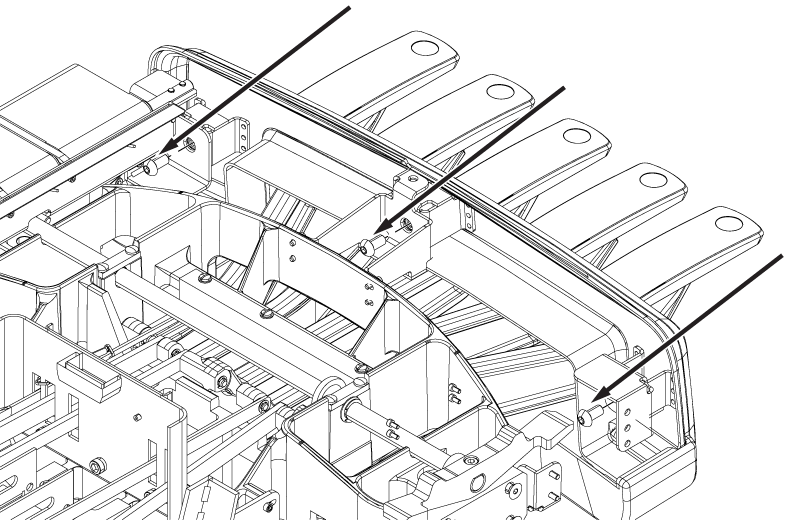
- Lower the table approximately 5 cm.
- Step on the up and electrical dock pedals while simultaneously pressing the undock pedal fully. This will create enough space to remove the cover.
- Remove the cover from the table base.
Note: Do not engage the down table pedal while removing the cover.
Figure 2. Rear base cover