- SIGNA™ Hero 3.0T Service Methods
- 5852800-8EN Revision 1.0
- 00000018WIA30C35450GYZ
- id_20222761.7
- Oct 11, 2021 6:31:29 PM
Installing the shaft linkage-right, shaft extension, and bearing IGUS
Installs the new shaft linkage-right, shaft extension, and bearing IGUS in a dockable patient table.
Procedure
- If replacing the front or rear bearing IGUS, place the new bearing into position by hand.
Figure 1. Bearing IGUS 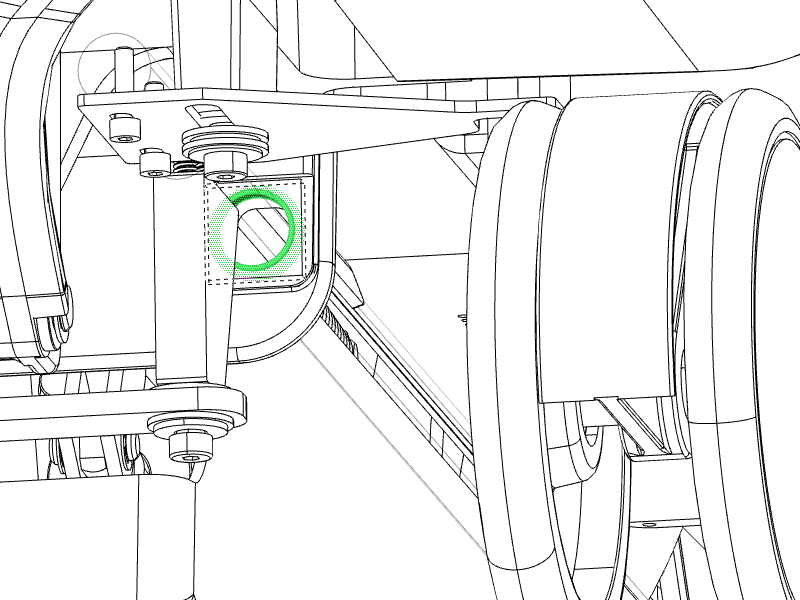
- Replace the shaft extension in the shaft linkage right.
- Replace the shaft extension mounting screws (if more space is needed to access the shaft extension mounting screws or for better torque, rotate the bottom of the shaft extension out). Apply Loctite when reinstalling the mounting screws.
Figure 2. Shaft extension mounting screws 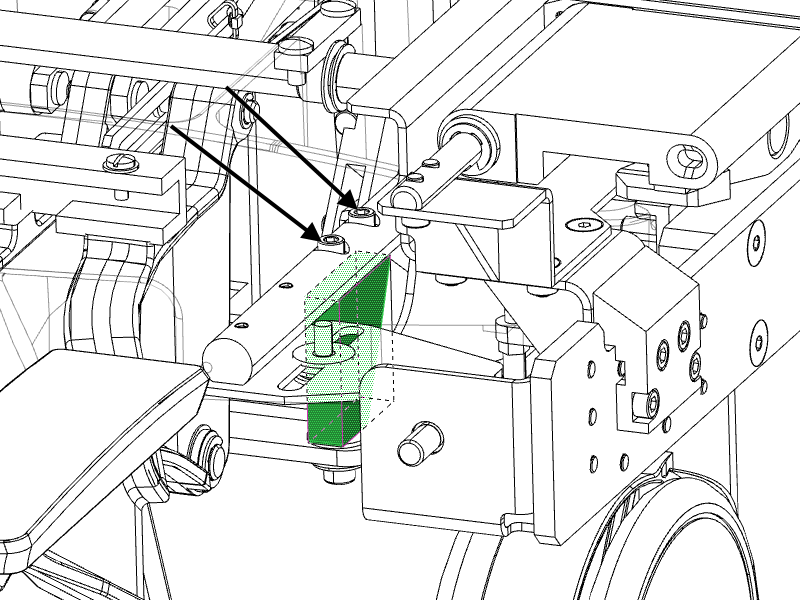
Figure 3. Shoulder screw hardware 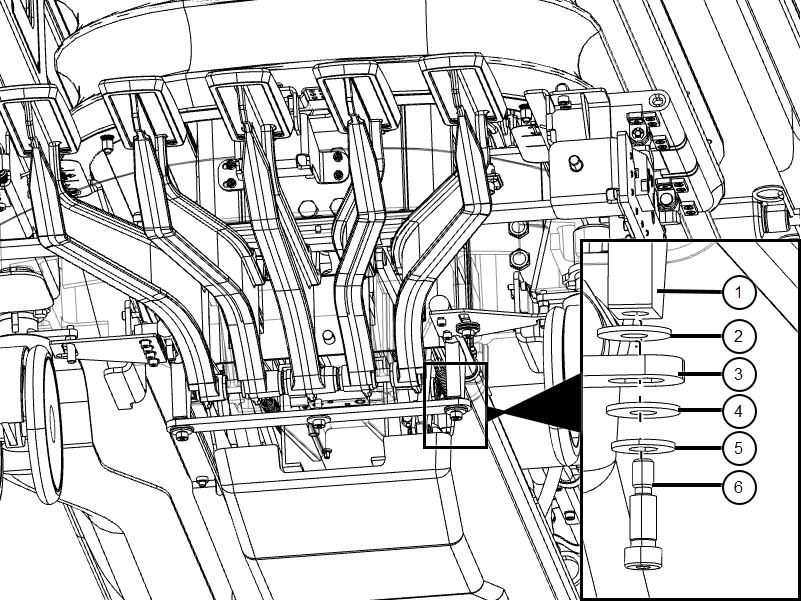
1 Shaft extension 2 Nylon washer 3 Link reversing 4 Nylon washer 5 Brass washer 6 Shoulder screw - Replace the shaft extension mounting screws (if more space is needed to access the shaft extension mounting screws or for better torque, rotate the bottom of the shaft extension out). Apply Loctite when reinstalling the mounting screws.
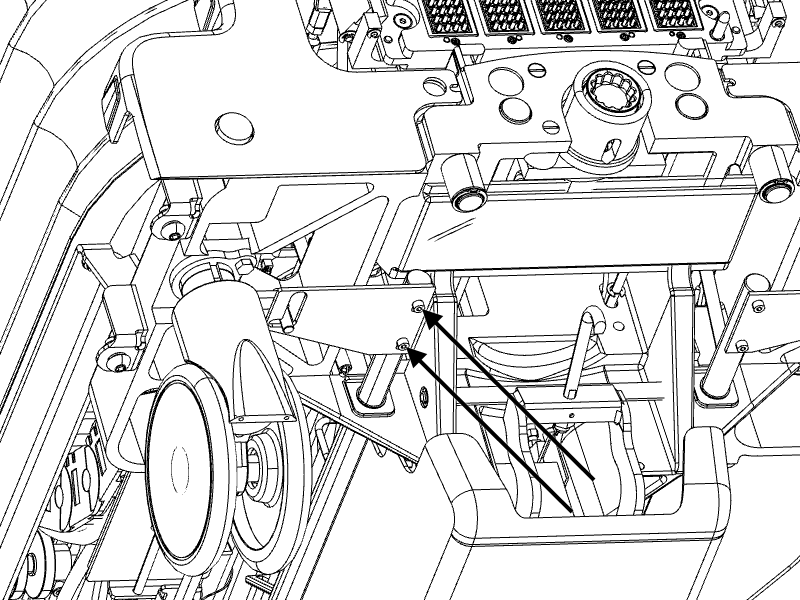
- Replace the screws that attach the shaft linkage-right to the link-right rear, located at the right rear side of the table. Also replace the two screws that attach the link-right front on the opposite side of the table in the same location.
Figure 4. Shaft linkage, right front