- id_2012604
- Version: 4.1
- Date: Dec 10, 2019 1:13:54 PM
Replacing the ICN power supply
Procedure
- Disconnect the power cable from the ICN power supply.
- Toggle the orange locking lever to the center of the supply and then pull the power supply out of the ICN chassis.
Figure 1. Remove ICN Power Supply
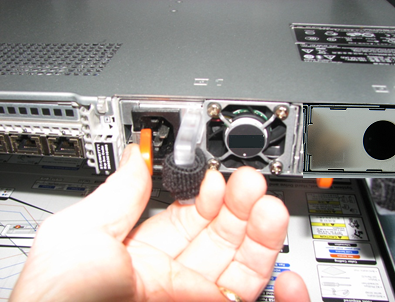
- Install the new power supply. Insert until the orange tab clicks into place.
- Connect the power cable back to the ICN.