- SIGNA™ Hero 3.0T Service Methods
- 5852800-8EN Revision 1.0
- 00000018WHA305B62GYZ
- id_20014278.0
- Oct 10, 2019 4:40:30 PM
Checking the touch-and-go strip function
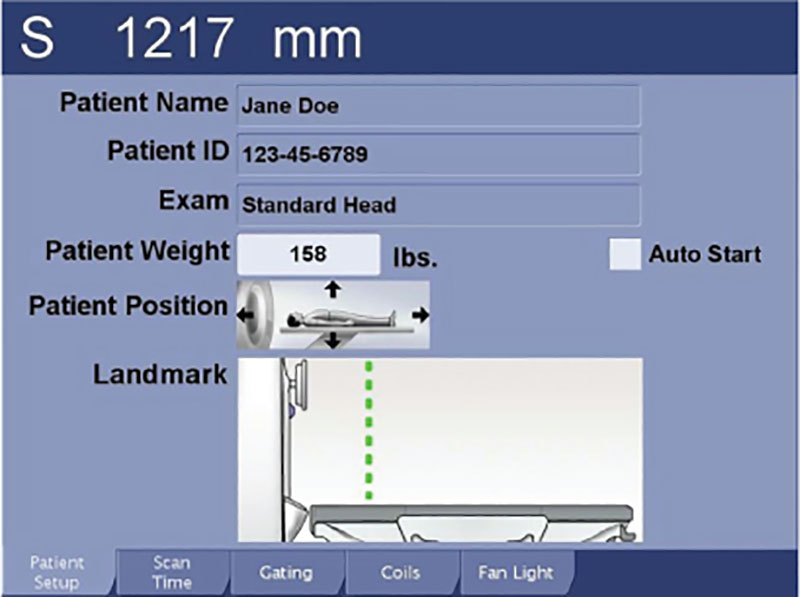
Makes sure the touch-and-go strips display the landmark on the In-Room Display (IRD) correctly.
Prerequisites
| Personnel requirements | |||
|---|---|---|---|
| Required persons | Preliminary requirements | Procedure | Finalization |
| 1 | - | 5 minutes | - |
Procedure
- Note: If more than five seconds elapse between touching the touch-and-go landmark strip and pressing Landmark or Advance to Scan, the green landmark line is removed from the IRD.Make sure the landmark location appears as a green dotted line on the IRD.
Figure 1. Landmark location