
- SIGNA™ Hero 3.0T Service Methods
- 5852800-8EN Revision 1.0
- 00000018WIA30984450GYZ
- id_20220621.6
- Oct 11, 2021 6:31:30 PM
Installing table undock mechanism components
Installs the undock link and lever to the table base.
Prerequisites
| Personnel requirements | |||
|---|---|---|---|
| Required persons | Preliminary requirements | Procedure | Finalization |
| 1 | - | 10 minutes | - |
| Tools and test equipment | |||
|---|---|---|---|
| Item | Quantity | Part number | Manufacturer |
| Nonmagnetic Titanium Service Tool Kit, Small Set | 1 | 5113258 | - |
| Consumables | |||
|---|---|---|---|
| Item | Quantity | Part number | Manufacturer |
| 3.6 inch Cable Tie | 1 | 46-208758P1 | - |
Procedure
- Slide the link bar through the slot in the lever.
Figure 1. Undock mechanism exploded 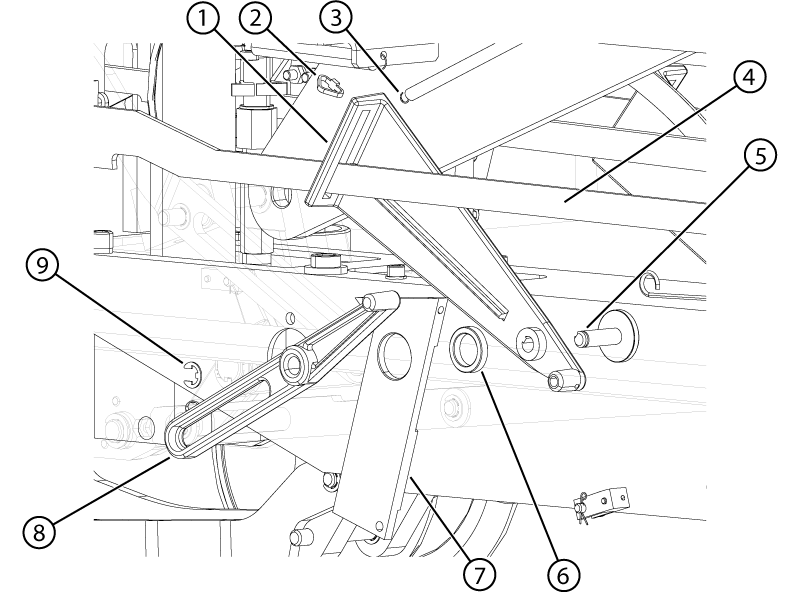
1 Lever 2 Cable tie 3 Spring 4 Link bar 5 Pin 6 Bushing 7 Reel 8 Plastic link lever 9 E-clip - Install the undock hook block onto the link bar.
Figure 2. Undock hook block 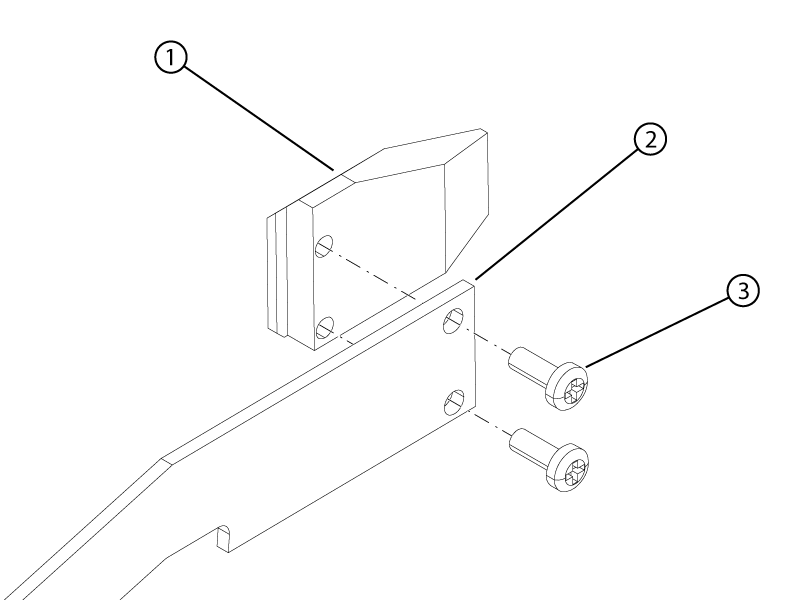
1 Undock hook block 2 Link bar 3 Screw - Slide the link bar and lever onto the pin.Note: Slide the link bar under the table frame.
Figure 3. Link bar 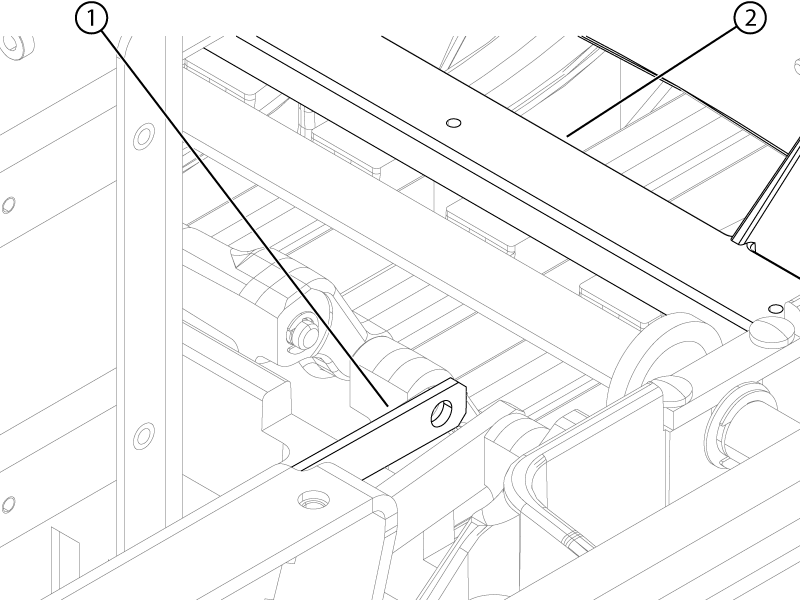
1 Link bar 2 Table frame - Install the rubber pedal stop onto the table base.
Figure 4. Rubber pedal stop 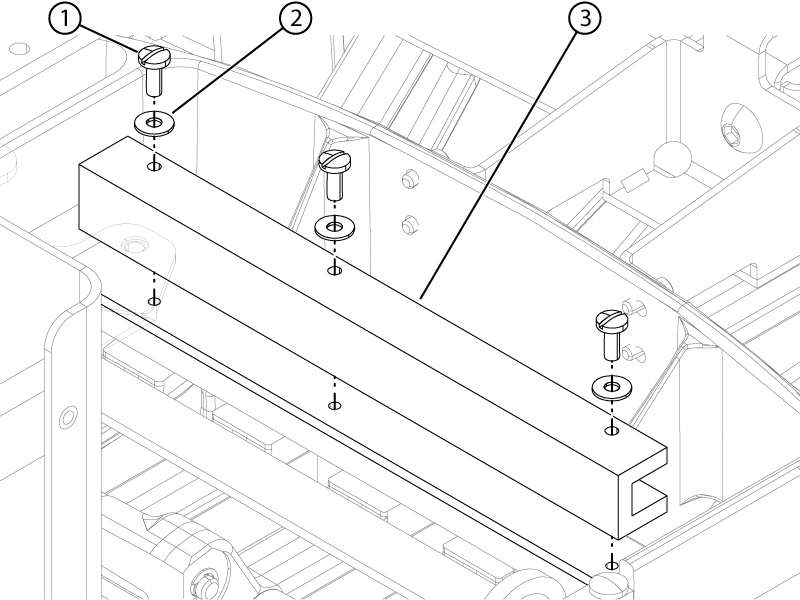
1 Screw 2 Washer 3 Rubber pedal stop - Install the handle end of the link bar onto the pin of the undock pedal.
Figure 5. Link bar handle-end e-clip 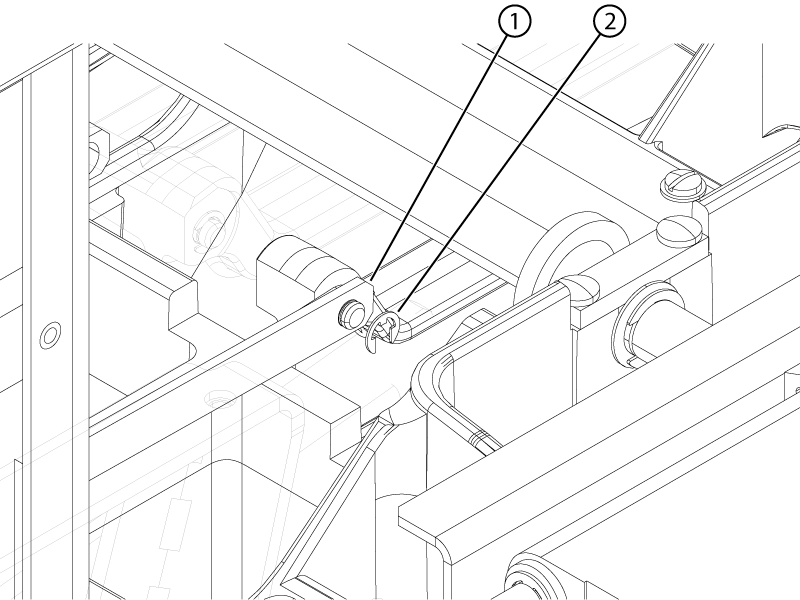
1 Link bar 2 E-clip