Removes the string encoder from the dockable table.
Prerequisites
Personnel requirements
Required persons
Preliminary requirements
Procedure
Finalization
1
-
15 minutes
-
Tools and test equipment
Item
Quantity
Part number
Manufacturer
Nonmagnetic Titanium Service Tool Kit, Large Set
1
5112581
-
Required conditions
The cradle has been raised for service.
The left and right-hand table side covers are removed.
Safety
Warning
Ferrous material hazard
The dockable table string encoder assembly contains parts made with ferrous components. Holding this assembly too close to the magnet bore will forcibly attract it to the magnet.
To prevent possible bodily injury or damage to components, remove the assembly directly. Do not move it into the magnetic field more than is necessary.
About this task
Procedure
Move the table out of the scan room.
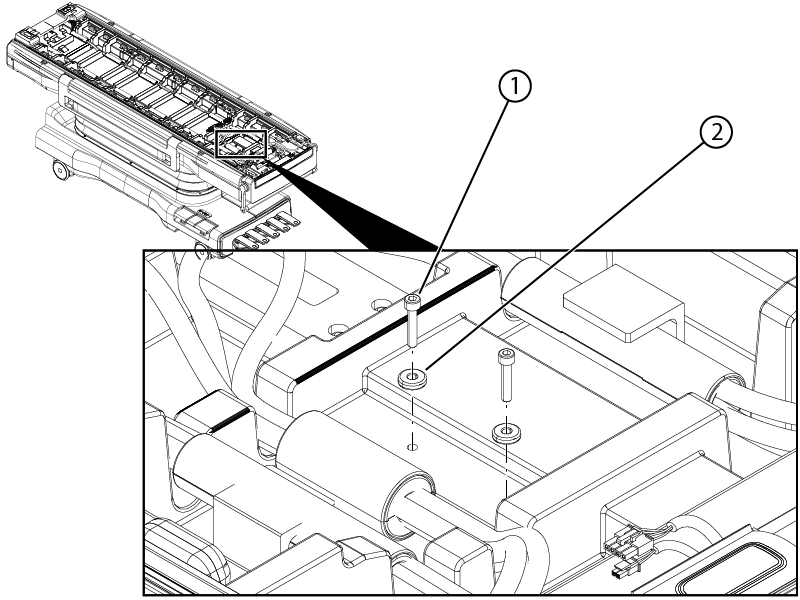
Remove the two screws and two washers securing the cradle to tabletop.
Figure 1. Cradle hardware
1
Screw
2
Washer
Press the dock pedal to bypass the primary latch and at the same time lift up and move the table away from the home position until you have access to the egress and encoder string cover.
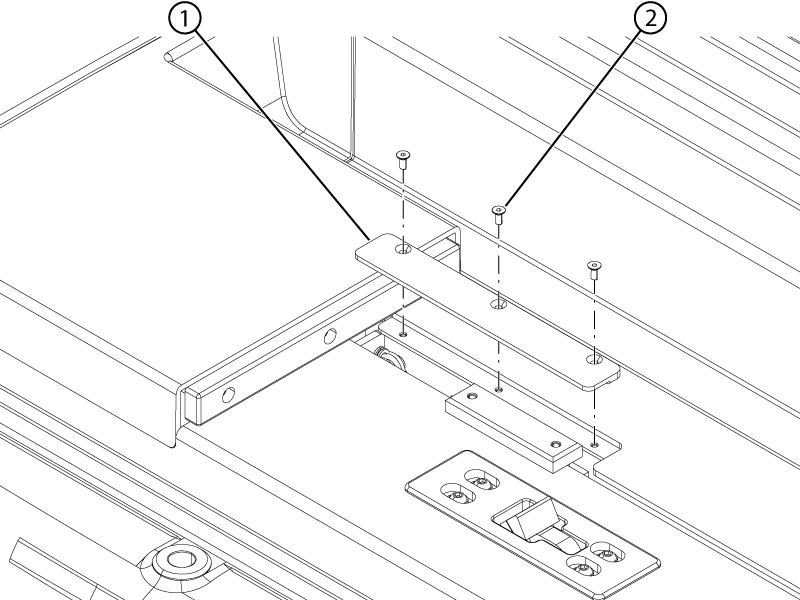
Remove the three screws securing the string encoder cover plate to the tabletop.
Figure 2. String encoder cover plate
1
String encoder cover plate
2
Screw
Remove the cover plate from the tabletop.
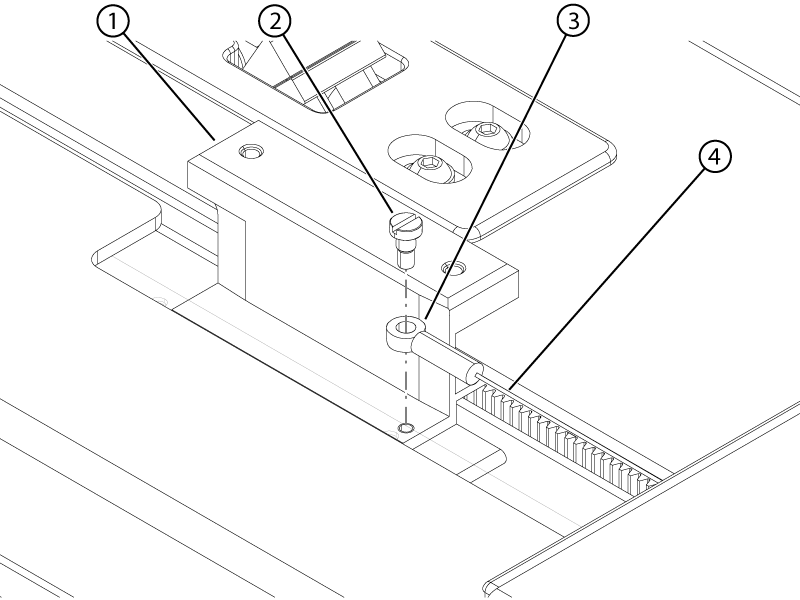
Remove the screw securing the encoder ring to the rigibelt mounting block.
Figure 3. String encoder ring
1
Rigibelt mounting block
2
Screw
3
String encoder ring
4
String
Disconnect the string encoder connector from cable 5946423 string position enc connector.
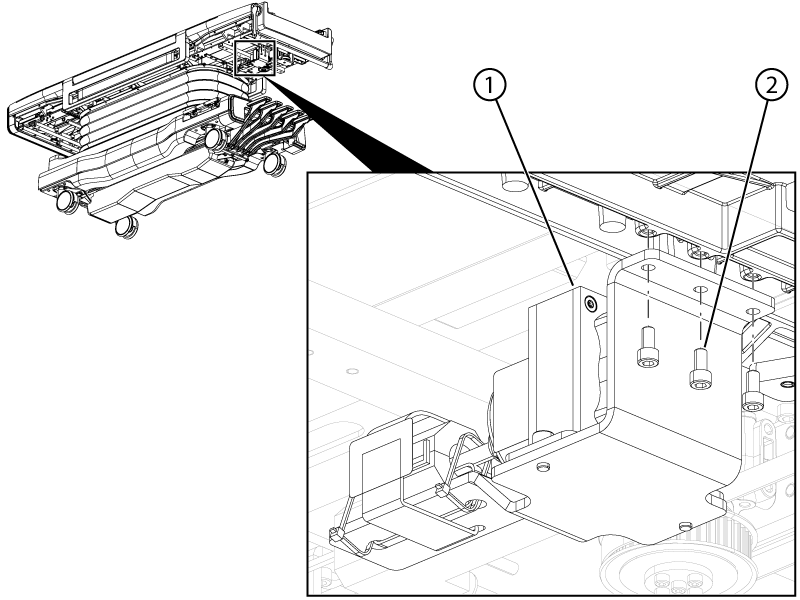
Remove the three screws securing the encoder assembly to the table.