- SIGNA™ Hero 3.0T Service Methods
- 5852800-8EN Revision 1.0
- 00000018WIA30702E40GYZ
- id_20197092.1
- Apr 23, 2020 8:52:07 PM
Modifying the table encoder calibration value
Configures the system with a new string encoder position sensitivity number.
Prerequisites
| Personnel requirements | |||
|---|---|---|---|
| Required persons | Preliminary requirements | Procedure | Finalization |
| 1 | - | 5 minutes | - |
Procedure
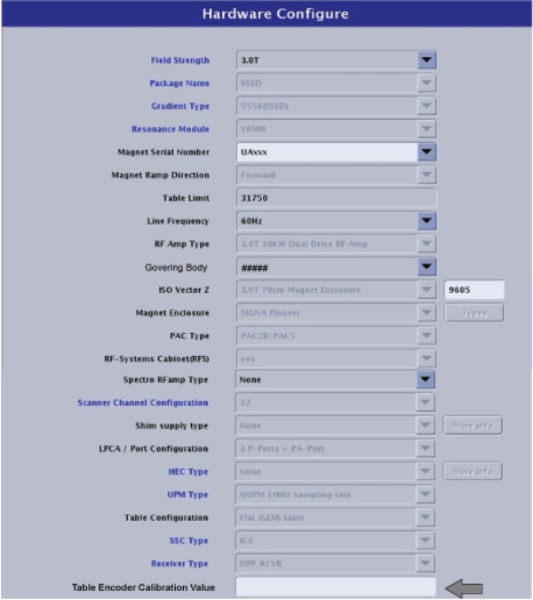
- Enter the Position Sensitivity number from the string encoder in the Table Encoder Calibration Value field.
Input numbers only. Do not include commas or other characters.
Figure 1. Update Table Encoder Calibration value