
- SIGNA™ Hero 3.0T Service Methods
- 5852800-8EN Revision 1.0
- 00000018WIA30526C40GYZ
- id_20193912.4
- Apr 23, 2020 8:51:53 PM
Removing the dockable table handle
Removes the handle from the dockable table.
Prerequisites
| Personnel requirements | |||
|---|---|---|---|
| Required persons | Preliminary requirements | Procedure | Finalization |
| 1 | - | 10 minutes | - |
| Tools and test equipment | |||
|---|---|---|---|
| Item | Quantity | Part number | Manufacturer |
| Nonmagnetic Titanium Service Tool Kit, Small Set | 1 | 5113258 | - |
Procedure
- Remove the two screws securing the handle arms to the handle tube.
Figure 1. Handle parts 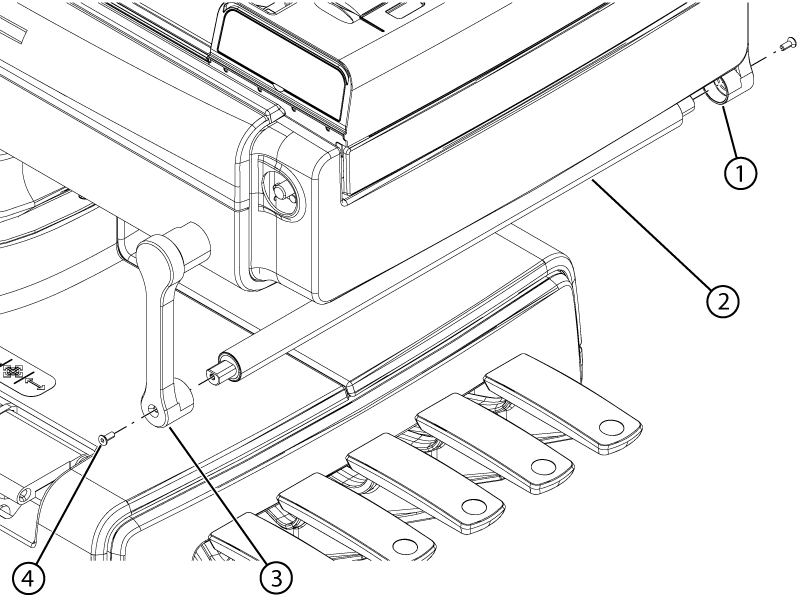
1 Right-hand handle arm 2 Handle tube 3 Left-hand handle arm 4 Handle screw - Remove the screw securing the handle button to the handle arm.
Figure 2. Handle button screw 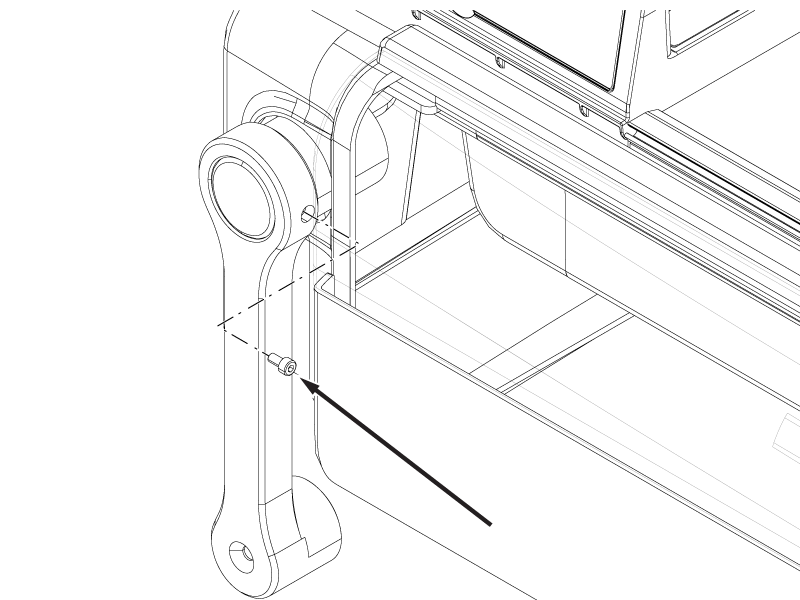
- Remove the handle button from the arm.
Figure 3. Handle button 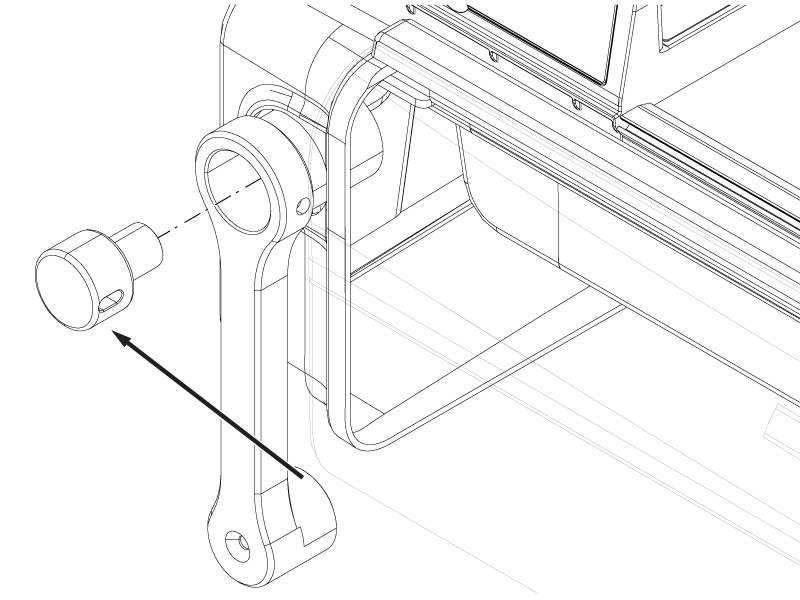
- Remove the six shoulder screws securing the handle arm to the handle hinge.Important: The shoulder screws are easy to strip. Use caution when removing these screws.
Figure 4. Handle right-hand arm 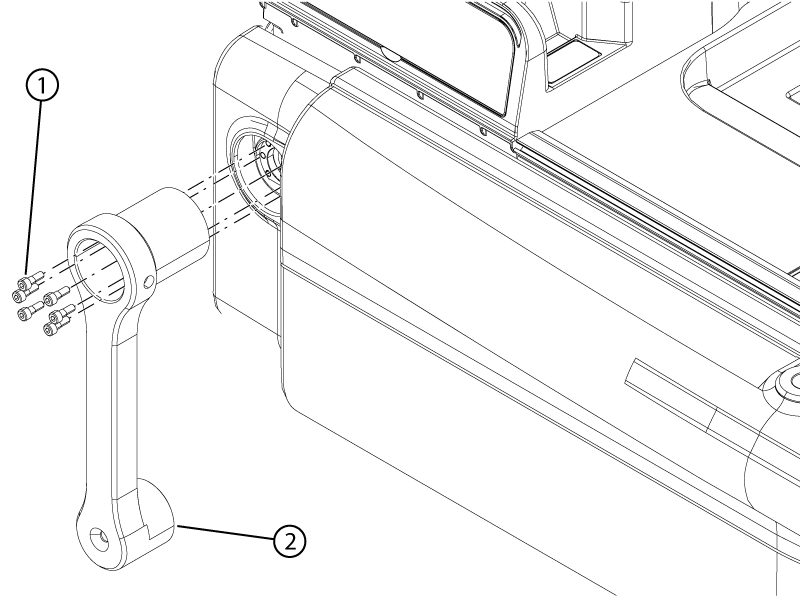
1 Shoulder screw 2 Right-hand handle arm