
- SIGNA™ Hero 3.0T Service Methods
- 5852800-8EN Revision 1.0
- 00000018WIA30E97C40GYZ
- id_20196372.9
- Oct 11, 2021 6:31:30 PM
Removing the reciprocating pump assembly
Removes the reciprocating pump assembly from the dockable patient table.
Procedure
Lower the table lock safety bar.Warning 
Figure 1. Table lock safety bar 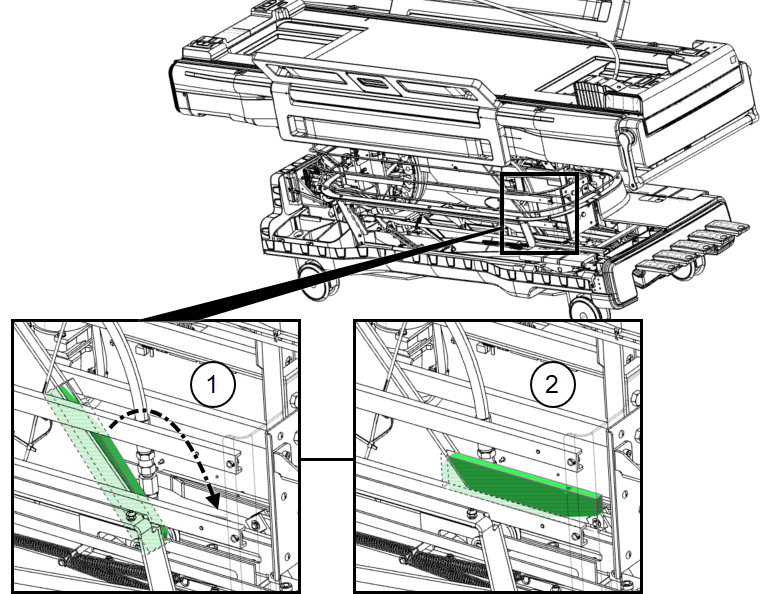
1 Safety bar up (unlocked) 2 Safety bar down (locked) - Use a
slotted screwdriver to unfasten the hose clamp to disconnect the hydraulic oil (low pressure) hose connection from the pump.
- Using a backer wrench to hold the pump-side fittings in place, use a 0.75 inch open-end wrench to disconnect both black high-pressure hoses from the top and side of the pump.
Figure 2. Left side view of lower table chassis 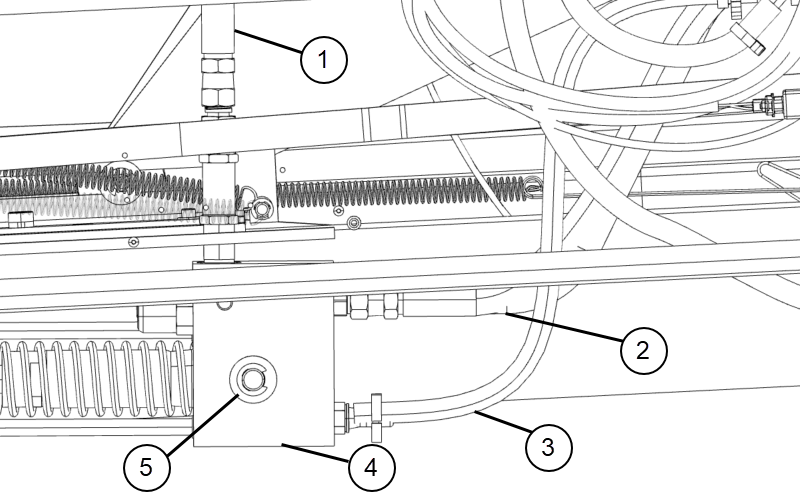
1 Top high-pressure hose 2 Side high-pressure table hose 3 Hydraulic oil (low pressure) hose 4 Reciprocating pump 5 Clip and shaft
- Using a backer wrench to hold the pump-side fittings in place, use a 0.75 inch open-end wrench to disconnect both black high-pressure hoses from the top and side of the pump.
- Slide the pump assembly away from the table chassis and remove it.
Figure 3. Front and rear clips, pin and shaft 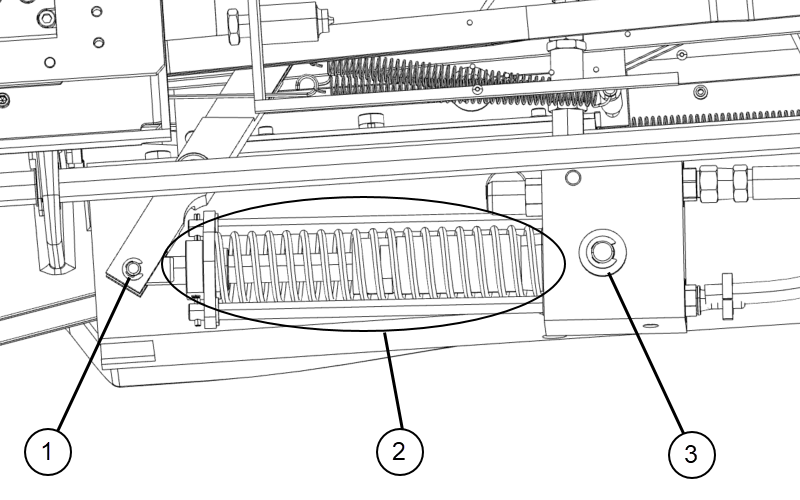
1 Rear clip and pin 2 Reciprocating pump assembly 3 Front clip and shaft