Removing and installing the dockable table touch-and-go assembly
Removes and installs the touch-and-go assembly from a dockable table side bumper for bumper or assembly replacement.
Prerequisites
Personnel requirements
Required persons
Preliminary requirements
Procedure
Finalization
1
-
5 minutes
-
Required conditions
The dockable table side bumper is removed from the table.
About this task
This procedure is identical for all six side bumpers. The left-hand bore-end bumper is shown.
Procedure
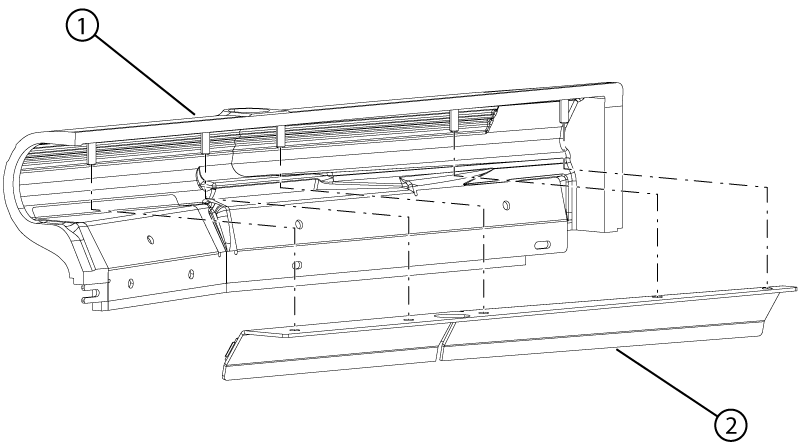
Remove the touch-and-go assembly from the side bumper.
Figure 1. Touch-and-go assembly
1
Side bumper
2
Touch-and-go assembly
Install the touch-and-go assembly into the side bumper.
Note: If the bumper is being replaced, install the removed assembly into the new bumper. If the assembly is being replaced, install the new assembly into the removed bumper.