
- SIGNA™ Hero 3.0T Service Methods
- 5852800-8EN Revision 1.0
- 00000018WIA30D8C230GYZ
- id_156670241.5
- Jul 13, 2021 4:27:36 PM
PDU EMI Filter Replacement
Prerequisites
| Required persons | Preliminary requirements | Procedure | Finalization |
|---|---|---|---|
| 1 | Not Applicable | 60 minutes | Not Applicable |
| Item | Quantity | Effectivity | Part number | Manufacturer |
|---|---|---|---|---|
| Standard Tool | 1 | - | - | - |
| Item | Quantity | Effectivity | Part number | Manufacturer |
|---|---|---|---|---|
| PDU EMI Filter | 1 | - |
Refer to FRU Manual | - |
| ||||||||||||


| Condition | Reference | Effectivity |
|---|---|---|
|
PDU and Service Disconnect Panel (or Main Disconnect Panel) must be turned OFF. Refer to Lockout / Tagout for MDP(Main Disconnect Panel) or Facility PDU. | - | - |
Procedure
- Remove PDU Front Panel.
Figure 1. PDU Front Panel 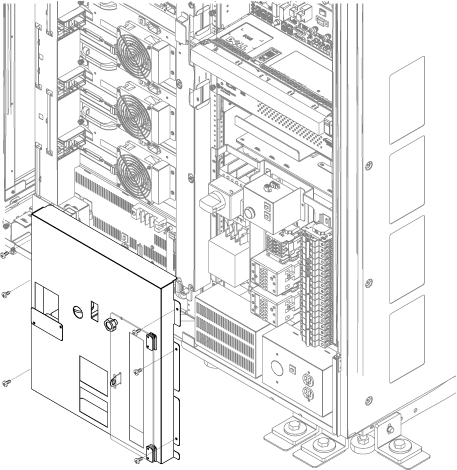
- Remove ISC PDU bottom cover for easy access of the screws.
Figure 2. ISC PDU bottom cover 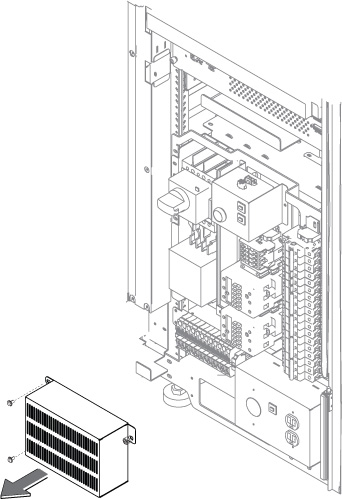
- Disconnect 2-pin connector. 2pin connector is located behind the Main Breaker.
Figure 3. 2-pin connector 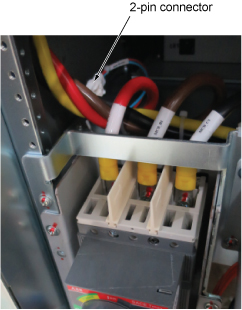
- Remove three screws from the main Breaker top terminal and remove cables. Use 5mm hex wrench.
Figure 4. Remove screws 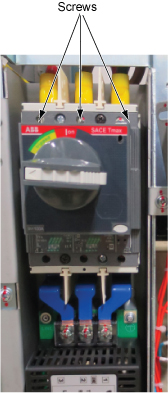
- Loosen 4 screws and disconnect cables from bottom terminal of EMI Filter.
Figure 5. Disconnect cables 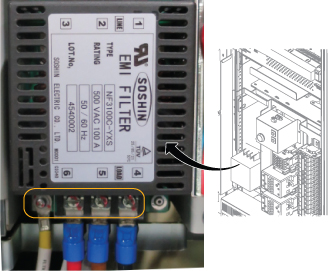
- Remove four screws and remove a bracket with Main Breaker and EMI Filter.
Figure 6. Bracket Removal 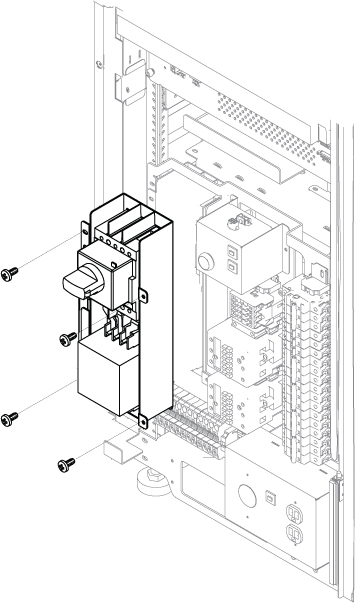
- Remove three screws from the top of EMI Filter and remove the bus bar.
Figure 7. Remove screws 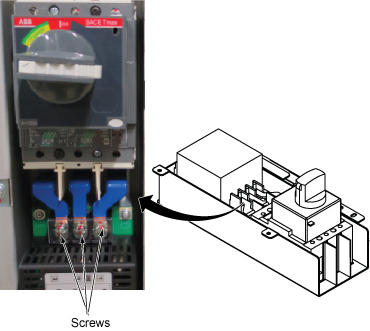
- Remove 4 screws and remove EMI filter.
Figure 8. EMI filter removal 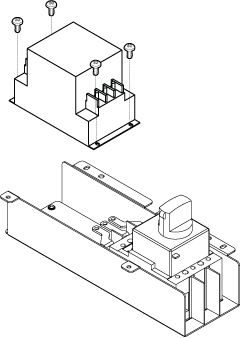
Finalization
- Restore the Power. Refer to Lockout / Tagout for MDP(Main Disconnect Panel) or Facility PDU .
- Perform check scan.