
- SIGNA™ Hero 3.0T Service Methods
- 5852800-8EN Revision 1.0
- 00000018WIA3010C230GYZ
- id_156670371.10
- Jul 13, 2021 4:27:36 PM
GP4 Replacement
Prerequisites
| Required persons | Preliminary requirements | Procedure | Finalization |
|---|---|---|---|
| 1 | Not Applicable | 30 minutes | 35 minutes |
| Item | Quantity | Effectivity | Part number | Manufacturer |
|---|---|---|---|---|
| Standard Tool | 1 | - | - | - |
| Item | Quantity | Effectivity | Part number | Manufacturer |
|---|---|---|---|---|
| GP4 | 1 | - | 6237000 6237000-3 6237000-3 requires SW Revision PX26.1_R02_1833.a with Service Pack 1 or later. | - |
| ||||

| Condition | Reference | Effectivity |
|---|---|---|
|
System Power must be turned OFF. Refer to LOTO for ISC. | - | - |
Procedure
- Loosen fixing screws and remove ISC PW Cover by lifting up a little. Note: If furnished closet door prevents from removing, the PW cover can be separated in two pieces by removing 6 screws at center.
Figure 1. ISC PW Cover 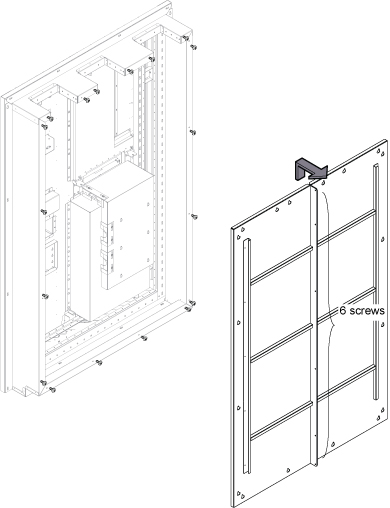
- Remove Gradient Cable Cover per following steps.
- Loosen 12 screws.
- Lift up a little and remove the Gradient Cable Cover.
Figure 2. Gradient Cable Cover 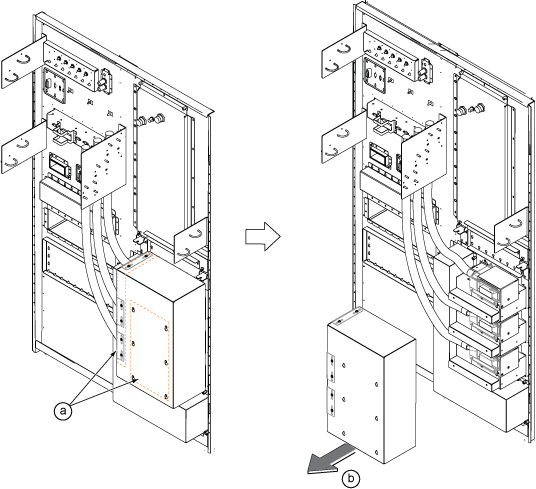
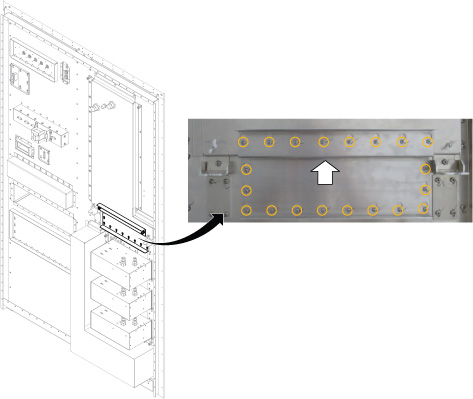
- Perform the following steps.
- Remove the access cover by loosening 20 screws.
- Disconnect all connectors from GP4.
Figure 3. GP4 Cable 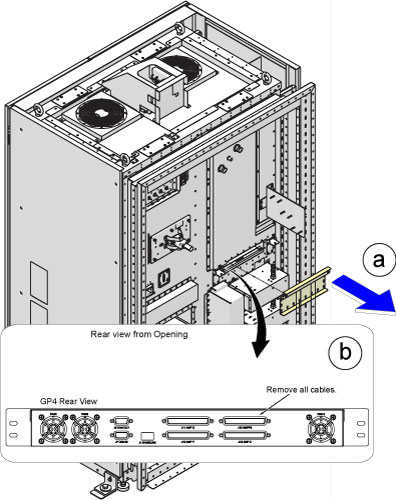
- Perform the following steps.
- Disconnect Power cable connector.
- Remove 4 screws and slide out the tray.
Figure 4. GP4 Removal 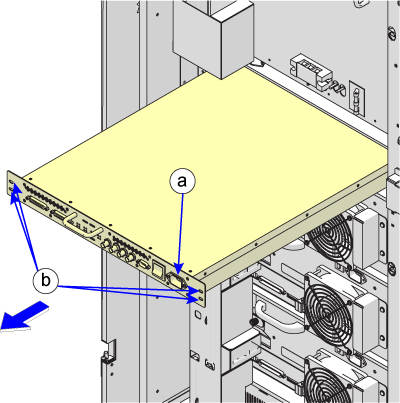
Restore ISC by reverse order of removal.Notice
Finalization
-
Note: Download time can be up to 15 minutes on a replacement GP4 module. If the software loaded on the system does not match the firmware loaded on the GP4 Board received as a replacement, there will be a one-time lengthy download of current firmware to the GP4. During this download the system will display “Please wait while TPS performs an extended download and reset”. Please be patient.Restore the Power. Refer to Removing LOTO - ISC.
- To adjust DC Offsets, refer to DC Offset Adjustment .
- Perform [TPS Reset].
- Perform DQA Tool.
- Perform check scan.