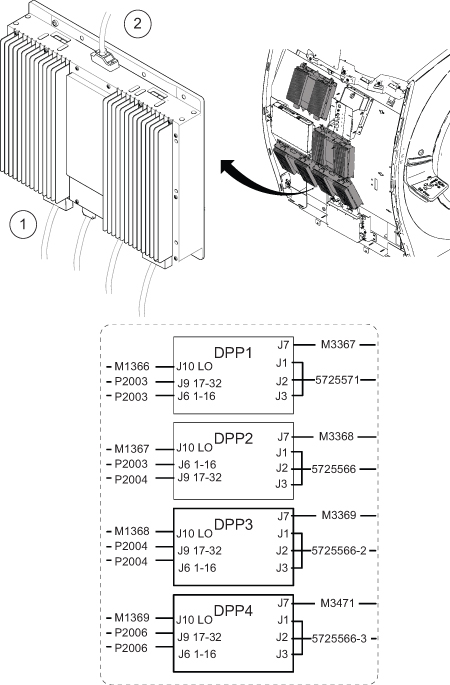
Disconnect the following cables from the top of the DPP: J9, J6, and J7.
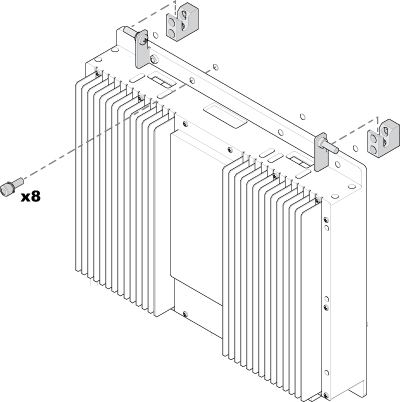
Loosen the eight captive screws.
Flip the DPP RRx to access the bottom cables.
Disconnect the cables from the bottom of the DPP: J1, J2, J3, and J10.
Figure 1. Removing the DPP RRx cables
CAUTION
Strong magnetic field
The Digitized Per Pin Remote Receiver (DPP RRx) has no ferrous material and will not be attracted to the magnet, but the eddy currents can cause resistance when you pull the DPP RRx away from the magnet.
When removing and replacing the DPP RRx, keep the receiver as far away from the magnet as possible while moving it.