• SIGNA™ Hero 3.0T Service Methods
  • 5852800-8EN Revision 1.0
  • Object ID: 00000018WIA300DEE20GYZ
  • Topic ID: id_13106063 Version: 6.0
  • Date: Nov 2, 2021 1:12:37 PM

DC offset adjustment

Prerequisites

Personnel requirements
Required personsPreliminary requirementsProcedureFinalization
1-5 minutes-
Required conditions
No scan in progress. Press End Exam to end any exam in progress.

Procedure

  1. Go to the Service Desktop and select Calibrations from the Service Browser. Then, select DC Offset Calibration.
  2. Select DC Offset and click on Click here to start the tool. The following tool shows.
    Figure 1. DC offset calibration
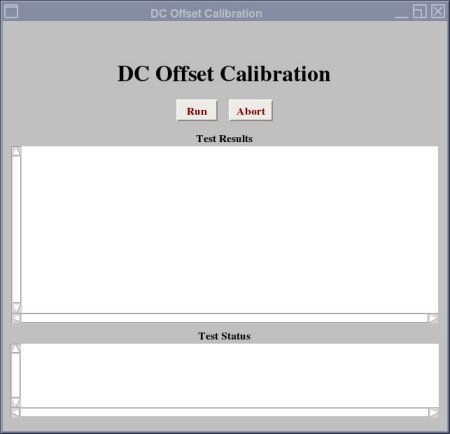
  3. Select Run.

    A report of DC Offset calibration has been completed signifies that the calibration is done. The calibration should only be done once.

    Note: DVMR fiber link fault may be occurred. If the calibration is properly completed, ignore this message.
  4. The calibration values are stored in /usr/g/caldir/gradient_tune.dat .
    Note: The calibration values are relative to the site DC Offsets is run on and can vary greatly from site to site.
    Note: The value in gradient_tune.dat is displayed as hexadecimal while the value in Service Screen is in decimal. The following table is an example.
    Table 1. Example of data value in service screen and Gradient_Tune.dat
    Service Screen (decimal) Gradient Tune.dat (hexadecimal)
    X 2519
    Y -90FFFFFFA5
    Z -127FFFFFF80
  5. Do a TPS Reset or end diagnostics.