
- SIGNA™ Hero 3.0T Service Methods
- 5852800-8EN Revision 1.0
- 00000018WIA30F32840GYZ
- id_20147301.15
- Aug 17, 2021 6:47:27 PM
Removing the RF body coil air flow sensor
Remove the RF body coil air flow sensor.
Prerequisites
| Personnel requirements | |||
|---|---|---|---|
| Required persons | Preliminary requirements | Procedure | Finalization |
| 1 | - | 60 minutes | 15 minutes |
| Tools and test equipment | |||
|---|---|---|---|
| Item | Quantity | Part number | Manufacturer |
| Nonmagnetic Titanium Service Tool Kit, Large Set | 1 | 5112581 | - |
| Nonmagnetic Titanium Service Tool Kit, Small Set | 1 | 5113258 | - |
Procedure
- Remove the RF body coil air flow sensor heads from the patient end:
- Remove the cables.Note: The cables may be cable tied to the magnet. If required, do Removing the magnet left and right control panel covers for access to the cable ties. Remove front cover screws as required to remove the cables.
Figure 1. Cables 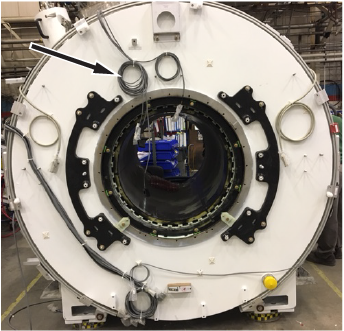
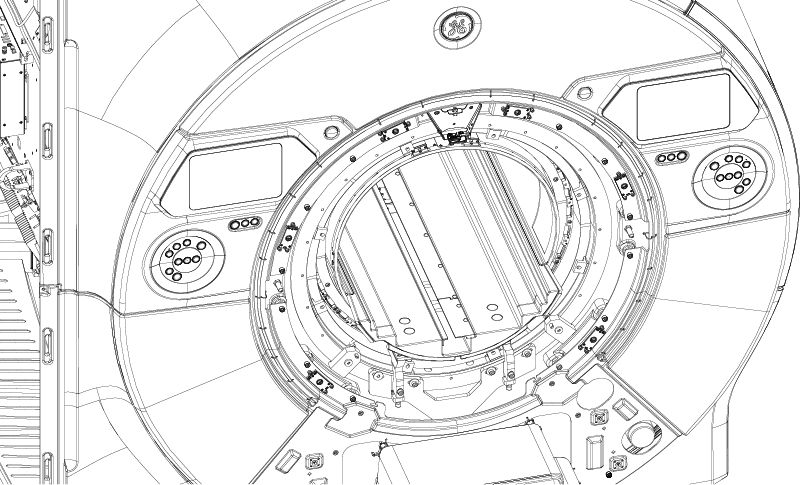
- Remove the four M4 x 10 brass screws.
Figure 2. Brass screws 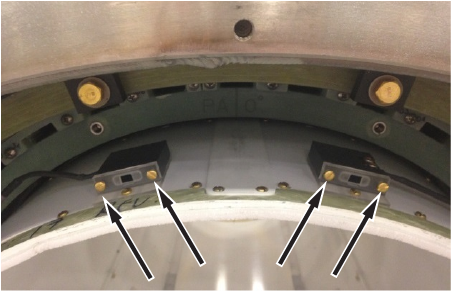
- Remove the two air flow sensor heads.
Figure 3. Air flow sensor heads 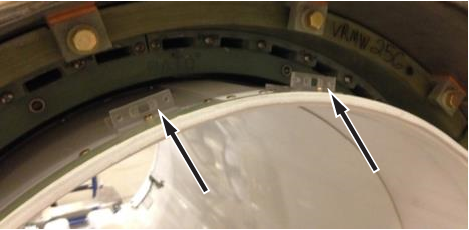
- Remove the cables.
- Remove the RF body coil air flow sensor housing from the side electronics:Note: The air flow sensor housing is secured to the side electronics with Velcro.
- Detach the air flow sensor housing from the side electronics.
Figure 4. Air flow sensor housing 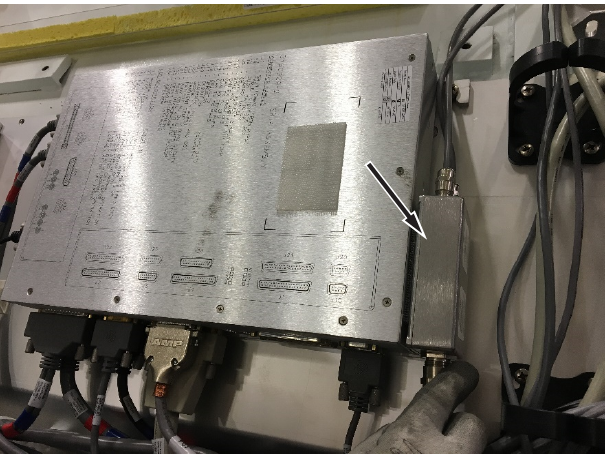
- Disconnect one end of the RF body coil air flow sensor assembly from SRI J24.
Figure 5. Disconnect SRI J24 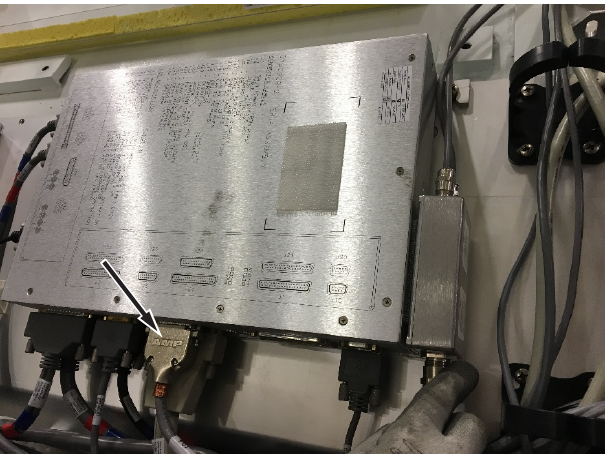
- Remove the cables.
Figure 6. Cables 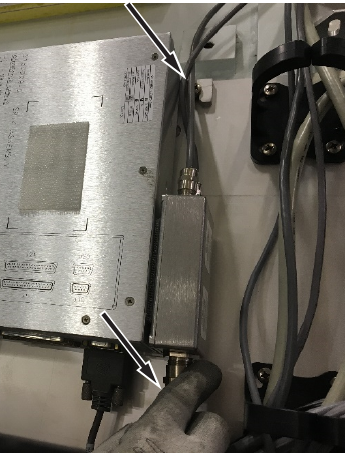
- Detach the air flow sensor housing from the side electronics.