Removing the magnet left and right control panel covers
Removes the left or right control panel cover from the magnet front cover.
Prerequisites
Personnel requirements
Required persons
Preliminary requirements
Procedure
Finalization
1
-
5 minutes
-
Table 1.
Required conditions
Left and right hand lower access panels are removed.
Table interface cover is removed.
The system is shut down and LOTO is in place.
About this task
The procedure for removing the left and right control panel covers is identical. Follow the procedure below to remove either or both control panel cover(s) as required.
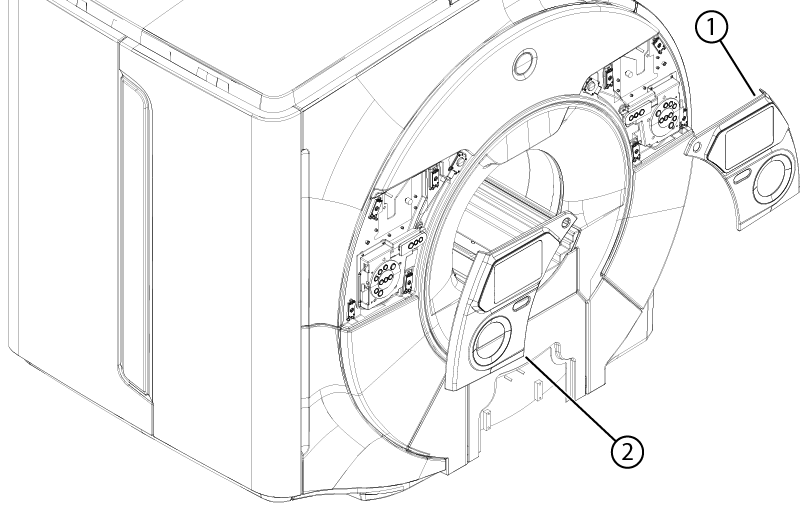
Figure 1. Control panel covers
1
Right control panel cover
2
Left control panel cover
Procedure
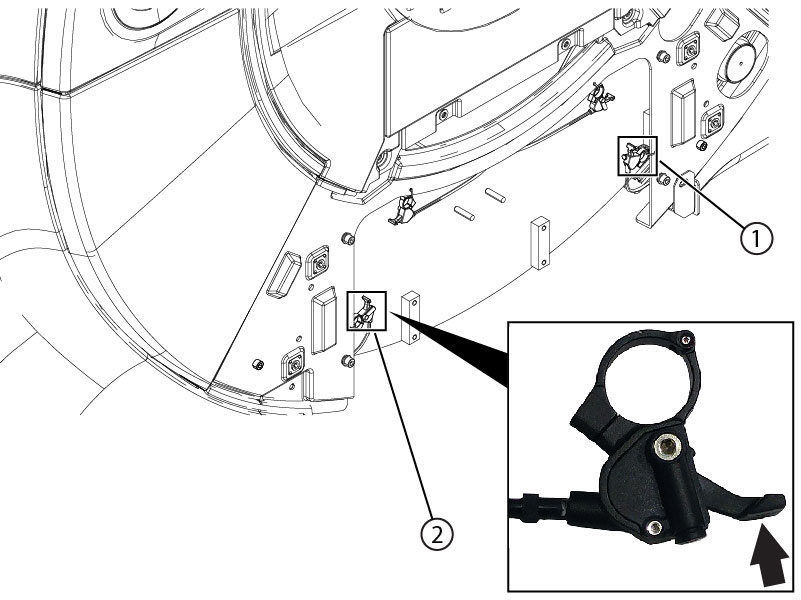
Activate the appropriate lever to release the two control panel cover remote latches.
Figure 2. Remote latch release levers
1
Right control panel cover remote latch release
2
Left control panel cover remote latch release
Result
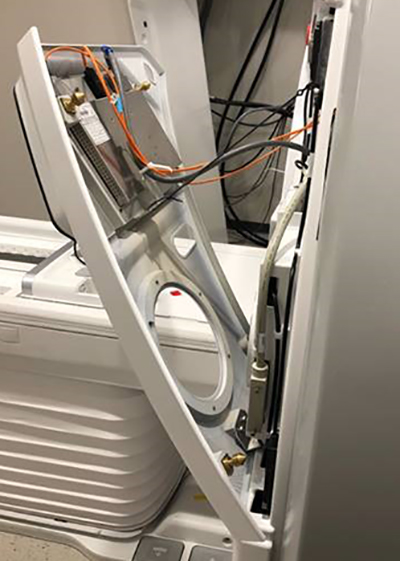
After the lever is activated, the panel will pop loose but remain hinged onto the magnet covers.
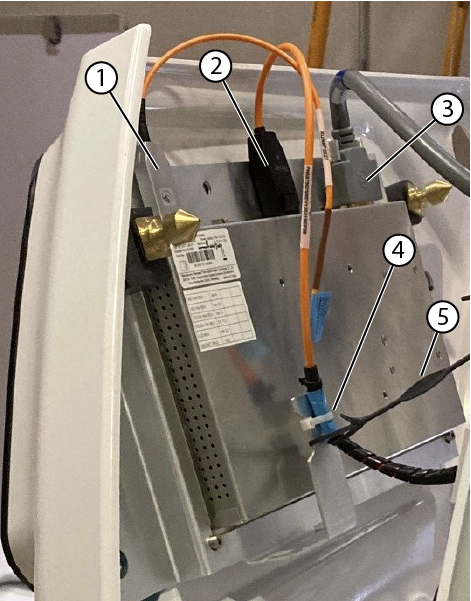
Disconnect the three IRD cables.
Note: You must press in on the DP cable connector before you can unplug it.
Figure 3. Installed In-Room Display (IRD)
1
USB cable
2
DP cable
3
Power cable
4
Tie wraps
5
Lanyard
Note: The IRD is mounted on the control panel cover. Both parts should be handled together.
Unhook the lanyard, remove the tie wraps from the IRD cables.
Lift the panel to remove the control panel cover from the magnet front cover.