
- SIGNA™ Hero 3.0T Service Methods
- 5852800-8EN Revision 1.0
- 00000018WIA30E1D010GYZ
- id_20029425.25
- Jan 19, 2022 3:31:49 AM
Installing the magnet left and right control panel covers
Installs the left or right control panel cover onto the magnet front cover.
Prerequisites
| Personnel requirements | |||
|---|---|---|---|
| Required persons | Preliminary requirements | Procedure | Finalization |
| 1 | - | 5 minutes | - |
| Consumables | ||||
|---|---|---|---|---|
| Item | Quantity | Effectivity | Part number | Manufacturer |
| Cable Tie, Self-Locking | 1 | 5343293 | ||
| Required conditions |
|---|
| Magnet front cover is installed. |
About this task
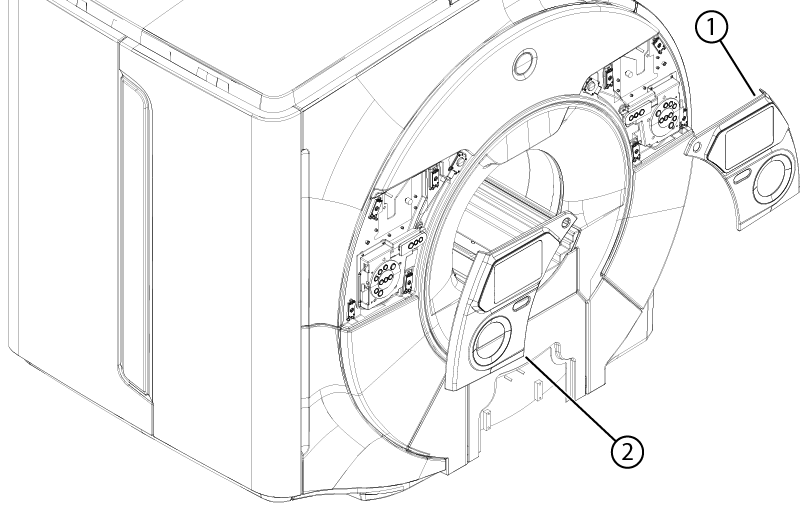
| 1 | Right control panel cover |
| 2 | Left control panel cover |
Procedure
- Set the applicable remote latch release lever to the latched position.
Figure 2. Remote latch release levers 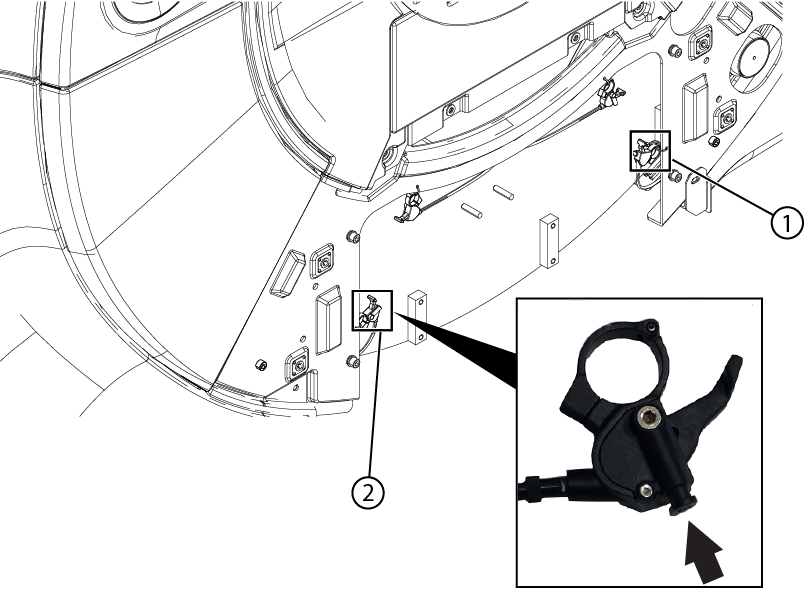
1 Left control panel cover remote latch release 2 Right control panel cover remote latch release - Place the bottom hinge of the panel cover in the slot of the magnet front cover.
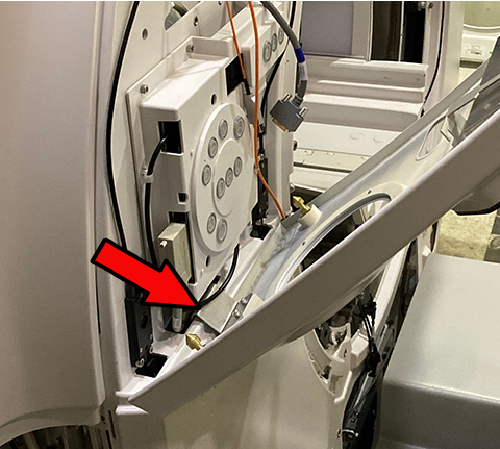
- Reconnect the lanyard to the metal extension on the panel cover.
Figure 3. Lanyard placement 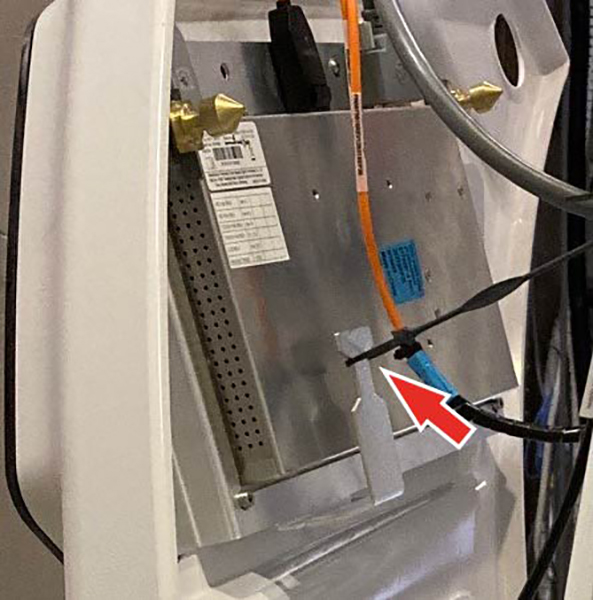
- Reconnect the cables to the IRD as detailed below.
Figure 4. Installed In-Room Display (IRD) 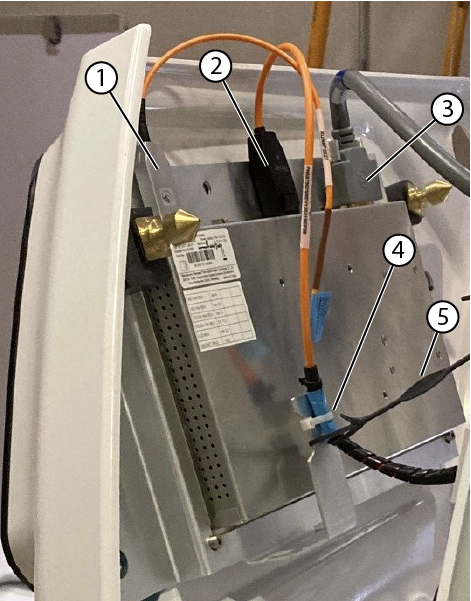
1 USB cable 2 DP cable 3 Power cable 4 Tie wraps 5 Lanyard - Align the four remote latch pins on the control panel cover with the four remote latches on the magnet front cover.
Figure 5. Remote latch alignment 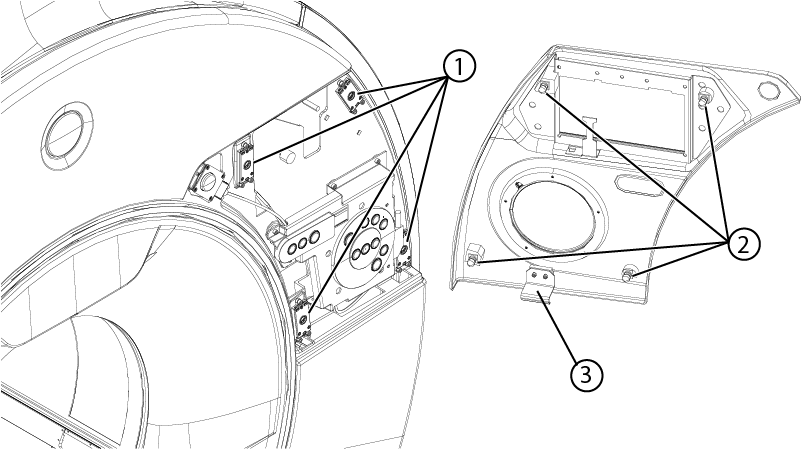
1 Remote latch pins 2 Remote latches 3 Bottom hinge