
- SIGNA™ Hero 3.0T Service Methods
- 5852800-8EN Revision 1.0
- 00000018WIA3093C230GYZ
- id_156668161.7
- Jul 13, 2021 4:27:37 PM
ICC Control Unit Replacement
Prerequisites
| Required persons | Preliminary requirements | Procedure | Finalization |
|---|---|---|---|
| 1 | Not Applicable | 90 minutes | 15 minutes |
| Item | Quantity | Effectivity | Part number | Manufacturer |
|---|---|---|---|---|
| Standard Tool | 1 | - | - | - |
| Hoist Service Kit | 1 | - |
5196226 | - |
| Item | Quantity | Effectivity | Part number | Manufacturer |
|---|---|---|---|---|
| ICC Control Unit | 1 | - |
Refer to FRU Manual | - |
| ||||
| Condition | Reference | Effectivity |
|---|---|---|
|
ISC Power must be turned OFF. Refer to Lockout / Tagout for ISC. | - | - |
Procedure
- Setup Hoist. Refer to Hoist Setup.
Figure 1. Setup Hoist 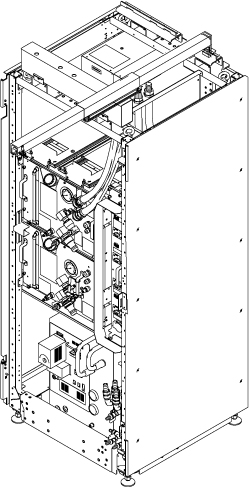
- Disconnect all cables from Control Unit.
Figure 2. Cables at Control Unit 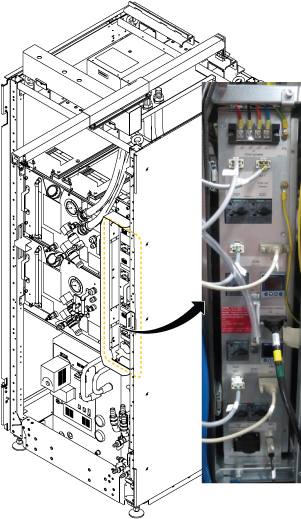
- Loosen two screws and carefully withdraw Control Unit from the chassis.
Figure 3. Withdraw Control Unit 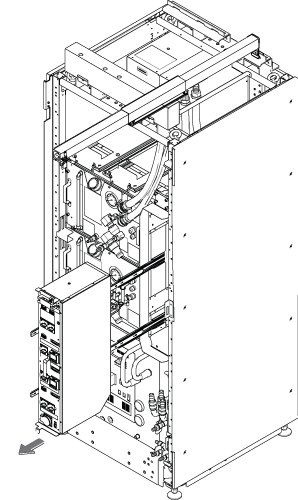
- Attach the lifting eye bolt on the top of Control Unit.
Figure 4. Eye Bolt 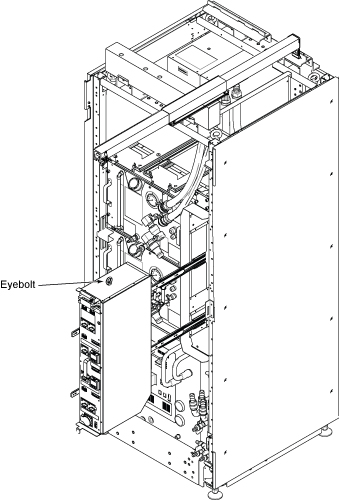
- Note: Make sure the hook is seated in the lifting eye bolt. If not, the weight can shift causing harm to the equipment or engineer.Ratchet the winch to tighten the chain.
Figure 5. Ratchet 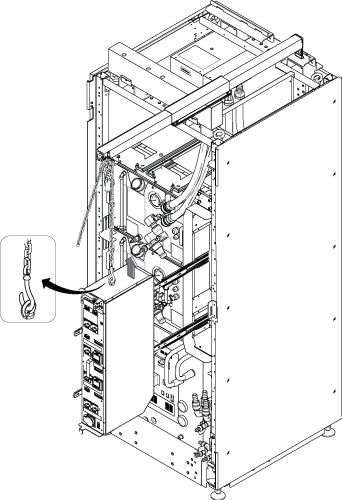
- Press the release tabs and remove the 2nd slide rail from 1st slide rail.
Figure 6. Release tabs of slide rail 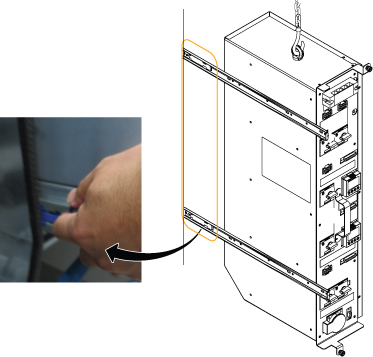
- Push the slide rail into the cabinet before lowering Control Unit.
Figure 7. Push slide rail 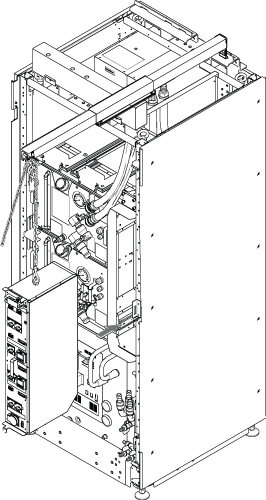
- Use the hoist and slowly lower the Control Unit to the floor.
Figure 8. Lower Control Unit 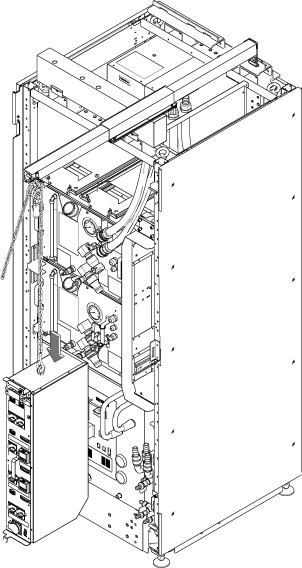
Finalization
- Restore the power. Refer to Removing LOTO - ISC.
- Perform the Control Unit Functional Check.
- Perform check scan.