
- SIGNA™ Hero 3.0T Service Methods
- 5852800-8EN Revision 1.0
- 00000018WIA30EBB230GYZ
- id_156670471.8
- Jul 13, 2021 4:27:37 PM
FPU Replacement
Prerequisites
| Required persons | Preliminary requirements | Procedure | Finalization |
|---|---|---|---|
| 1 | Not Applicable | 90 minutes | 15 minutes |
| Item | Quantity | Effectivity | Part number | Manufacturer |
|---|---|---|---|---|
| Standard Tool | 1 | - | - | - |
| 20L Draining Tank | 2 | - | - | - |
| Water Hand Pump | 1 | - | - | - |
| 150MM FUNNEL | 1 | - | - | - |
| Item | Quantity | Effectivity | Part number | Manufacturer |
|---|---|---|---|---|
| Towels | NA | - | - | - |
| Item | Quantity | Effectivity | Part number | Manufacturer |
|---|---|---|---|---|
| FPU | 1 | - |
Refer to FRU Manual | - |
| ||||
| Condition | Reference | Effectivity |
|---|---|---|
|
ISC Power must be turned OFF. Refer to Lockout / Tagout for ISC. | - | - |
|
F50 Power must be OFF. Refer to SRDK Cryocooler Service Manual (5351735). | - | - |
Procedure
- Disconnect the FPU sensor cable connector from 3X11 of Control Unit.
Figure 1. Disconnect the FPU sensor cable 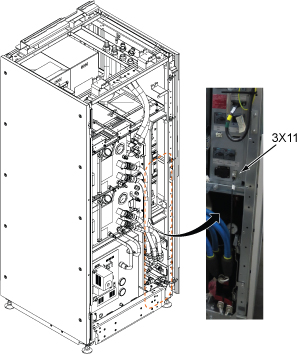
- Disconnect GCU and CCU Quick Disconnects.
Figure 2. Quick Disconnects 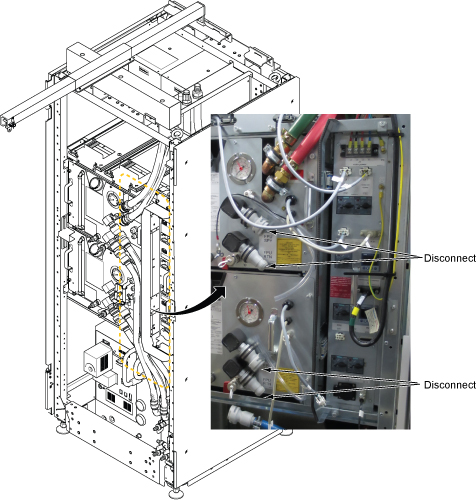
Drain the ICC primary water circuit to the tank per following steps.Notice Figure 3. Draining 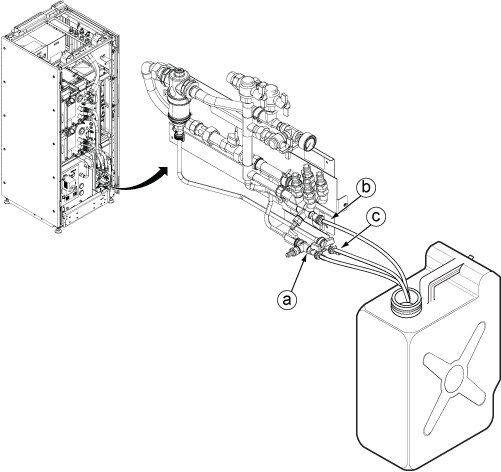
- Loosen a captive screw and slightly slide the FPU out from ICC to access to the hoses.
Figure 4. Slide FPU 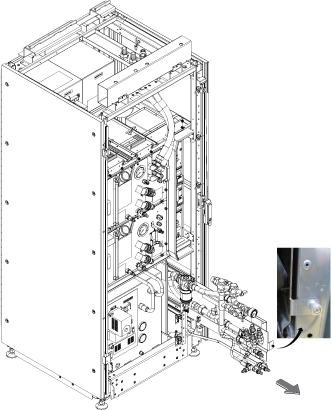
- Disconnect Facility water and F-50 hoses from ICC.
Figure 5. Disconnect Hoses 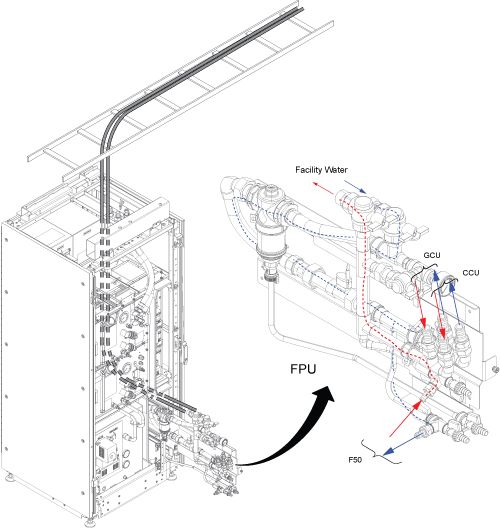
- Press the release tabs and remove FPU.
Figure 6. Remove FPU 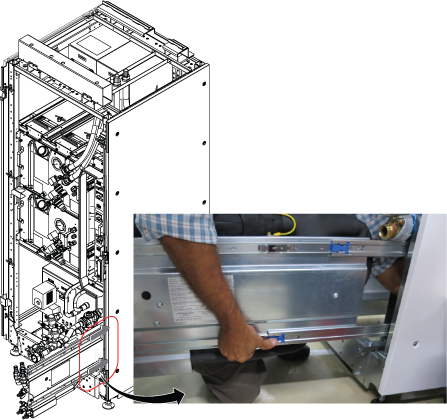
- Remove the sensor cable by removing pin toward your side and install it to the new FRU.
Figure 7. Remove the sensor cable 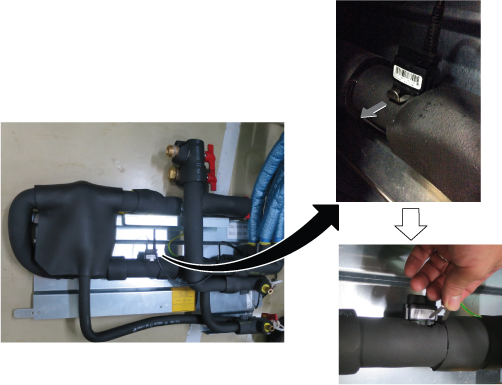
Finalization
- Open valves of Facility Water and check that there is no water leakage at any hoses connected to FPU.
- Turn on the F50 cryocooler and ISC power.
- Turn on ISC Power. Refer to Removing LOTO - ISC.
- Perform check scan.