
- SIGNA™ Hero 3.0T Service Methods
- 5852800-8EN Revision 1.0
- 00000018WIA3093B230GYZ
- id_156668171.12
- Oct 26, 2021 1:58:47 AM
Cold Head EMI Filter Replacement
Prerequisites
| Required persons | Preliminary requirements | Procedure | Finalization |
|---|---|---|---|
| 1 | Not Applicable | 90 minutes | 15 minutes |
| Item | Quantity | Effectivity | Part number | Manufacturer |
|---|---|---|---|---|
| Non Magnetic Tool Set | 1 | - | - | - |
| Item | Quantity | Effectivity | Part number | Manufacturer |
|---|---|---|---|---|
| Cold Head EMI Filter | 1 | - |
Refer to FRU Manual | - |
| ||||
| Condition | Reference | Effectivity |
|---|---|---|
|
ISC Power must be turned OFF. Refer to Lockout / Tagout for ISC. | - | - |
|
F50 Power must be turned OFF. Refer to SRDK Cryocooler Service Manual (5351735). | - | - |
Procedure
- At ICC penetration panel in Scan Room, open Cold Head EMI Filter door and remove E0011 and M0011 Cables.
Figure 1. E0011 and M0011 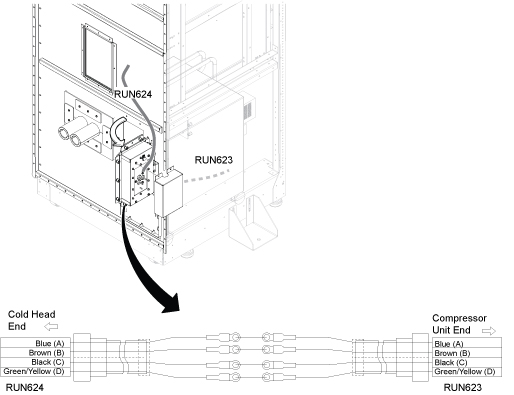 Note: For Remote siting configuration At penetration panel in Equipment Room, remove RUN E0011 cable. At penetration panel in Scan Room, remove RUN M0011 cable.
 - Remove Cold Head EMI Filter.
Figure 2. EMI Filter 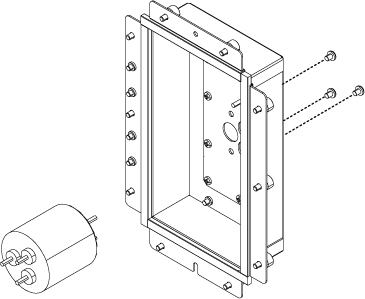
Finalization
- Turn on the Cryocooler power and confirm that Cold Head is operating normally.
- Turn on ISC power. Refer to Removing LOTO - ISC.
- Perform check scan.