- id_13106439
- Version: 1.1
- Date: Jul 6, 2019 12:17:30 AM
Running ice_term
Prerequisites
| Required persons | Preliminary requirements | Procedure | Finalization |
|---|---|---|---|
| 1 | Not Applicable | 2 minutes | Not Applicable |
Start the Cabinet Communication Link (Run ice_term) in order to proceed with other tasks. This procedure is simply a prerequisite for other operations.
Run From C-Shell
Procedure
- note:Click on the C-shell button.
If the Service Browser or the Utilities button is not available, use the following method:
- In the C-shell window, type ice_term and press Enter.
- ICE Terminal Window will open as SCP mode.
-
To change the mode to AGP, type tip “AGP” and press <Enter>.
-
To return to SCP mode, type #. and press <Enter>
-
- Perform TPS Rest to see the output after TPS Reset.
Example of ice_term log (normal condition) during TPS Reset
Procedure
- The following screens are example of ice_term log output during
TPS Reset when system is in normal condition.note:
In case you encounter TPS reset failure, please try to find any logs which are not in this example. They could be clue to find the cause of TPS reset failure.
Figure 1. ice_term log output 1
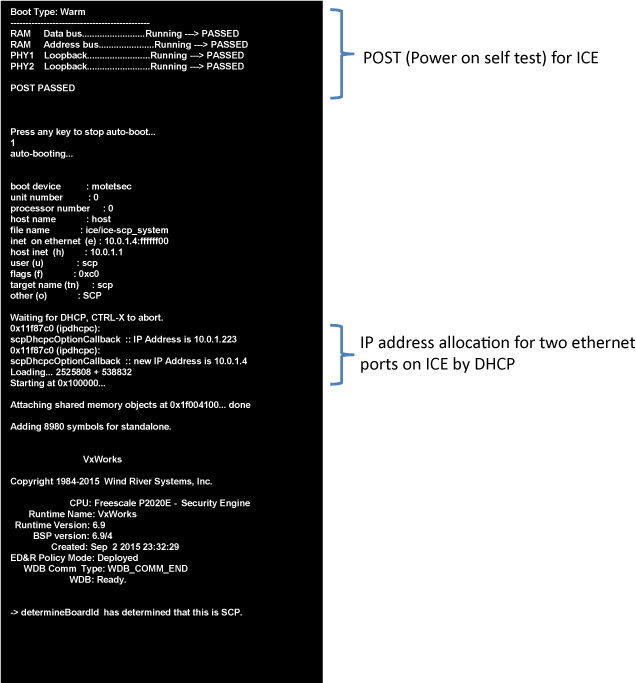
Figure 2. ice_term log output 2
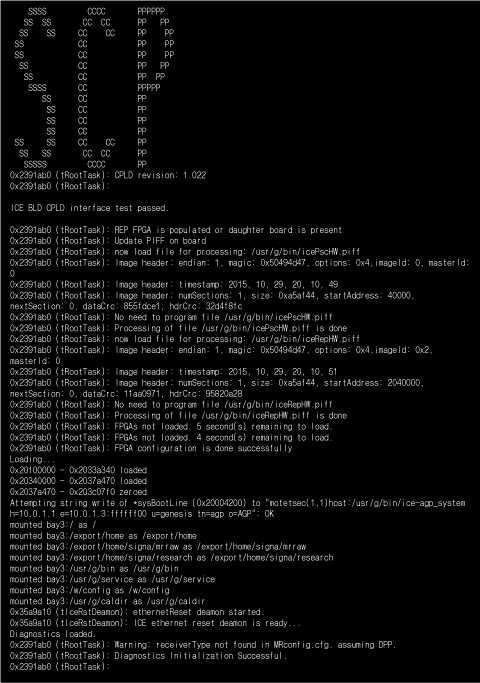
Figure 3. ice_term log output 3
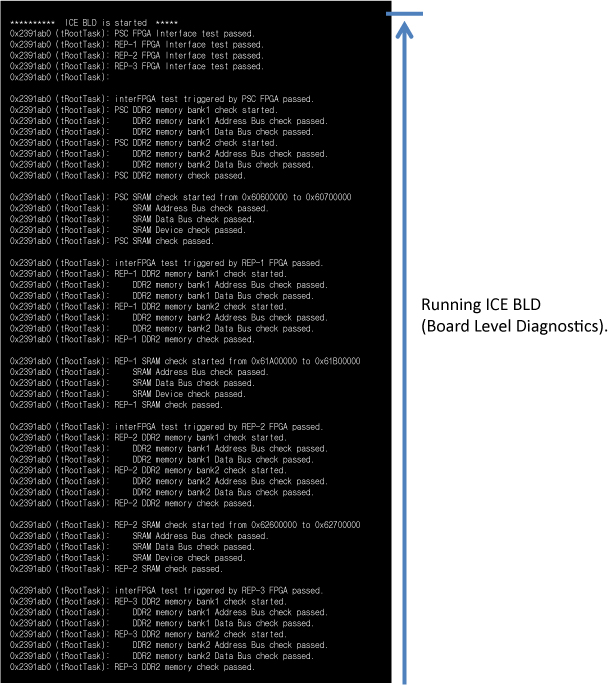
Figure 4. ice_term log output 4
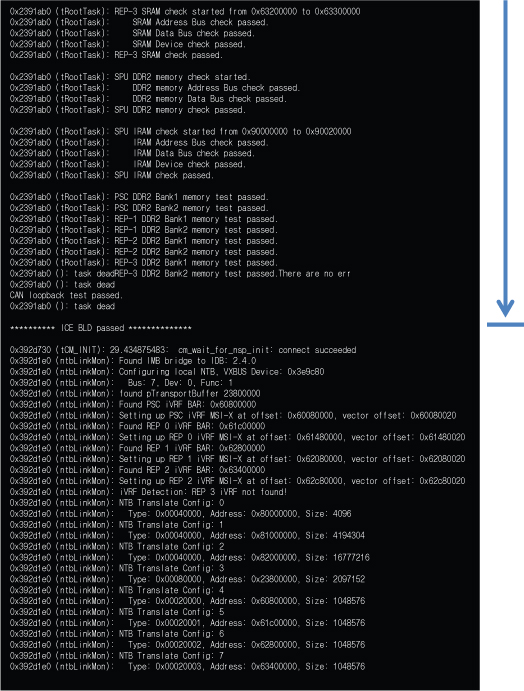
Figure 5. ice_term log output 5
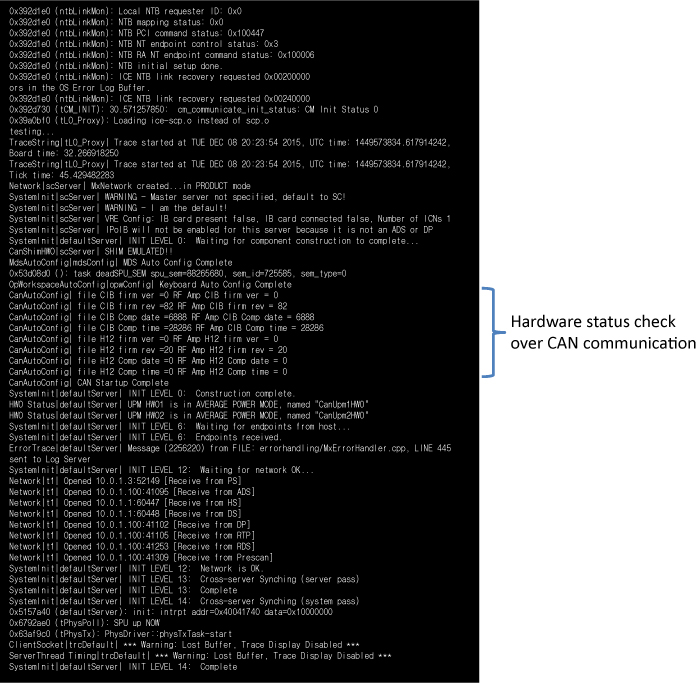
Figure 6. ice_term log output 6
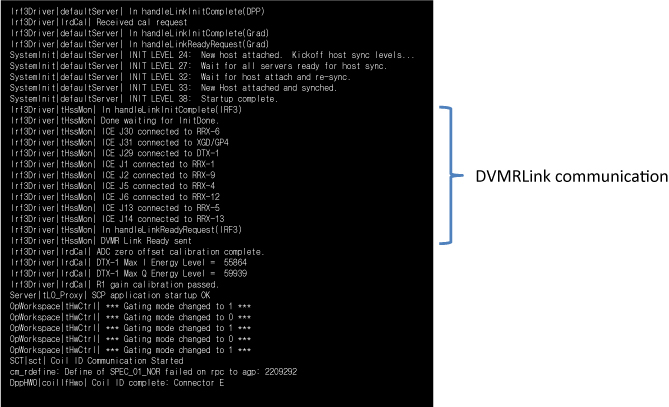
Finalization
Finalization
No finalization steps.