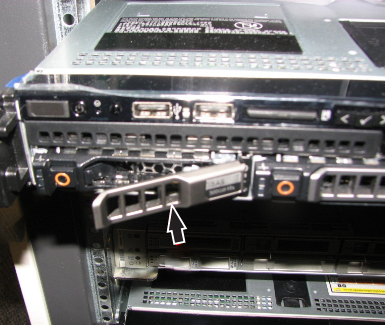
Install the Image Compute Node (ICN) solid state hard drive (SSD).
Prerequisites
| Personnel requirements |
|---|
| Required persons | Preliminary requirements | Procedure | Finalization |
|---|
| 1 | - | 15 minutes | - |
| Replacement parts |
|---|
| Item | Quantity | Part number | Manufacturer |
|---|
| Dell 640 (Gen7, Gen7-DL) ICN Solid State Disk Drive | 1 | 5941100-23 | - |
Procedure
- Remove the replacement drive from the static-sensitive packaging and insert into the ICN.
- Carefully push in the drive.
- Push the front lever until it latches to secure the drive.
Figure 1. Secure the drive (R640 Gen 7 shown)