Dangerous voltages are present throughout the Cabinet when
Power is applied.
About this task
Overview
This procedure documents the process for replacing the power supply in the Dell R620 and R630 ICNs.
Note:
Refer to the following table to determine the appropriate
Gen Type and compare this with the ICN part number at the site. Consult
the FRU manual to order the correct replacement power supply or supplies.
Perform LOTO on the reconstruction equipment. See the MR Service Safety Manual, PN 5452735.
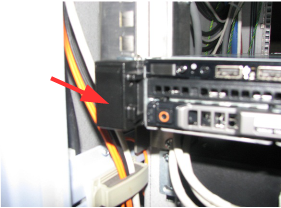
On the front of the ICN, lift up on the locking tabs on the
right side and the left side of the ICN.
Figure 1. Locking Tab on Left Side of Dell R620 and R630
Slide the ICN until the stop is reached at the end of the slide
rail.
Disconnect the power cables from the ICN.
(For R620) The 16-channel
ICN and the standard 32-channel ICN have one power supply.
(For R630) Channel count no longer refers to R630 ICNs. These are referred to as Value, Performance, or Advanced ICNs. Each ICN has a single power supply module with a unique part number. Note the specific ICN part number on site and use the FRU manual to order the appropriate replacement.
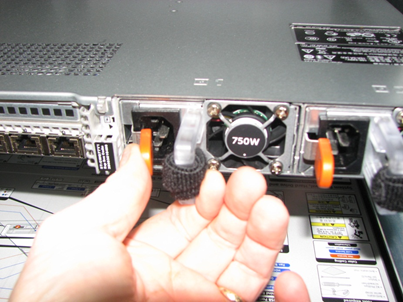
Move the orange locking lever to the center of the supply and
then pull the power supply out of the ICN chassis.