Removing the Dual Drive Transmit Receive Switch (DTRSW) and two-channel preamp
Remove the Dual Drive Transmit Receive Switch (DTRSW) and two-channel preamp from the magnet outer electronics.
Prerequisites
Personnel requirements
Required persons
Preliminary requirements
Procedure
Finalization
1
-
15 minutes
-
Tools and test equipment
Item
Quantity
Part number
Manufacturer
Nonmagnetic Titanium Service Tool Kit, Small Set
1 Kit
5113258
-
Nonmagnetic Titanium Service Tool Kit, Large Set
5112581
-
Procedure
Disconnect the appropriate cables from the DTRSW and two-channel preamp.
Option
Description
Replacing the two-channel preamp
Remove cables from the J13, J20, J21, J22, and J23 connectors on the two-channel preamp.
Replacing the DTRSW
Remove all cables from the DTRSW and two-channel preamp.
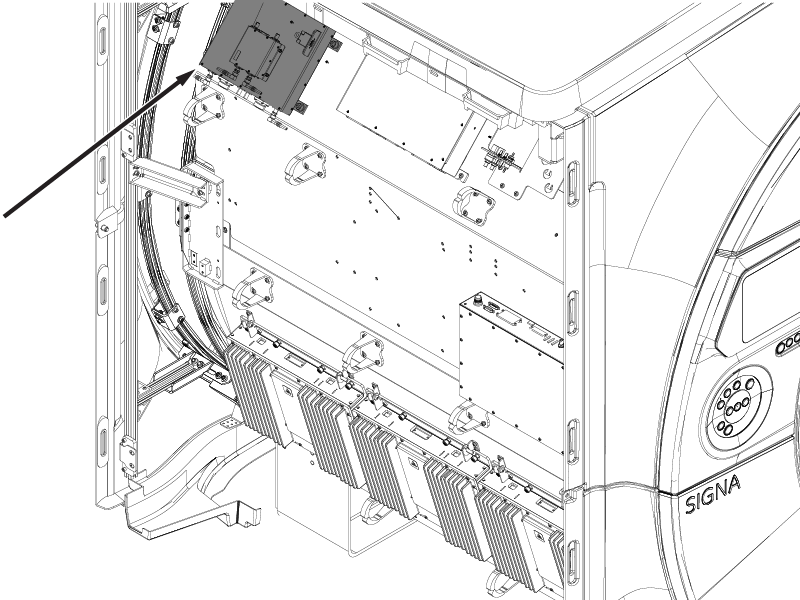
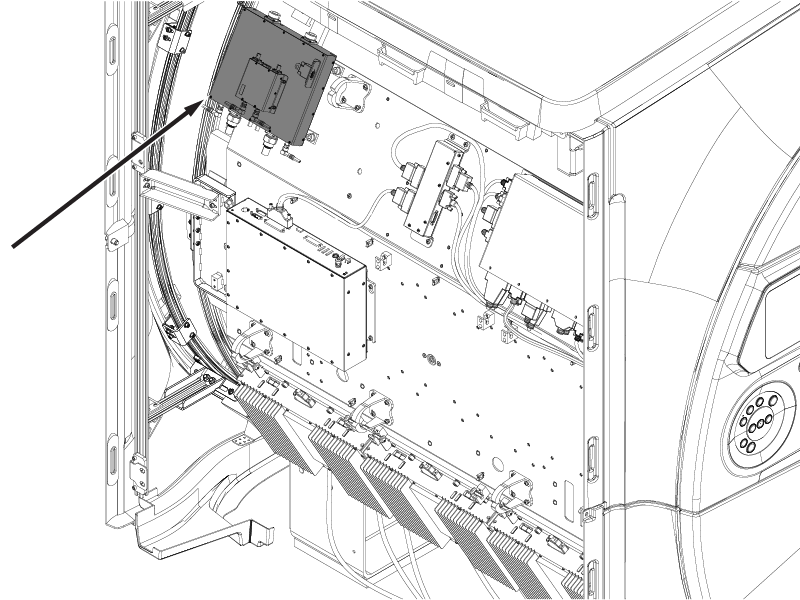
Figure 1. (For AR magnets) DTRSW and two-channel preamp cable connectionsFigure 2. (For UA magnets) DTRSW and two-channel preamp cable connections
Remove the defective parts.
Option
Description
Replacing the two-channel preamp
Loosen and remove the four nuts securing the two-channel preamp to the DTRSW, and remove the two-channel preamp.
Replacing the DTRSW
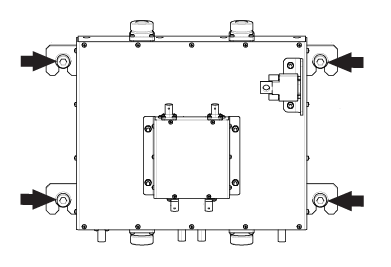
Loosen and remove the four screws securing the DTRSW, and remove the module.Figure 3. DTRSW screws
CAUTION
Strong magnetic field
The Dual Drive Transmit Receive Switch (DTRSW) has no ferrous material and will not be attracted to the magnet, but the eddy currents can cause resistance when you pull the DTRSW away from the magnet.
When removing and replacing the DTRSW, keep the DTRSW as far away from the magnet as possible while moving it.
While carrying the module out of the magnet room, make sure to stay as far away from the magnet as possible.
If you are only replacing the DTRSW, loosen and remove the four nuts securing the two-channel preamp to the DTRSW, and remove the two-channel preamp. Put the two-channel preamp in a safe place until you are ready to install it on the new DTRSW.