• SIGNA™ Hero 3.0T Service Methods
  • 5852800-8EN Revision 1.0
  • Object ID: 00000018WIA30AD4640GYZ
  • Topic ID: id_2014438 Version: 1.14
  • Date: Jul 13, 2021 4:16:32 PM

Installing the speaker

Installs the speaker into the magnet rear endbell.

Prerequisites

Personnel requirements
Required personsPreliminary requirementsProcedureFinalization
1-1015 minutes5 minutes
Tools and test equipment
ItemQuantityPart numberManufacturer
Nonmagnetic Titanium Service Tool Kit, Small Set15113258-
Replacement parts
ItemQuantityPart numberManufacturer
Speaker146-221773P2-

Procedure

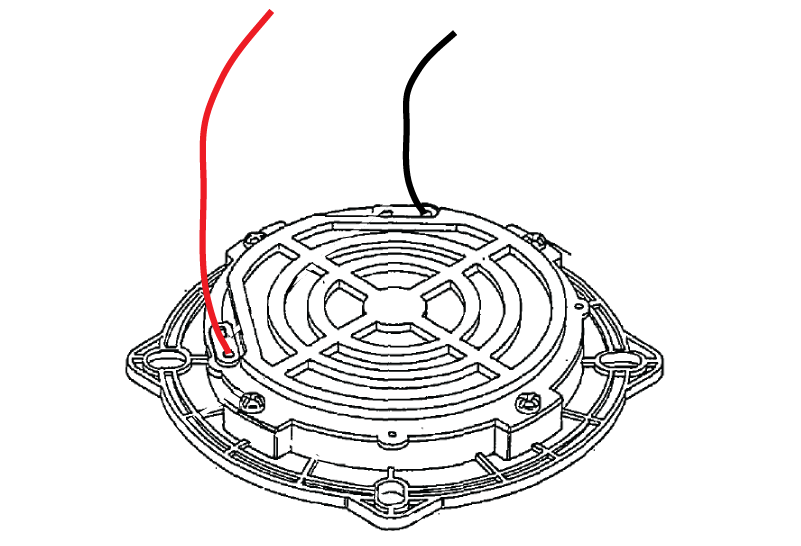
  1. Install two speaker wires onto two push-on connections.
    Figure 1. Speaker wire
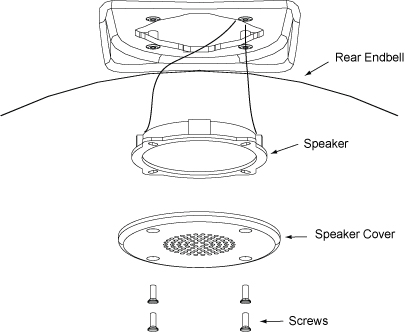
  2. Route the end of the speaker wire through the speaker hole in the rear endbell.
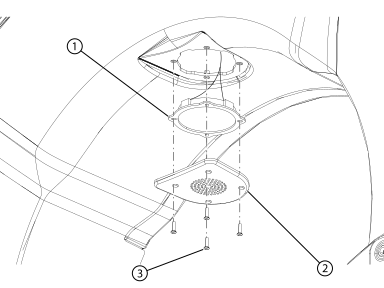
  3. Install the speaker into the rear endbell.
    Figure 2. Rear endbell speaker
    1Speaker
    2Speaker cover
    3Screw
    Figure 3. SPEAKER REMOVAL
  4. Install the speaker cover onto the speaker.
  5. Install the four screws securing the speaker cover and speaker to the rear endbell.
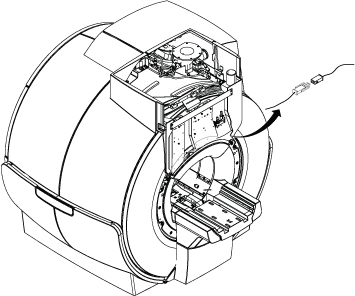
  6. Connect the speaker connector.
    Figure 4. speaker cable
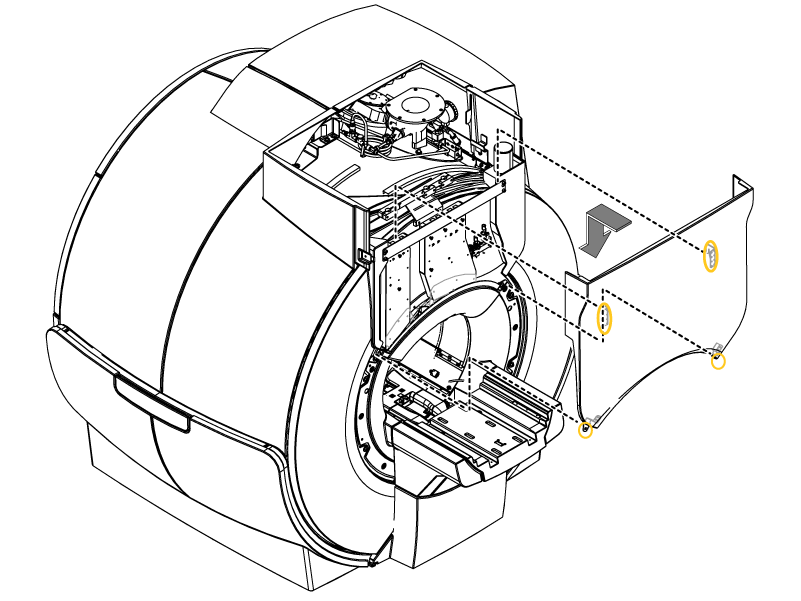
  7. Install the rear cable cover.
    1. Lower the rear cable cover to hook it onto the bracket.
    2. Install the two screws.
    Figure 5. Rear Cable Cover
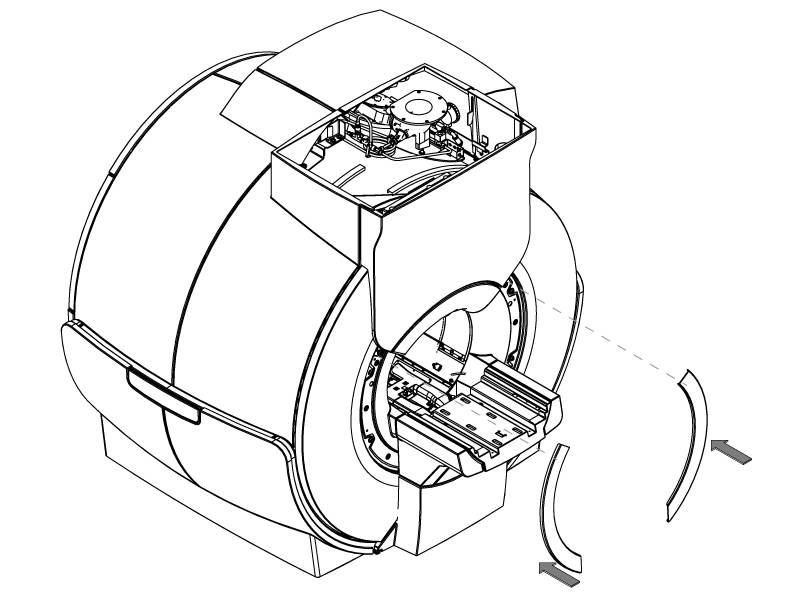
  8. Install the rear trim rings.
    Figure 6. Rear trim rings
  9. Remove tag-out tag from circuit breaker. Refer to Lockout / Tagout for ISC.

Finalization

After removing LOTO and starting up the host computer, make sure the intercom functions properly. If required, do Intercom Adjustment to troubleshoot the intercom.