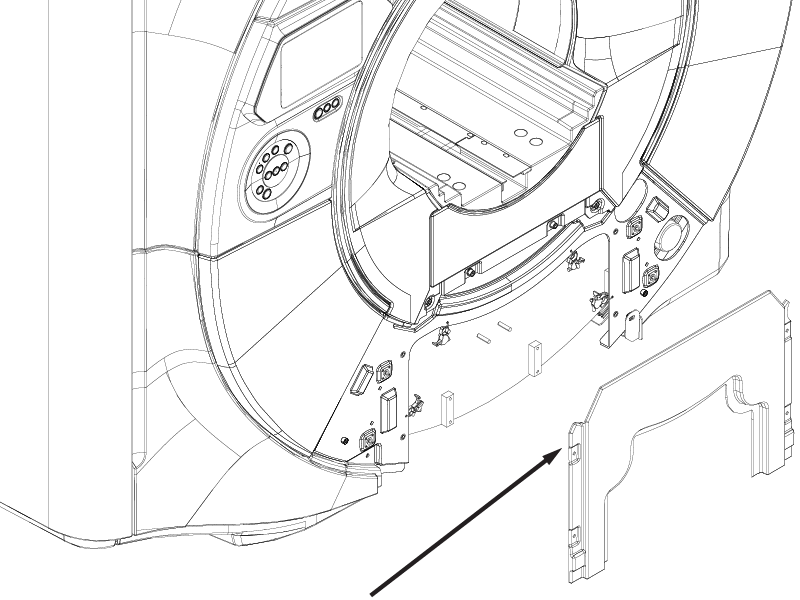
Removes the dockable table interface cover from the magnet front cover.
Prerequisites
| Personnel requirements |
|---|
| Required persons | Preliminary requirements | Procedure | Finalization |
|---|
| 1 | - | 5 minutes | - |
| Tools and test equipment |
|---|
| Item | Quantity | Part number | Manufacturer |
|---|
| Nonmagnetic Titanium Service Tool Kit, Small Set | 1 | 5113258 | - |
| Required conditions |
|---|
| Left- and right-hand lower access panels are removed. |
Procedure
- If docked, raise the patient table to the up-limit position.
- Remove the four screws securing the dockable table interface cover to the magnet front cover.
Figure 1. Dockable table interface cover screws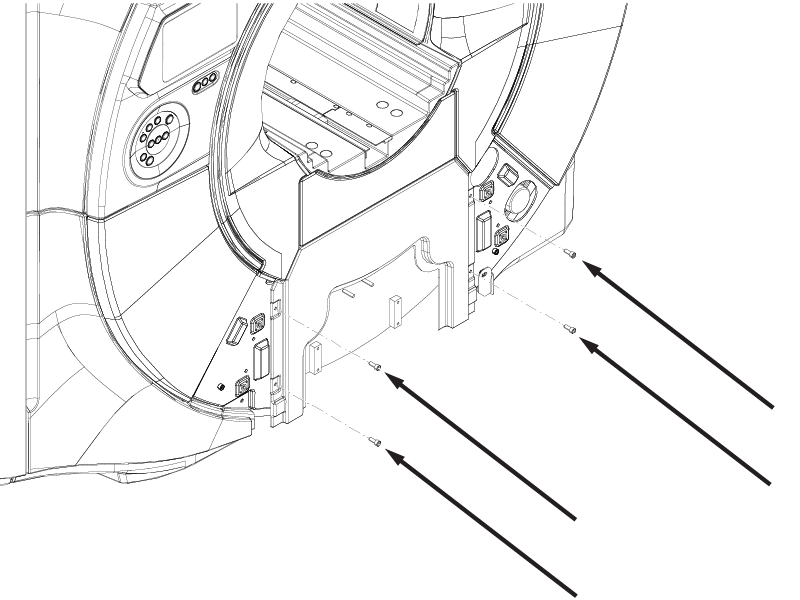
- Remove the dockable table interface cover from the magnet front cover.
Figure 2. Dockable table interface cover