
- SIGNA™ Hero 3.0T Service Methods
- 5852800-8EN Revision 1.0
- 00000018WIA30487640GYZ
- id_20145691.14
- Jul 12, 2021 1:03:11 PM
Installing the Global Operator Cabinet (GOC) Power Distribution Unit (PDU) - Dell T5810
GOC PDU installation for Dell T5810.
Procedure
- Insert the GOC PDU into the slot and secure with three screws.
Figure 1. Install the GOC PDU 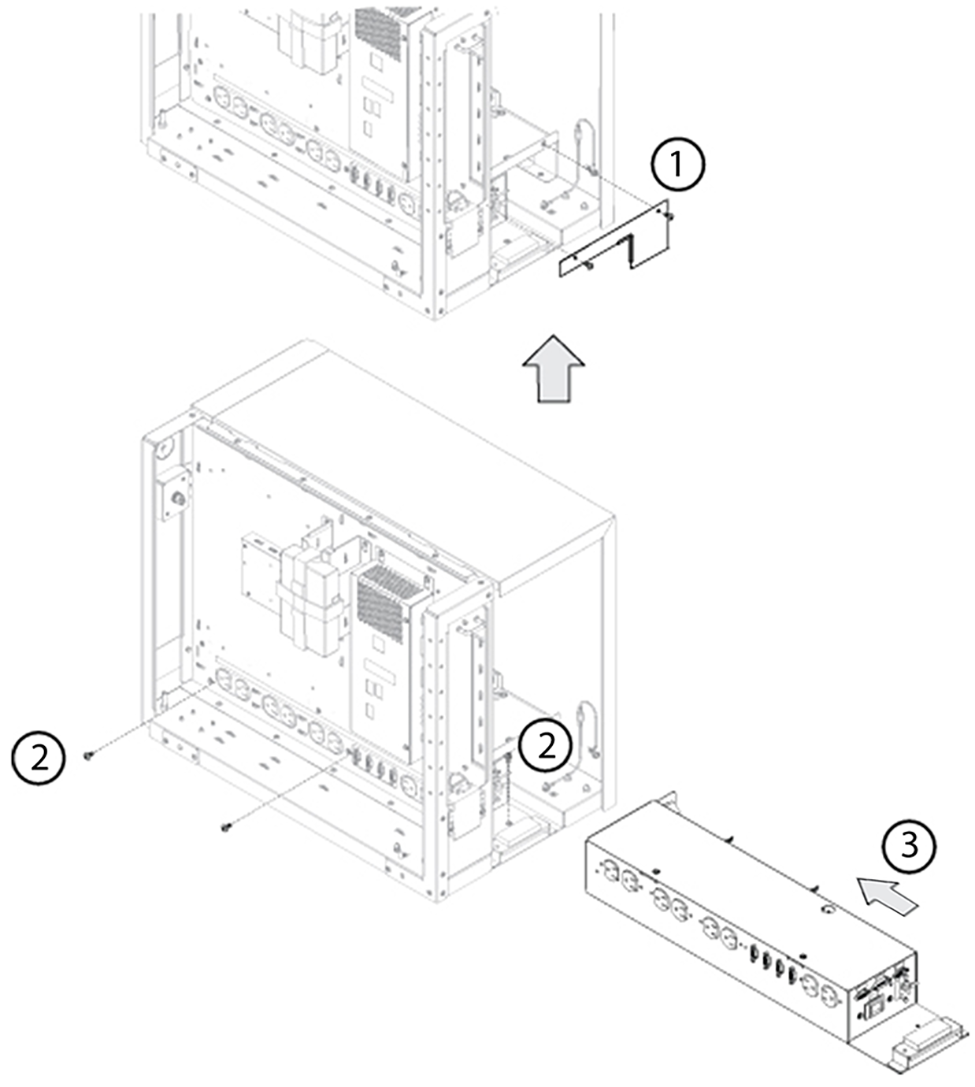
1 Rear plate screws (2) 2 PDU screws (3) 3 PDU - Connect the cables to the GOC PDU on the lower right side.
Figure 2. Connect the GOC PDU cables 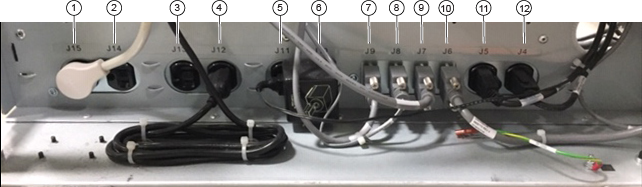
1 J15: Not used. Do not use this outlet for servicing 2 J14: Not used. Do not use this outlet for servicing 3 J13: Not used. Do not use this outlet for servicing 4 J12: Ethernet hub for older GOCs that include an 8-port hub Not used for newer GOC without a hub. Do not use this outlet for servicing
5 J11: Not used. Do not use this outlet for servicing 6 J10: Patient alert box 7 J9: System power on switch 8 J8: Temp/humidty sensor 9 J7: HDMI splitter 10 J6: USB serial port 11 J5: Host computer power 12 J4: To ISC - Install the cable fixing cover and secure with two screws.
Figure 3. Connect the cables to the GOC left rear side 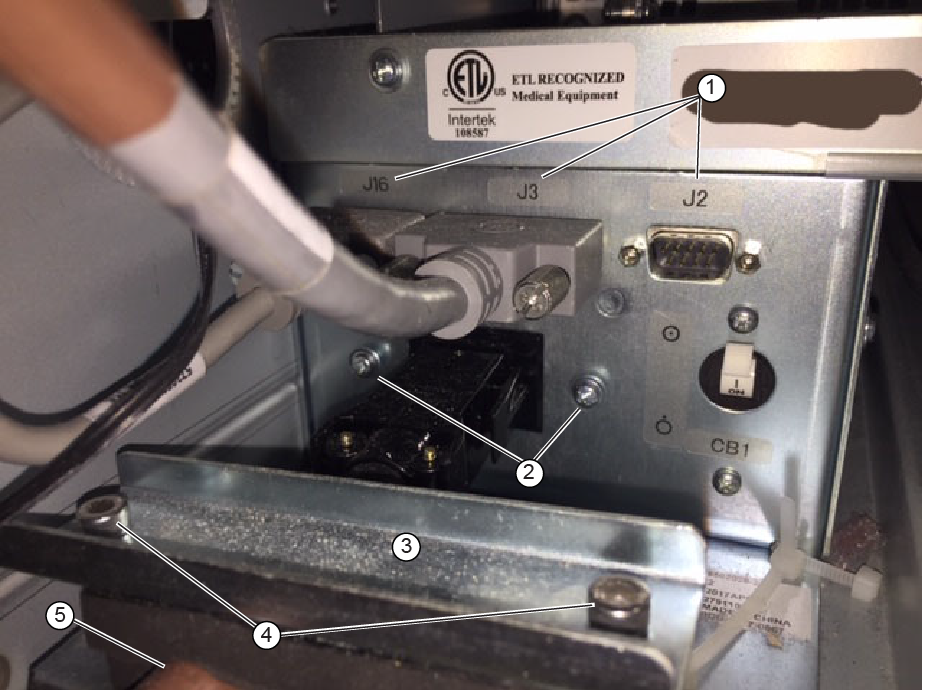
1 J16, J3 E3018 and J2 E3042 2 Cable cover screws 3 Cable fixing bracket 4 Cable fixing cover screws (2) 5 GOC power distribution supply wire E0003 - Switch the GOC PDU breaker CB1 to ON.
Figure 4. GOC PDU breaker 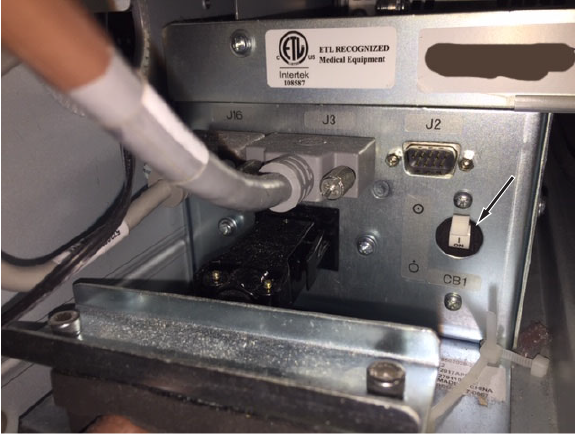
- Position the service cover on the GOC.
Figure 5. Remove the service cover and disconnect ground cable 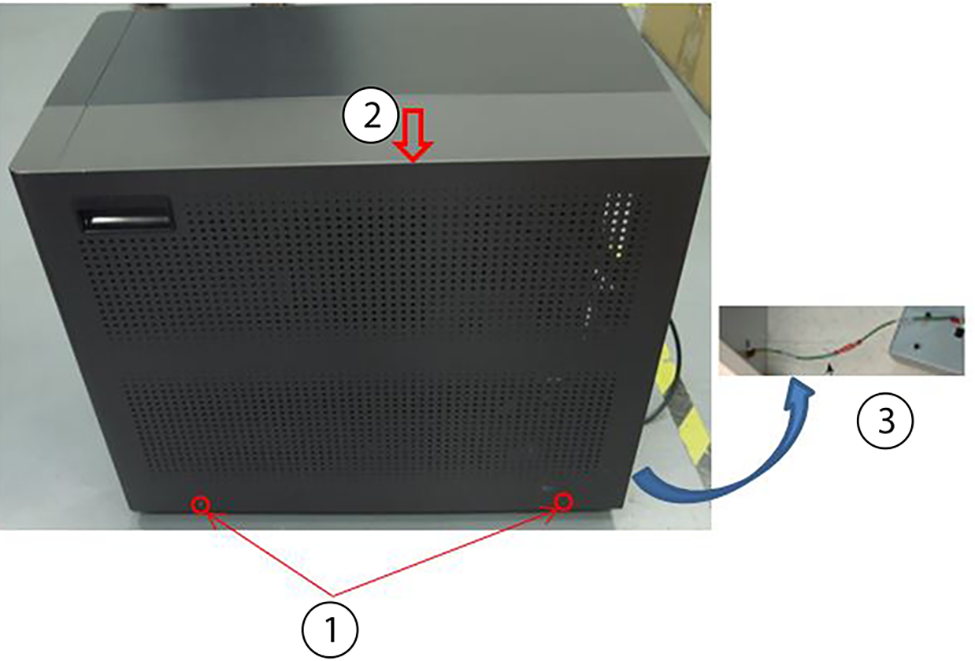
1 Cover screws (2) 2 Service cover 3 Ground wire
Finalization
- Restore power to the GOC. Perform LOTO for GOC
- Perform check scan.