
- SIGNA MR355 / SIGNA MR360
- Service Manual
- 5856356-3EN Revision 5.0
- Basic Service Documentation. Copyright General Electric Company.
- 00000018WIA308E8F20GYZ
- id_131068872.0
- Jul 19, 2019 11:01:13 AM
Respiratory Compensation Checks
Prerequisites
| Required persons | Preliminary requirements | Procedure | Finalization |
|---|---|---|---|
| 2 | Not Applicable | 25 minutes | Not Applicable |
| Item | Quantity | Effectivity | Part number | Manufacturer |
|---|---|---|---|---|
| Respiratory Bellows | 1 | - |
| - |
| ||||
Procedure
- Select 'Respiratory' check box.
Figure 1. Gating Control 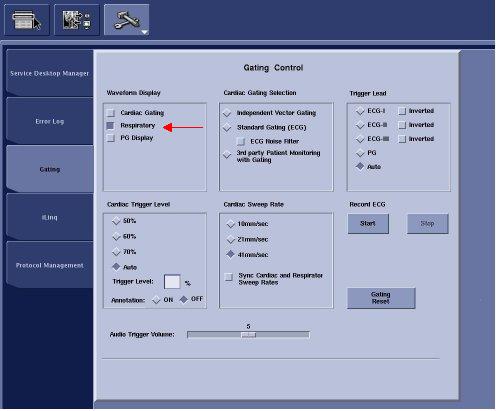
- Verify that the LED of Magnet Center Display move. If the bellows
and respiratory compensation software is working properly, the LED's
should follow the actions of the bellows.
Figure 2. Magnet Center Display 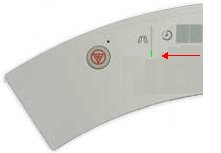
- Verify that the waveform appears on the window of LCD Panel
Display. If the bellows and respiratory compensation software is working
properly, the waveform should follow the actions of the bellows.
Figure 3. Respiratory Waveform 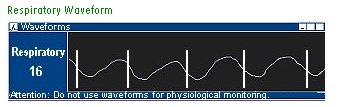
Finalization
- Restore the system to patient scanning condition.