- id_2019789
- Version: 2.0
- Date: Oct 13, 2019 9:24:37 PM
Configuring the Cedrus controller box
Procedure
- Go to the Service Browser.
- Go to .
Figure 1. BrainWave Paradigm Manager option
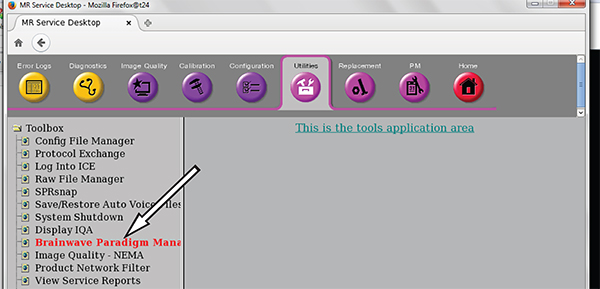
- Click BrainWave Paradigm Manager to start the tool. The Offline Paradigm Manager window launches.
- Click the Settings tab, then click PXE tab.
- Make sure PXE Application Controller Type is set to the correct controller type.
Figure 2. Controller options
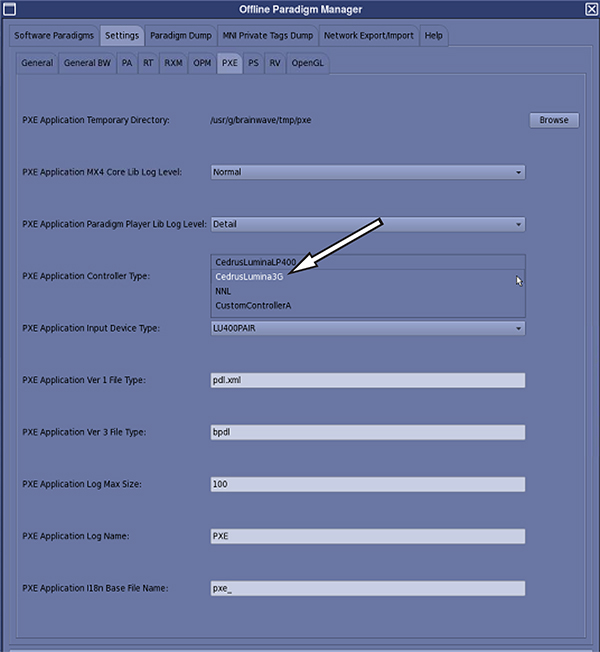
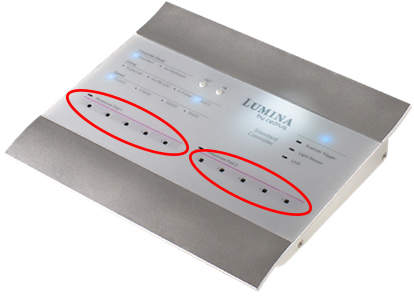
Figure 3. Example of the Cedrus Lumina 3G response pad LEDs
- Leave the Offline Paradigm Manager window open and continue to the next section.