- id_2019790
- Version: 2.0
- Date: Oct 13, 2019 9:24:38 PM
Checking the power up procedure and hardware system
Procedure
- Use the Reset button to power cycle the Cedrus Lumina box.
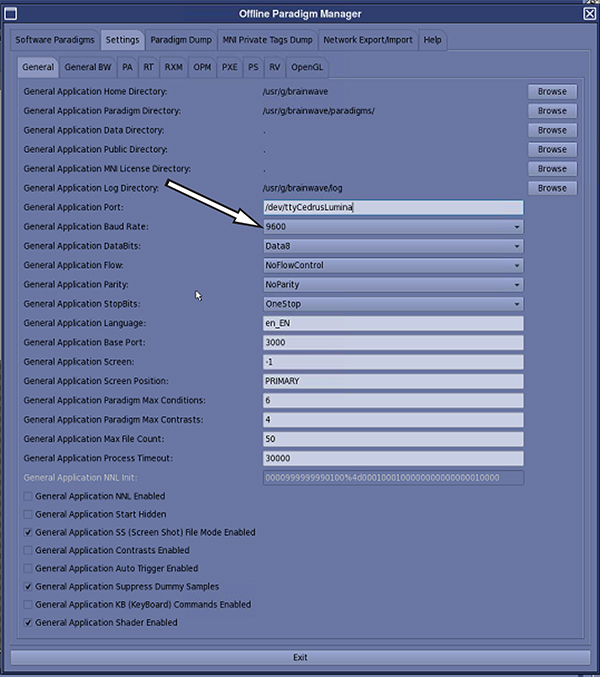
- Update the General Application Port field to /dev/ttyCedrusLumina, if the controller being used is the Cedrus Lumina.
- Set the General Application Baud Rate field for the Cedrus Lumina to 9600.
Figure 1. Baud rate
- Click Exit on the Offline Paradigm Manager window and save settings when prompted.note: If the site has a NNL controller box connecting to the Host PC, use the following settings:
- General Application Port: /dev/ttyNNLSync
- Baud Rate: 57600