Installs the right-hand cover onto the dockable table base.
Prerequisites
Personnel requirements
Required persons
Preliminary requirements
Procedure
Finalization
1
-
5 minutes
-
Tools and test equipment
Item
Quantity
Part number
Manufacturer
Nonmagnetic Titanium Service Tool Kit, Small Set
1
5113258
-
Required conditions
The left-hand base side cover is installed.
Procedure
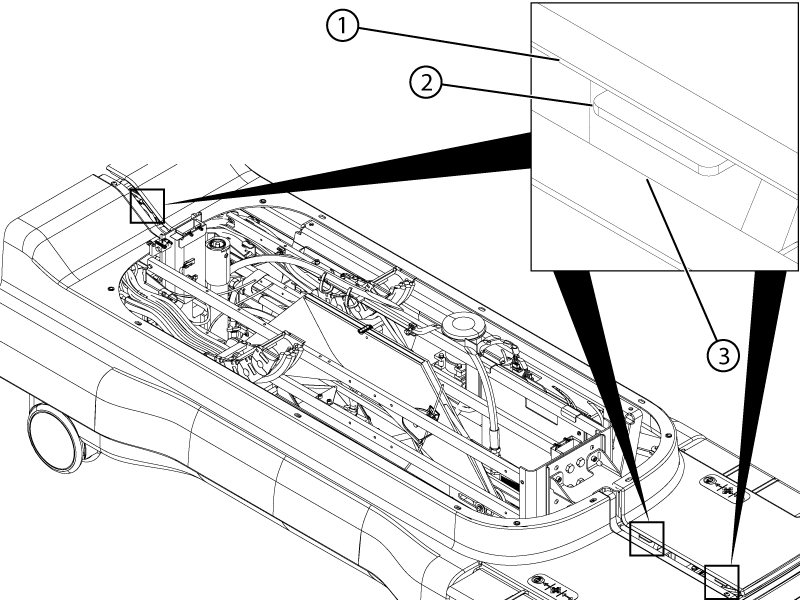
Install the right-hand base side cover to the table, brake pedal end first.
Figure 1. Right-hand base side cover
Note: Make sure that the edge of the left-hand base cover is aligned between the three tabs on the right-hand cover and the surface of the right-hand cover.
Figure 2. Base cover tabs
1
Right-hand cover surface
2
Tab
3
Left-hand cover edge
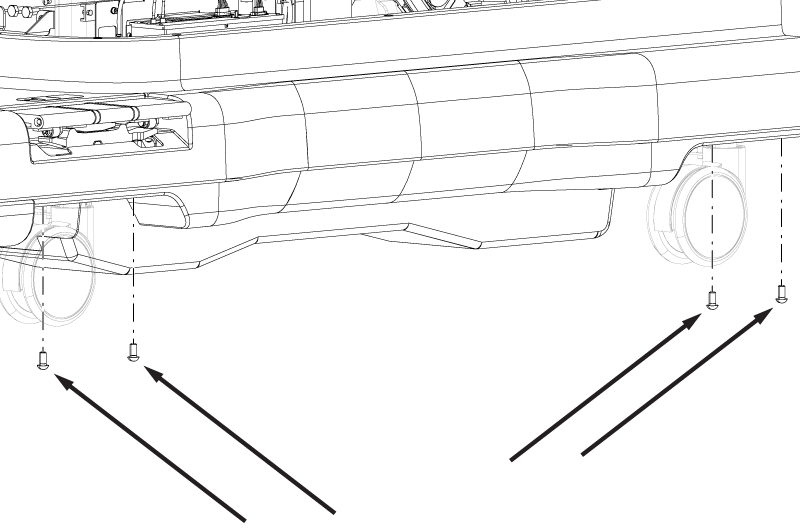
Install the four M10 x 20 Button Head Screws securing the base side cover to the table base.
Figure 3. Base side cover bottom screws
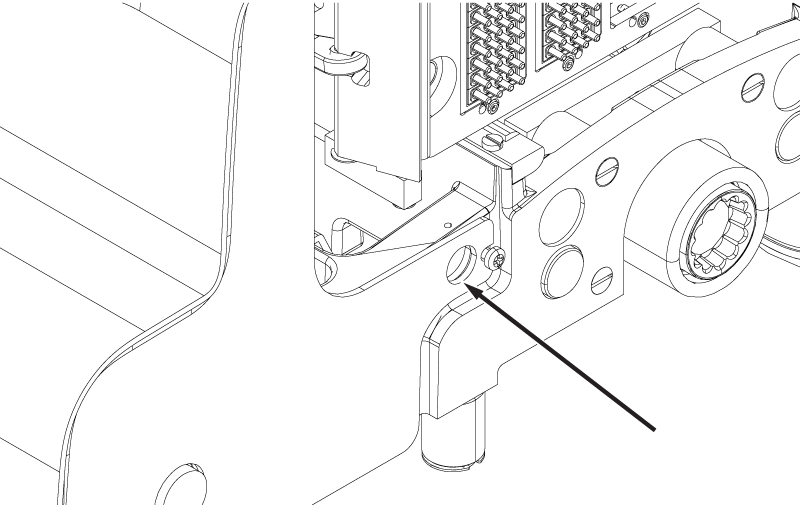
Make sure the hole in the front of the base side cover is aligned with the indentation in the table base.
Figure 4. Base side cover front hole
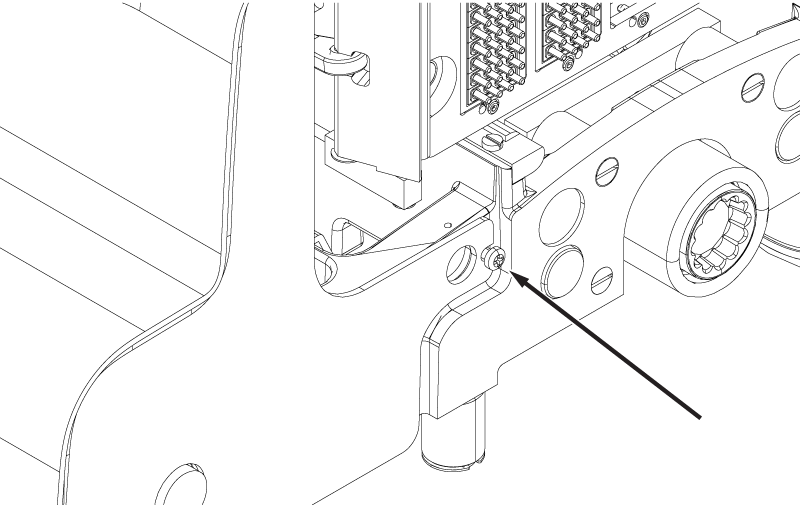
Tighten the 10-32 x ½ Phillips Head Screw securing the front of the base side cover.
Note: Do not over-tighten the screw. The screw only needs to be snug to the cover.
Figure 5. Base side cover front screw
Make sure there is no cover interference when the table is mechanically or electrically docked or undocked.
Push the table against the dock without docking the table.
If the electrical dock icon is displayed on the operator control panel instead of the mechanical dock icon, check the hole alignment above.