Installs the left-hand cover onto the dockable table base.
Prerequisites
| Personnel requirements |
|---|
| Required persons | Preliminary requirements | Procedure | Finalization |
|---|
| 1 | - | 5 minutes | - |
| Tools and test equipment |
|---|
| Item | Quantity | Part number | Manufacturer |
|---|
| Nonmagnetic Titanium Service Tool Kit, Small Set | 1 | 5113258 | - |
| Required conditions |
|---|
| The rear base cover is installed. |
Procedure
- Install the left-hand base side cover to the table, brake pedal end first.
Figure 1. Left-hand base side cover
- Install the two M5 x 12 Button Head Screws securing the base side cover to the table base.
Figure 2. Base side cover top screws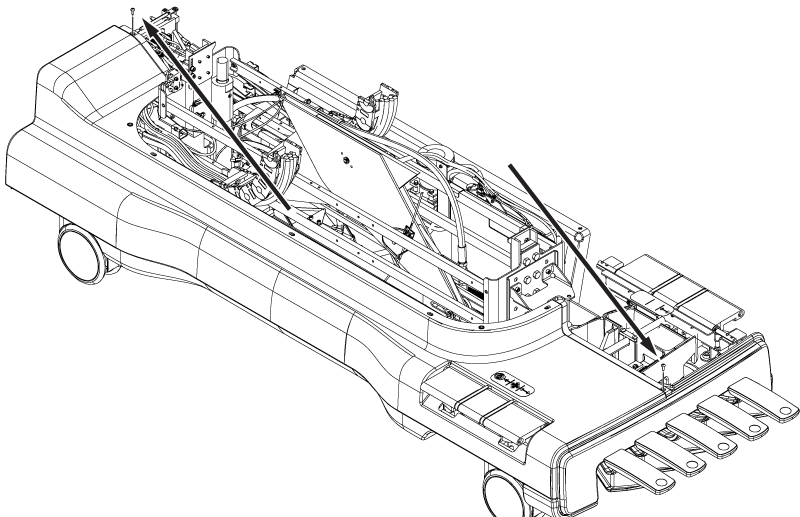
- Install the four M10 x 20 Button Head Screws securing the base side cover to the table base.
Figure 3. Base side cover bottom screws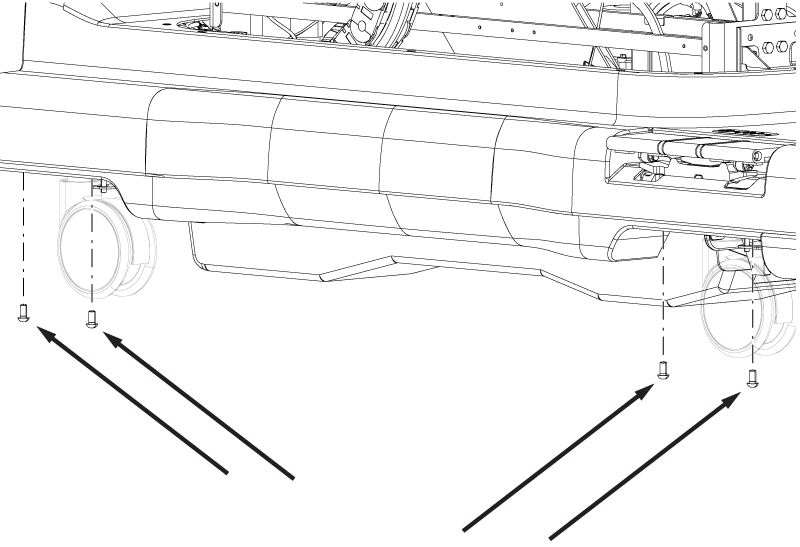
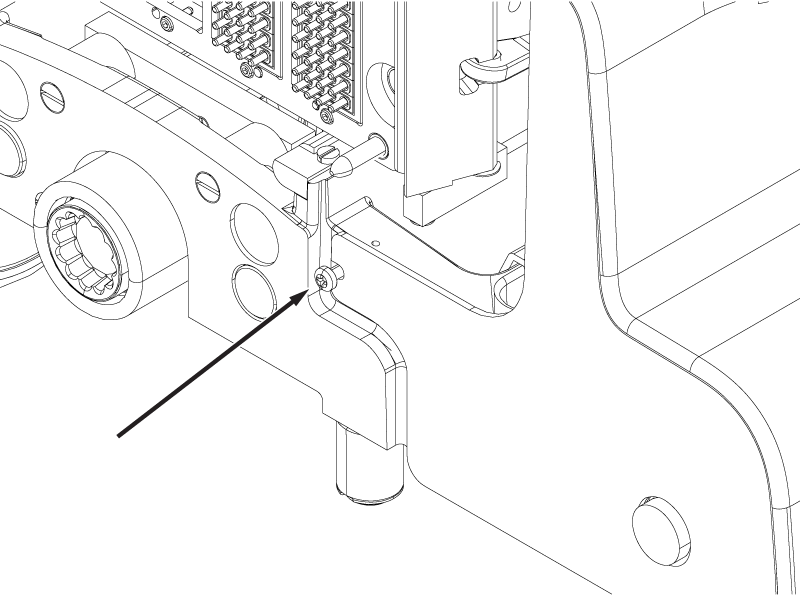
- Tighten the 10-32 x ½ Phillips Head Screw securing the front of the base side cover.
Note: Do not over-tighten the screw. The screw only needs to be snug to the cover.
Figure 4. Base side cover front screw