- SIGNA™ Hero 3.0T Service Methods
- 5852800-8EN Revision 1.0
- 00000018WIA30C54450GYZ
- id_20220431.11
- Oct 19, 2021 3:27:05 PM
Removing the gradient filter
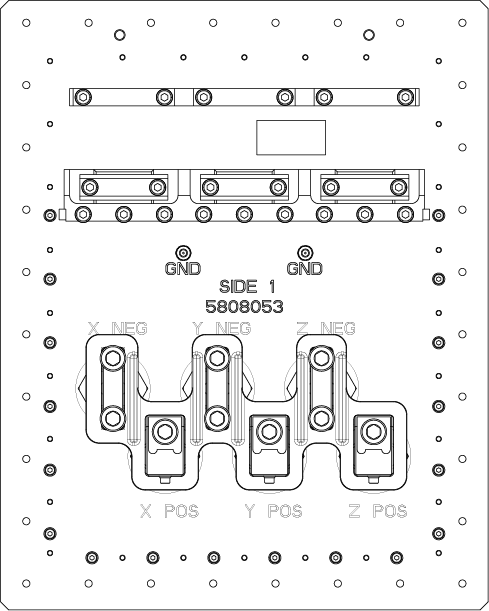
Remove the gradient filter from the Integrated System Cabinet (ISC) Penetration Wall (PW) for replacement with a Gen2 gradient filter.
Procedure
- On the scan room side, remove the gradient filter cover screws and cover.
Figure 1. Removing the gradient filter cover 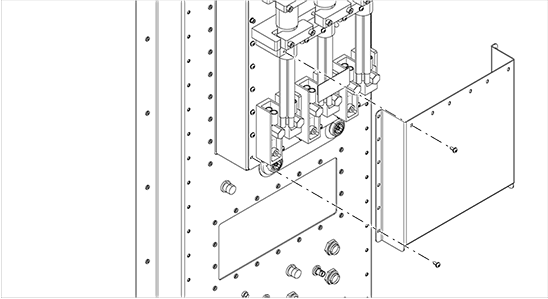
- Starting on the left side of the gradient filter at the Z cable, remove the cable bracket screws and cable brackets.
Figure 2. Removing the cable brackets 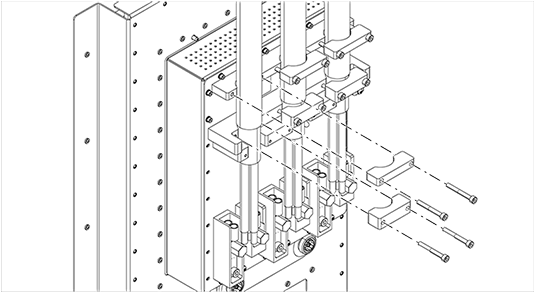
- Remove the cable bolts and screws.
Figure 3. Removing the cable bolts and screws 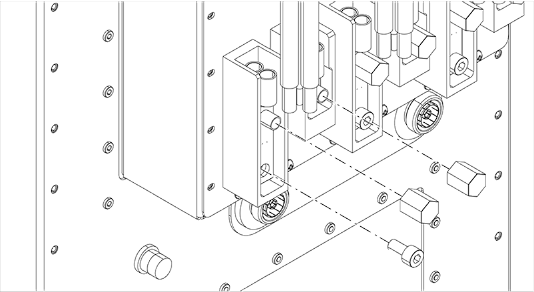
- Remove the cable from the filter.
Figure 4. Removing the cable from the filter 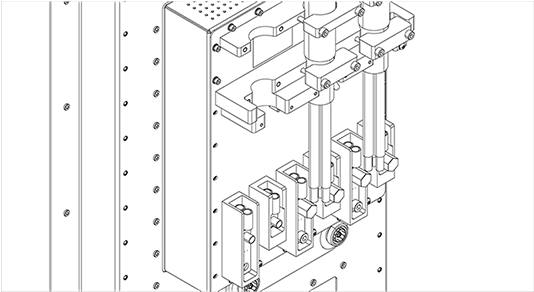
- On the equipment room side, remove the gradient filter cover screws and cover.
Figure 5. Removing the gradient filter cover 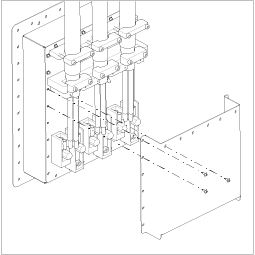
- Starting on the left side of the gradient filter at the X cable, remove the cable bracket screws and cable brackets.
Figure 6. Removing the cable bracket screws and brackets 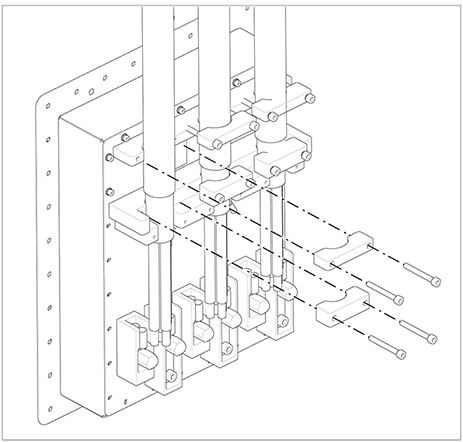
- Remove the cable bolts and screws.
Figure 7. Removing the cable bolts and screws 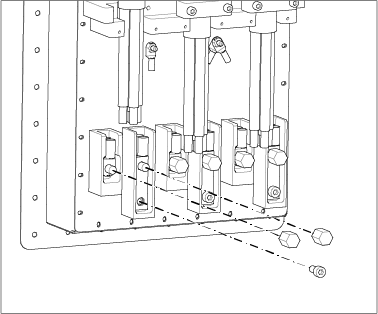
- Remove the cable from the filter.
Figure 8. Removing the cable from the filter 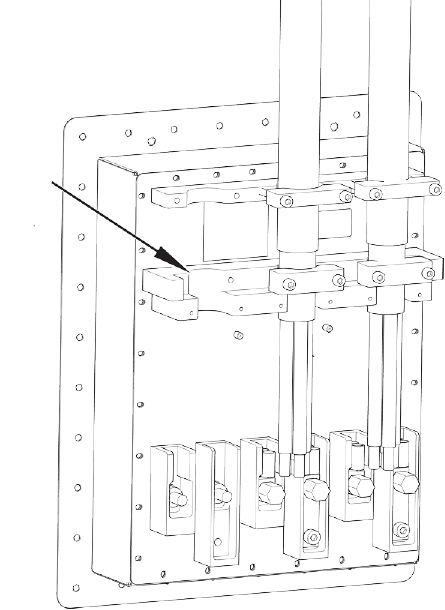
- Remove the screws surrounding the filter mounting plate from the penetration wall panel.
Figure 9. Removing the screws 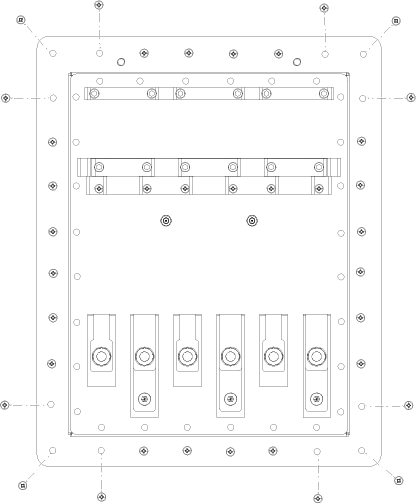
- Remove the gradient filter.
Figure 10. Gradient filter