
- SIGNA™ Hero 3.0T Service Methods
- 5852800-8EN Revision 1.0
- 00000018WIA30D54450GYZ
- id_20220441.17
- Oct 19, 2021 3:27:10 PM
Installing the Gen2 gradient filter in the Penetration Panel (PP)
Install the gradient filter in the opening in the Integrated System Cabinet (ISC) Penetration Panel (PP).
Procedure
- Remove the gradient filter covers if they are not already removed.
Figure 1. Remove the covers 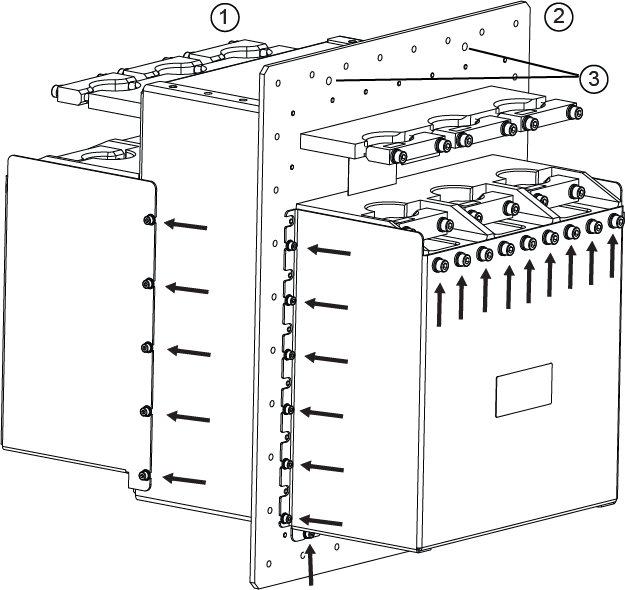
1 Scan room side 2 Equipment room side 3 Guide peg holes - Secure the gradient filter plate to the PenPW panel.
- For new installations, use the supplied screws and washer.
- For FRU replacement, reuse the screws and washers.
Figure 2. Secure the gradient filter to the PW 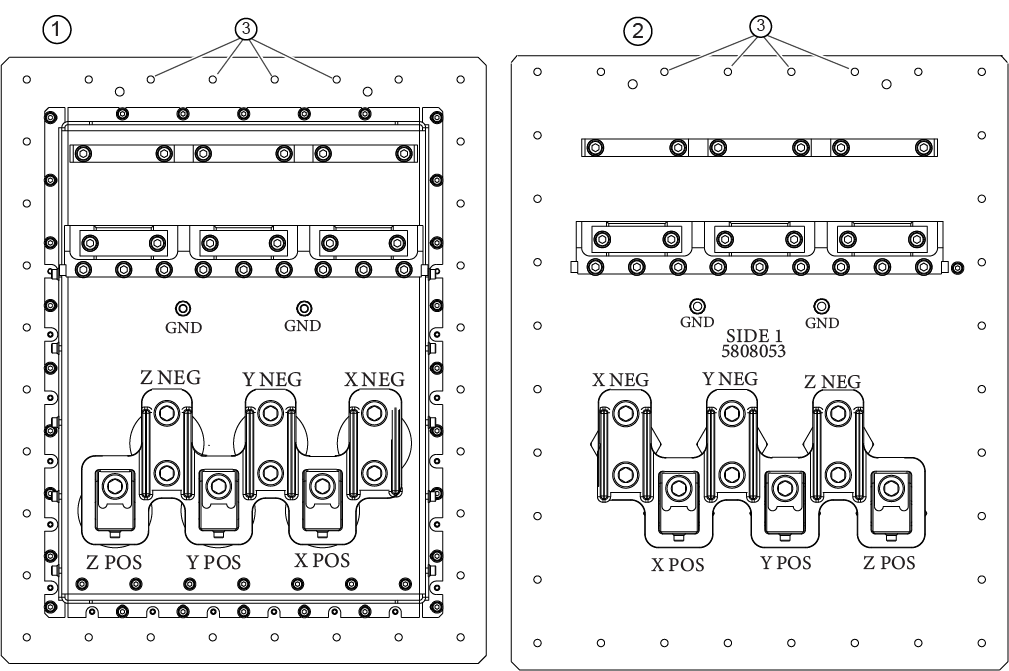
1 Scan room side, cover removed 2 Equipment room side, cover removed 3 Screw holes (32 total)