- SIGNA MR355 / SIGNA MR360
- Service Manual
- 5856356-3EN Revision 5.0
- Basic Service Documentation. Copyright General Electric Company.
- 00000018WIA30980B40GYZ
- id_20166961.9
- Apr 23, 2020 7:33:37 PM
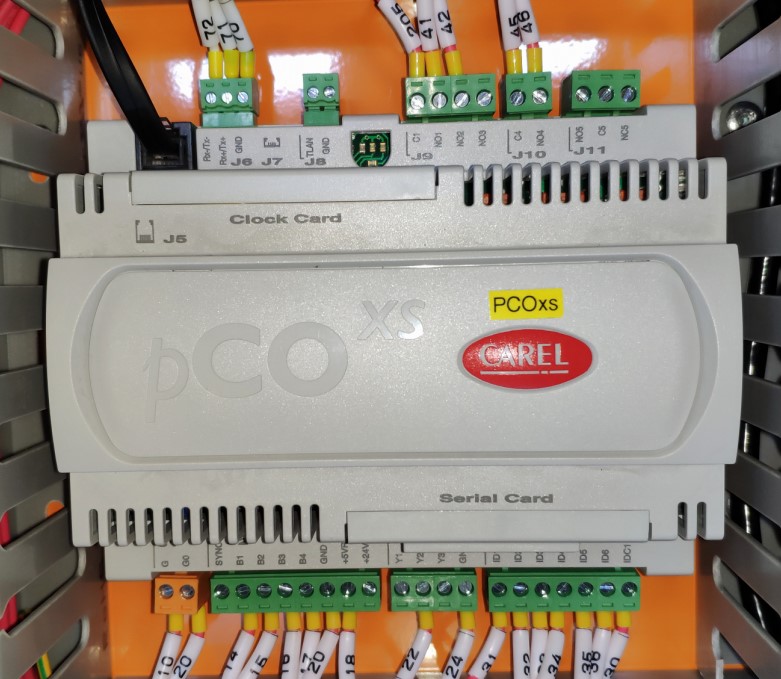
11kw Chiller Controller Replacement
Prerequisites
| Required persons | Preliminary requirements | Procedure | Finalization |
|---|---|---|---|
| 1 | Not Applicable | 30 mins minutes | Not Applicable |
| Item | Quantity | Effectivity | Part number | Manufacturer |
|---|---|---|---|---|
| Flat head screwdriver | 1 | - | - | - |
| Wrist stap | 1 | - | - | - |
| Item | Quantity | Effectivity | Part number | Manufacturer |
|---|---|---|---|---|
| pCOxs Controller for 11kw chiller_SW, 22B01 | 1 | - | 5811286 | - |
| pCOxs Controller for 11kw chiller_SW, 21B05-21B22 | 1 | - | 5811287 | - |
| ||||
| Condition | Reference | Effectivity |
|---|---|---|
|
Check the software version of pCOxs Controller, order the right FRU part. | - | - |
Procedure
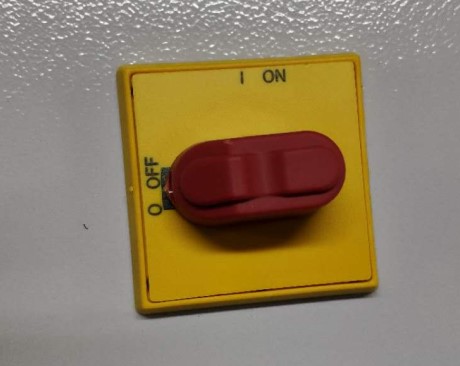
- Disconnect the unit power supply and the door panel handle is located in the OFF position.
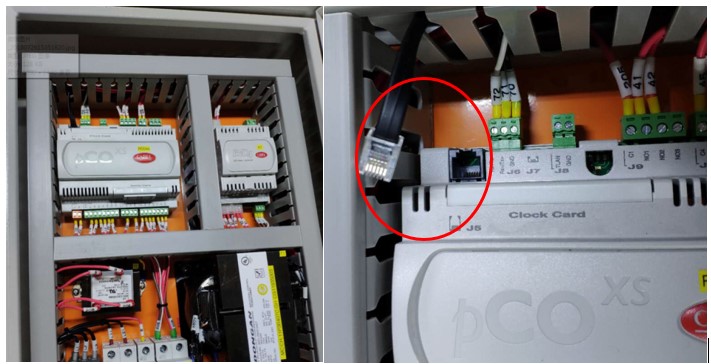
- Open the electric control box cover and unplug the telephone connector cable.
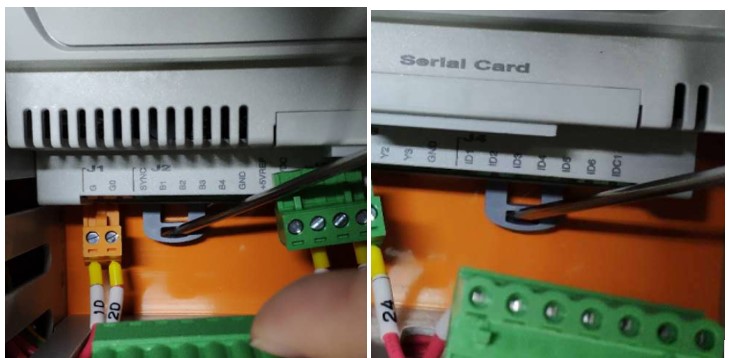
- Use a screwrdriver to remove the terminals on the controller.
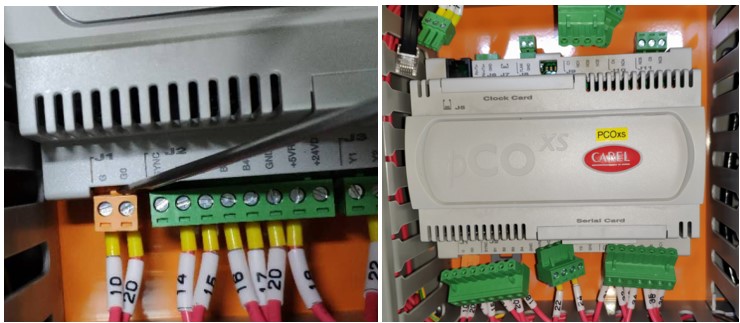
- Use a screwdriver to unplug the controller buckle.
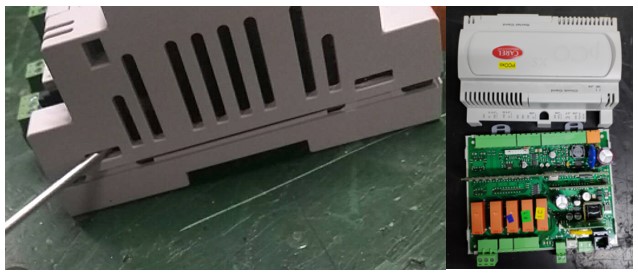
- Remove the controller, put it on the table, press the card slot with a screwdriver and remove the controller shell.
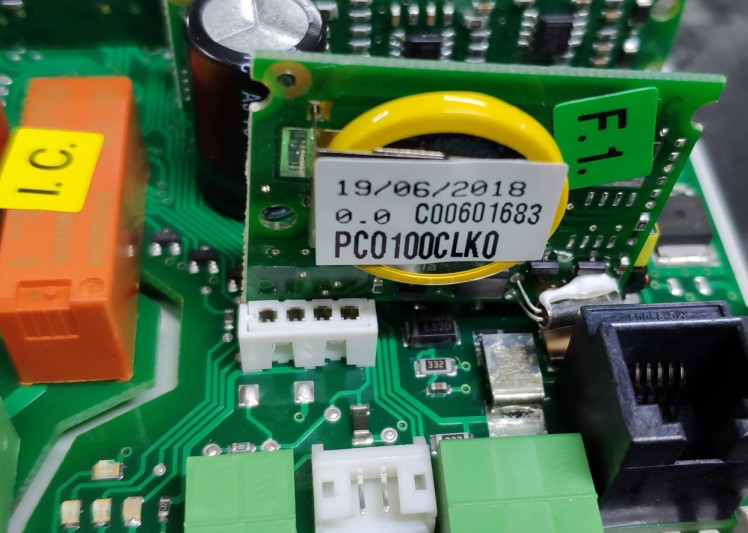
- Unplug the older controller clock card, remove the new controller shell according to step5 and then install the clock card to the new controller. Restore the controller shell.
- Install the new controller on the electric control box, buckle transferred to the right position, plug in the terminals and telephone connector cables.