- id_2003008
- Version: 5.0
- Date: Jul 10, 2019 2:40:36 PM
Emailing licenses
Procedure
- From the System Information screen, select Email Licenses.The Email License Keys window displays, as shown below.
Figure 1. Email license keys dialog box
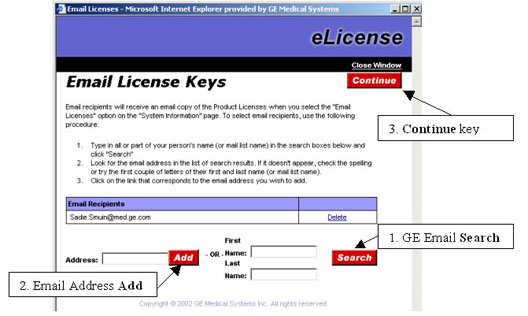
- If needed, add additional e-mail addresses to this message.
- If the recipient is a GE employee, enter their first and last name, and then click Search. Select the name you want from the list.
- If the e-mail address is an external address, type it in the Address field, and click Add.
- Open the email and save the attached license.sh file to a local directory.
- Choose one of the following installation methods.