- id_15271122
- Version: 2.5
- Date: Jul 5, 2019 10:35:42 AM
Reset Term Server
Prerequisites
| Required persons | Preliminary requirements | Procedure | Finalization |
|---|---|---|---|
| 1 | Not Applicable | 10 minutes | Not Applicable |
| Condition | Reference | Effectivity |
|---|---|---|
|
This procedure is only for new software loads. |
- | - |
Procedure
- Exit Guided Install by selecting File > Quit.
- Restart the system and log in.
-
User ID: root
-
Password: operator
note:It is possible that the customer changed the default password. If you cannot log in, contact the customer for the correct password.
-
- Remove the power connector from the term server.
- Press and hold the small square Reset button (next to the power jack), and connect power to the term server while continuing to press this button.
- Continue pressing the Reset button for 20 seconds, or until the LED flashes 1–5–1.
- Verify communication between the host PC and term server as
follows:
- Open a C shell.
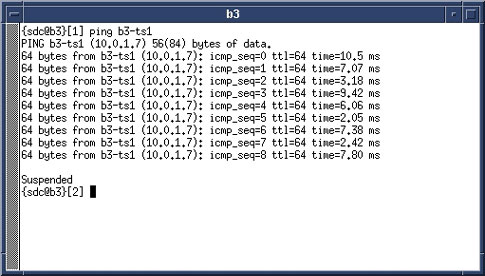
- To ping the ts1 address, type ping hostname-ts1 (where hostname is the hospital name). Press Enter.
Figure 1. Ping ts1 — Good Communication
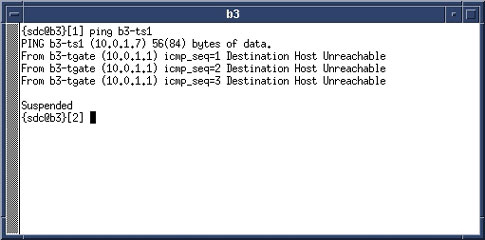
If an improper response of Host Unreachable appears, repeat this procedure.
Figure 2. Ping ts1 — Communication Error Message
- To stop the test, press Ctrl-c.
Finalization
Proceed to the appropriate MR service software loading procedure. See .