Install a temperature and humidity sensor in the GOC.
Prerequisites
| Personnel requirements |
|---|
| Required persons | Preliminary requirements | Procedure | Finalization |
|---|
| 1 | - | 15 minutes | 15 minutes |
| Tools and test equipment |
|---|
| Item | Quantity | Part number | Manufacturer |
|---|
| Nonmagnetic Titanium Service Tool Kit, Small Set | 1 | 5113258 | - |
Procedure
- Put the temperature and humidity sensor in position in the GOC and then press down firmly to fasten the Velcro.
Figure 1. Temperature and humidity sensor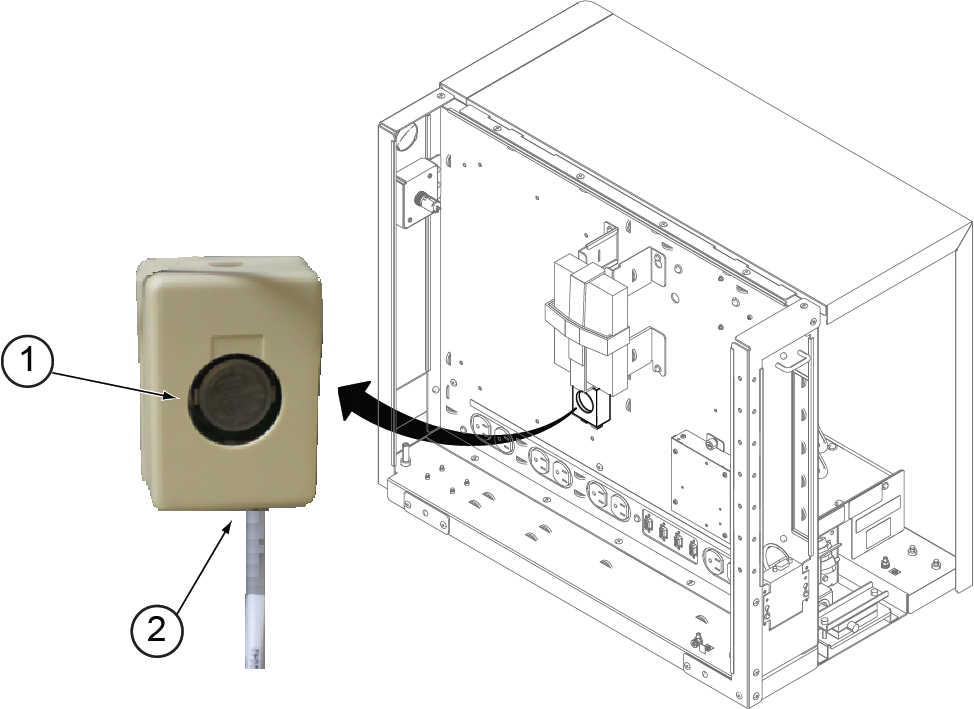
| 1 | Temperature and humidity sensor |
| 2 | Cable |
- Reconnect the cable to the temperature and humidity sensor.
- Connect the spade connector on the right side cover ground wire to the GOC chassis ground wire spade connector.
- Lower the right side cover onto the GOC cabinet.
- Install the two screws securing the right side cover.
Figure 2. Right side cover screws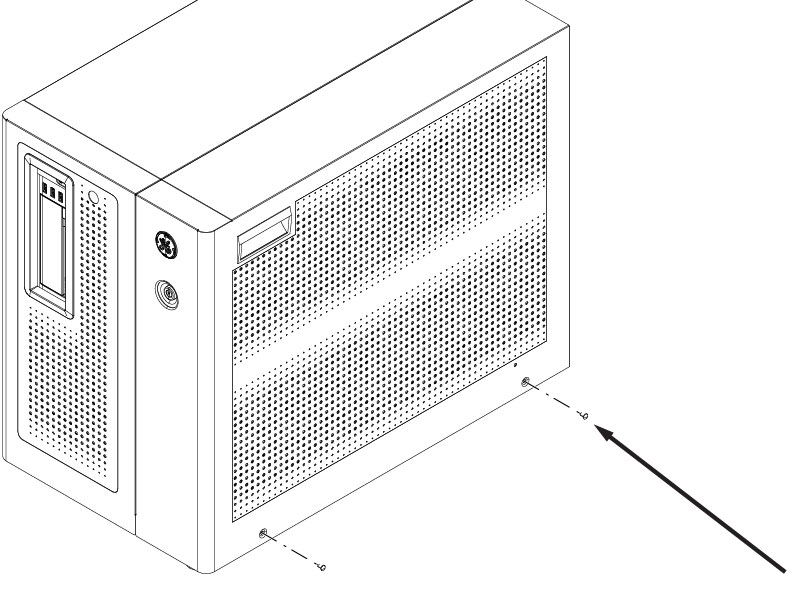
Finalization
After removing LOTO and starting up the host computer, make sure the temperature and humidity sensor is working correctly.