- Discovery MR750 3.0T System Service Methods
- 5690009-2EN Revision 4
- 00000018WIA302C6410GYZ
- id_20044498.1
- Jul 13, 2021 4:16:32 PM
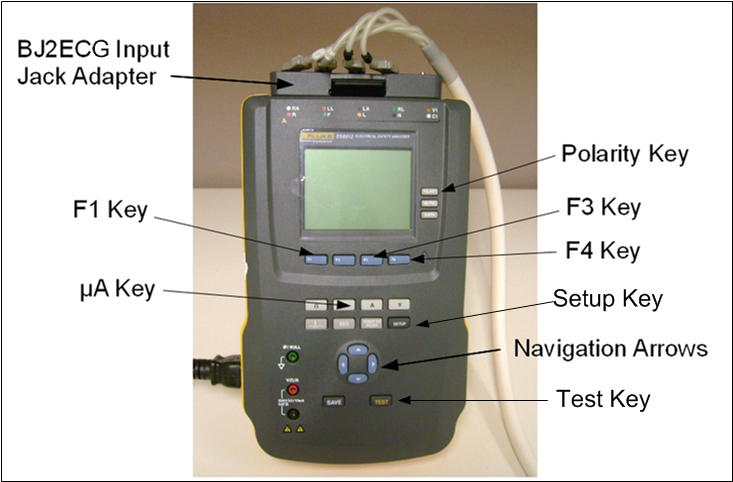
Setting up Fluke ESA612 Safety Analyzer
About this task
Important: The safety analyzer must be located as far away from the magnet as possible to successfully execute this test. Getting closer to the magnet affects the safety analyzer and alters the tool’s ability to take an accurate measurement.
Procedure
- Connect the ECG leads to the Fluke BJ2ECG Input Jack Adapter, matching:
- Right arm (RA) lead to RA input jack adapter
- Left leg (LL) lead to LL input jack adapter
- Left arm (LA) lead to LA input jack adapter
- Right leg (RL) lead to RL input jack adapter
The fifth input jack adapter is not used for these tests.
Figure 1. Fluke ESA612 Safety Analyzer